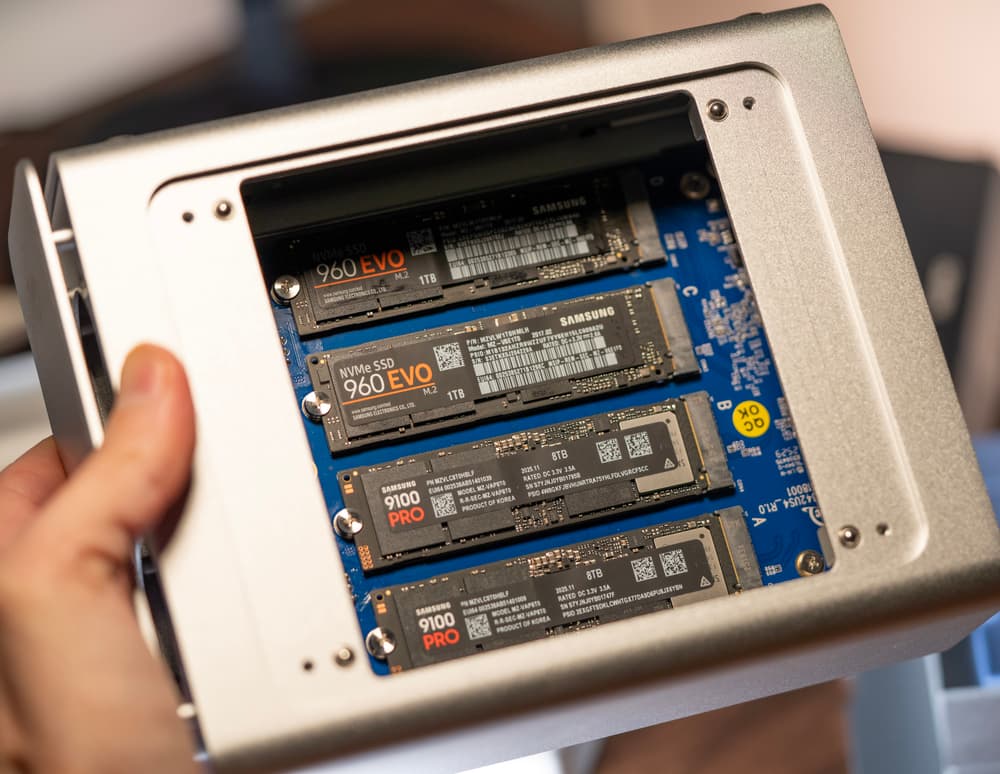
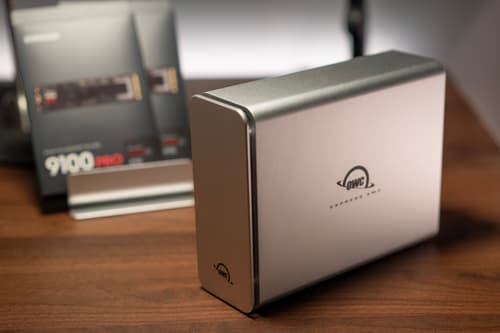
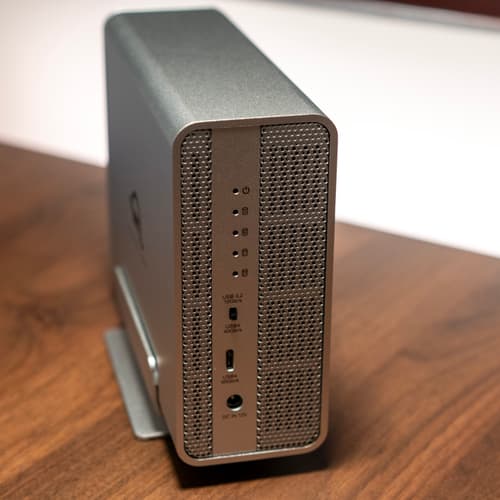
The OWC Express 4M2 NVMe SSD enclosure with 4 M.2 SSDs
I've written about my storage solutions a few times in the past:
- 2013: Storage for Photographers
- 2015: Storage for Photographers (Part 2)
- 2023: Digital Clutter
I used to shoot a lot more photos and videos than I do now. I previously used different Synology NAS solutions with spinning disks. Over time I just started feeling like it was a bulky solution. They weren't exactly quiet or maintenance free. Aside from regular software updates, I also had to replace several hard drives after drive failures over the years.
And recently I've been using an external M.2 NVMe SSD that was backed up to the cloud. It got the job done but I wanted something a bit more robust. It's known that unpowered NAND flash can lose data over long periods of time. It's not enough to plug in the SSD every few months either, you need to access every part of the SSD with an occasional full-disk read.
What I was looking for
My main requirements were:
- External multi-bay NVMe M.2 SSD enclosure with support for RAID
- No proprietary RAID software. I wanted something that could last, so for me that meant not relying on a third-party for RAID management. I just want to create the array directly in macOS Disk Utility.
- Not a NAS. I didn't want to maintain any proprietary NAS software or OS. While having this available on the network at all times is a secondary goal, I figured I'd likely just get a small Mac Mini to run as a server.
- Not too large. I wanted something that would fit on my desk, not take up too much space, and not make much noise.
- No spinning disks. While SSDs have their own reliability issues, I vastly prefer them over spinning disks for performance alone.
- Solid performance. This data would be rarely accessed, and is almost entirely backed up photos and data. I didn't need to optimize for a Thunderbolt 5 enclosure with 5,000 MB/s transfer speeds (of which there are very few options, especially for RAID compatible multi-bay enclosures).
The OWC Express 4M2
After some research, I landed on the OWC Express 4M2. It can house 4 M.2 NVMe SSDs and supports various RAID configurations (but only RAID 0 and 1 if you only want to use macOS Disk Utility and not rely on their SoftRAID software). There really weren't many solid options on the market from reputable manufacturers that met my requirements. OWC is a tried and true brand for Mac gear that I've trusted for decades.
Parts
My plan was to use RAID 1 (mirroring) for redundancy. I needed at least 4TB to give me some space to grow so I began looking for 2 8TB SSDs to give me 8TB of available storage in total with RAID 1. Ideally, I wanted the most space I could afford in this order of preference for NAND bits‑per‑cell type: SLC > MLC > TLC > QLC. The higher the density, the more storage capacity but the lower the reliability. It's remarkably hard to find SLC and MLC in large sizes for consumer use. I wanted to at least avoid QLC. I went with the new Samsung 9100 PRO 8TB SSDs, which use TLC.
- OWC Express 4M2
- 2 x Samsung 9100 PRO 8TB SSDs. It's important to get the version without the heatspreader, as the enclosure acts as a heatsink with fans.
- 2 x 1TB Samsung 960 EVO SSDs (I had these lying around. They're somewhat placeholder until I need more space and will get newer SSDs. For now I'll use them for non-critical data or scratch space).
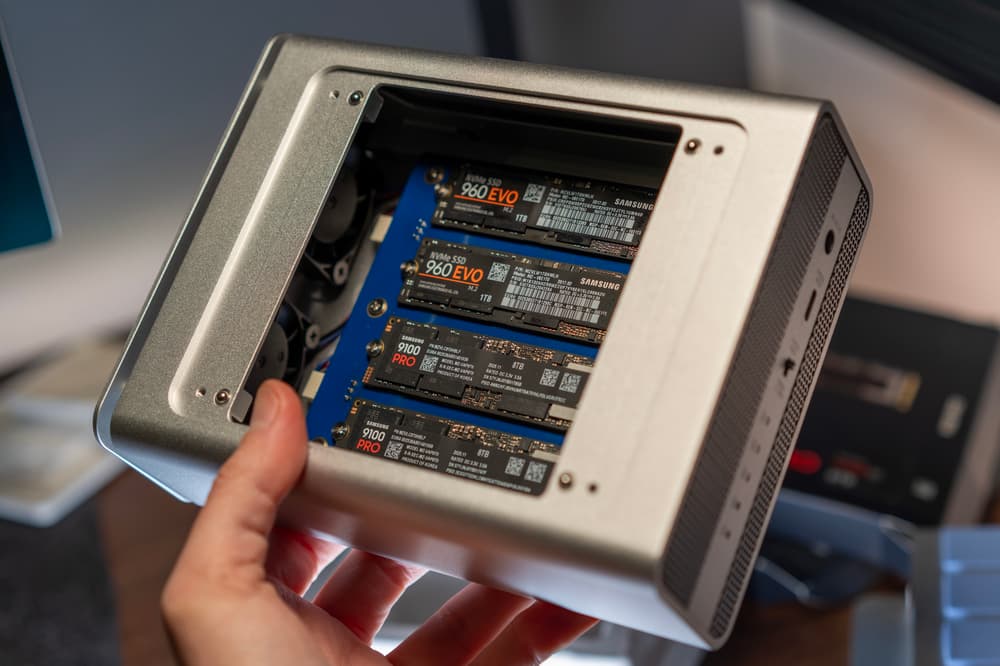
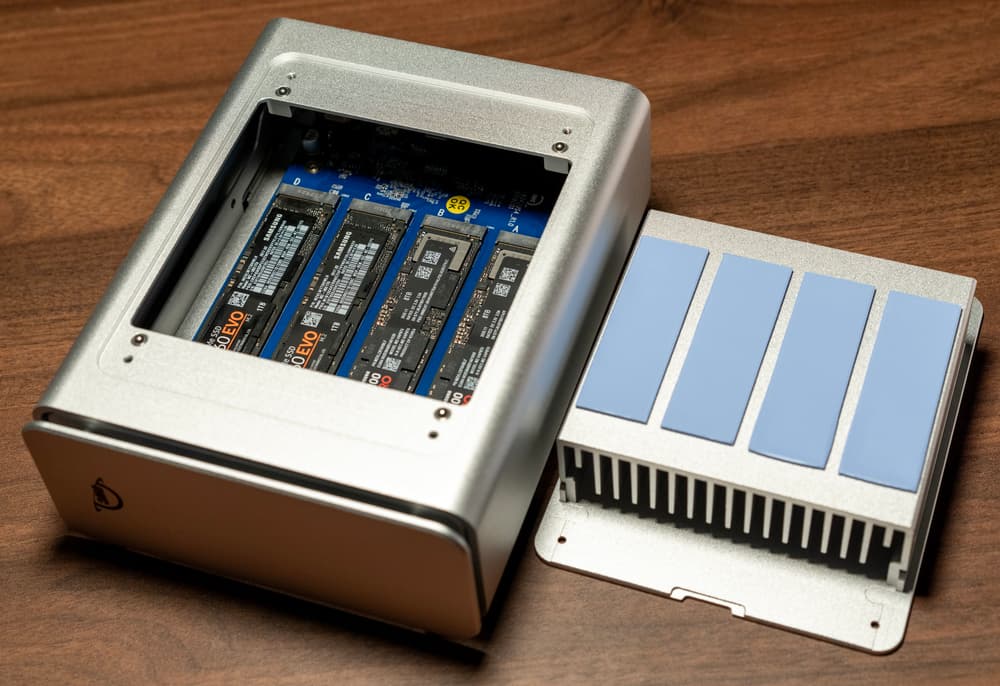
Setup
Setup was pretty straightforward. Opened up the case, installed the SSDs, applied the thermal pads, put the heatsink on and screwed it all closed. It appeared in macOS Disk Utility ready to format.
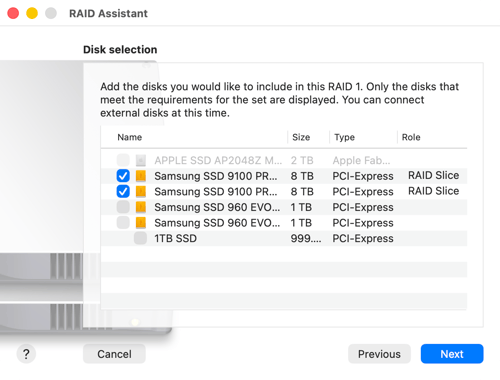
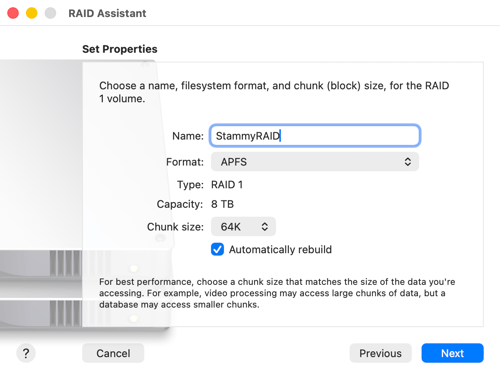
Creating a RAID 1 array in macOS Disk Utility.
Then I ran a speed test with Blackmagic Disk Speed Test. I got write speeds around 1,570 MB/s and read speeds hitting 2,897 MB/s. This is expected and I'll say why. The OWC Express 4M2 is a USB4 (40Gb/s) enclosure. It provides a single PCIe 4.0 lane to each of the four NVMe slots, with single-drive performance capped around 1500–1600 MB/s per SSD. This means the entire enclosure with RAID can get close to 3,200 MB/s, saturating the USB4 connection after protocol overhead.
For my needs of purely archival storage, that's more than sufficient.
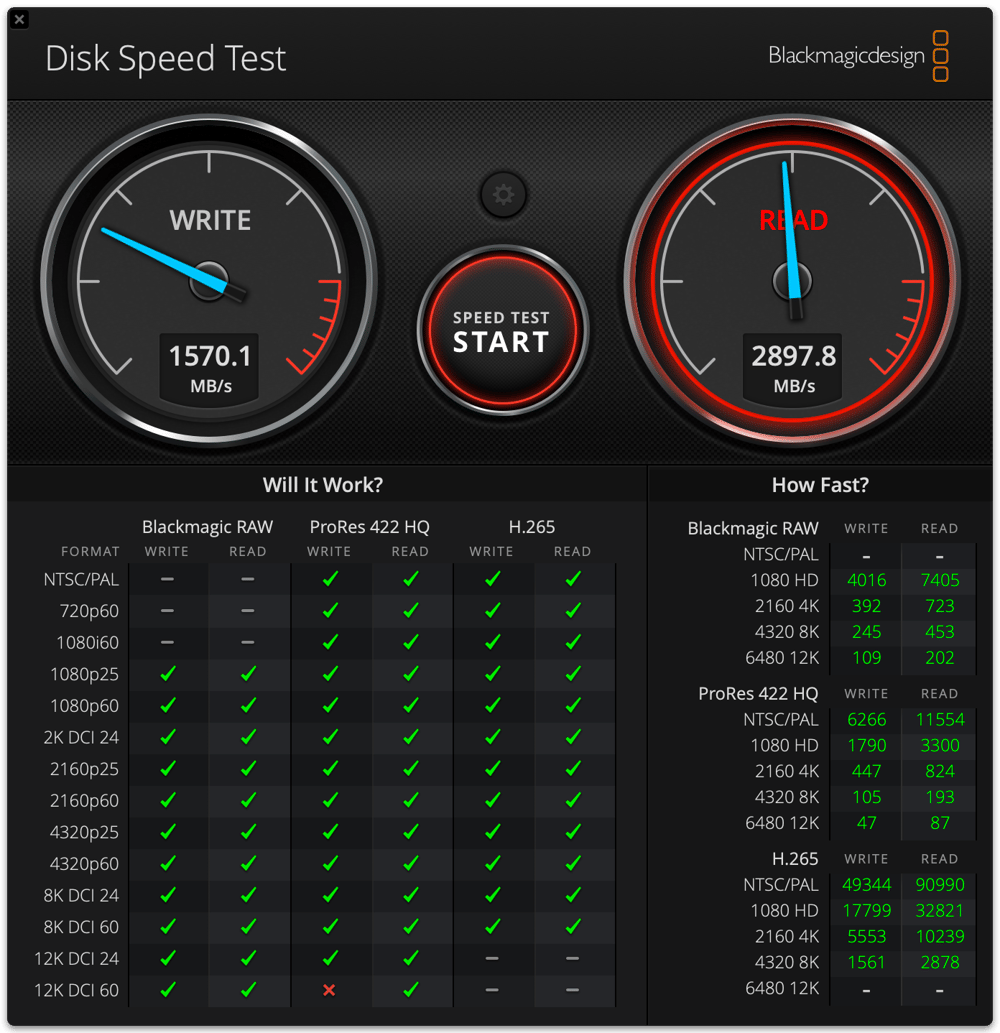
Speed test results for the RAID 1 array.
Encryption, sharing, and backup
I plan to mostly have this array hooked up to my personal MacBook Pro at my desk, but might later switch that to use a Mac Mini.
I encrypted the array and transferred over my data. I then setup Tailscale with their alpha feature "Taildrive" (instructions here) to be able to securely access the array from any device, even outside my home network.
As for backup, I currently use Arq to encrypt and backup to S3. I have certain data stored in S3 while less critical data is stored using AWS Glacier Instant Retrieval. However, I have been wanting to try other backup solutions.
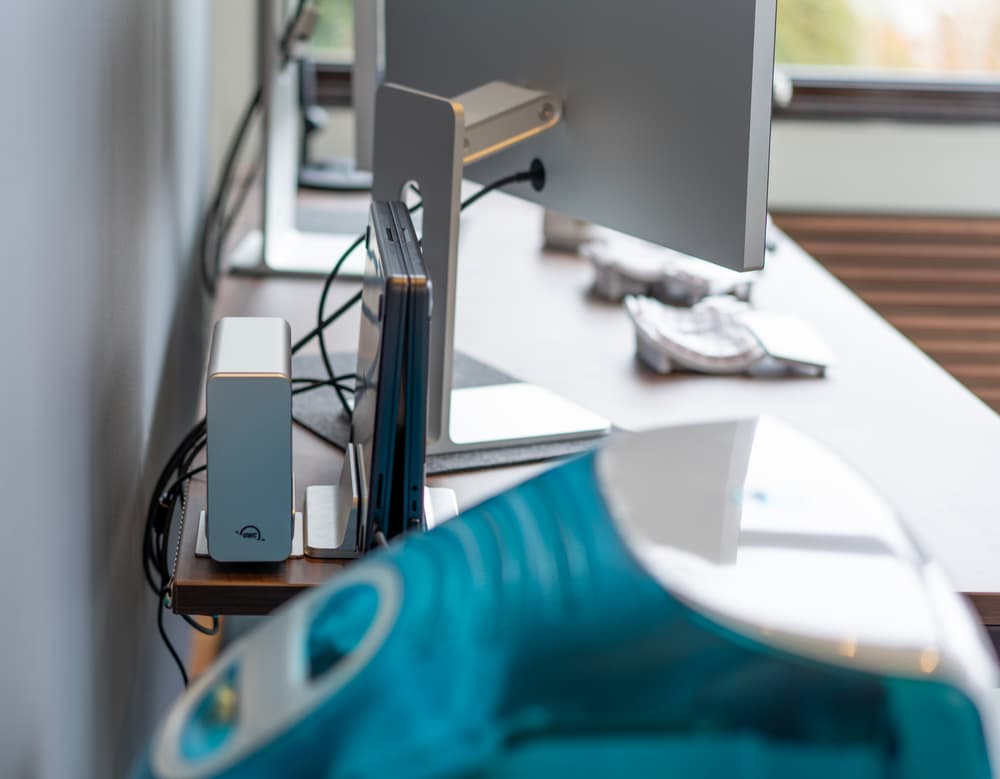
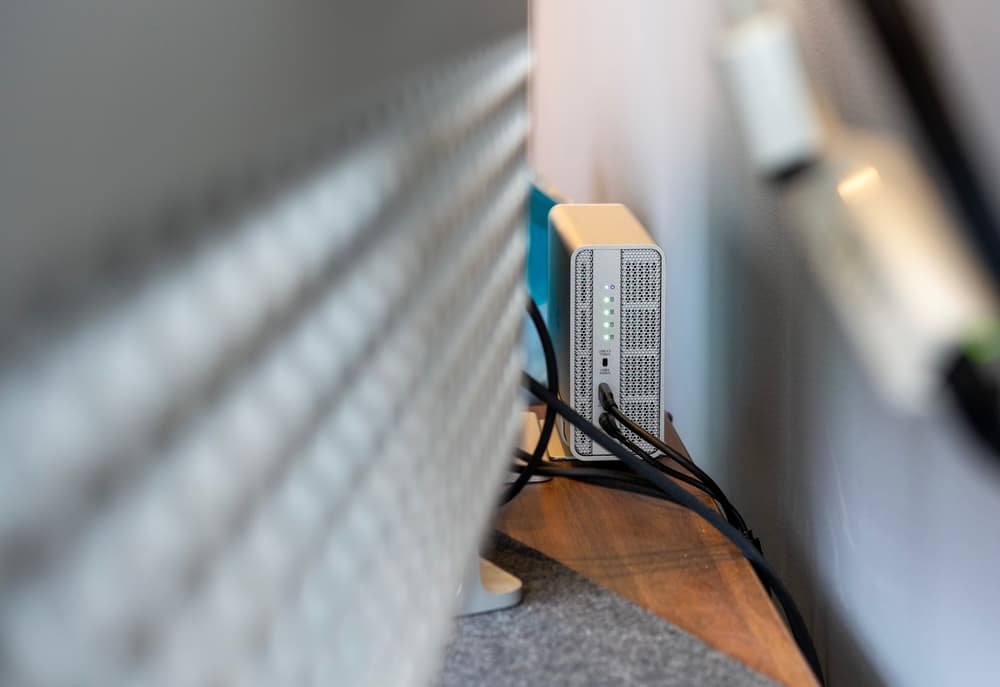
In my home office, next to my iMac G3.
Overall, I'm very pleased with this setup. It's a well-built enclosure that's not too bulky or noisy. If I ever get a dedicated Mac Mini to run it as a server, I'll consider setting up software like Immich to manage my photos and videos, perhaps moving away from Google Photos entirely.