
Review: Fluxiom
Fluxiom is an innovative online storage solution aimed at the creative professional that needs to safekeep mission critical files while assuring interminable connectivity. Rather than being called online storage, Fluxiom is a digital assets manager as it does much more than just store your files and documents.
What it can do
Fluxiom comes in four different plans, each with differing amounts of storage and number of features. There are 200MB, 800MB, 3GB and 8GB accounts as detailed on the Fluxiom pricing page. Fluxiom's strong points are in providing expansive accessibility to your online assets. I've highlighted some of the features below.
- Interface - Among the best parts of this digital asset manager is its great user interface designed by the folks at Wollzelle. There are two way to view your assets; list or thumbnail view. Thumbnail view boasts a slider allowing you to zoom in or out as much as you'd like. Each asset gets its own icon based on file type. Images are shown directly and Fluxiom supports over 100 image formats from Photoshop PSDs to the standard JPEG and GIF. The use of unique icons for each file type help users locate things quickly and is an integral part of the whole experience. Adding files is done through a pop-up window that lets you browse your files and select one to upload. However, it does not seem like you can upload multiple files at a time.
There is also a details viewer that displays the specifics of your assets. In the second image below, you can see how it can show things as advanced as which layers are in a PSD file.


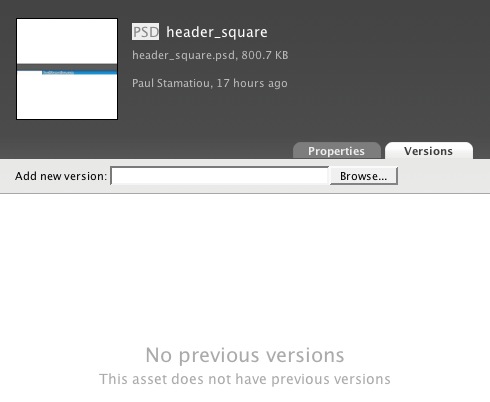
- Versions - The Pro and Deluxe accounts feature version support which lets users have multiple files with the same name, allowing for versioning. This can come in handy with developers that want to reference an old piece of code.
- Tagging and Search - Fluxiom comes with the ability to give assets tags to easily categorize and organize items. Each tag is also added to the main bar at the top, allowing users to easily sort through assets. You can also sort by multiple parameters, such as by a tag and by file type or date. With the addition of the powerful livesearch, keeping track of your files will be the last thing on your mind.
- Syndication and Users - Fluxiom encourages a collaborative working environment through the use of multiple users (on all accounts except private). You can setup several accounts with different privileges for fellow coworkers, siblings or colleagues. This lets others safely access your assets and easily share them. To let other users know when you have changed something, each fluxiom account comes with a global RSS feed. However, it does not appear as though you can make a feed for each asset - which can lead to a cluttered RSS feed if you are dealing with many assets and have multiple users editing things.
- Sharing - Similar to how multiple users can access assets, sharing is a feature which can let you send special links of assets to email recipients, as well as attachments. This is a solution for those that want to send a brief update to a client but not give them full access to other fluxiom assets.

Is it necessary?
Fluxiom is targeted to only a small portion of web users. I can see it coming in handy for small web development firms, but at the price range from 115 to 217 per month for a full-featured account (deluxe and pro), it is rather expensive. Those looking at online storage with a cheaper price tag with similar features, box.net is a viable alternative. Price point aside, fluxiom is a top-notch product that promises the world and actually delivers. If you are seriously considering signing up for a Fluxiom account, read some of the other reviews at Think Vitamin, Solution Watch and Tech Crunch.