So you’ve built a nifty file server running Linux after following your favorite blogger’s series of DIY 200 Dollar PC articles (Part 1, Part 2, Part 3). Now what? Wouldn’t it be nice if you could turn that server into a speedy downloading machine?
Take this scenario as an example: It’s 8pm and you just got out of work from Google, Facebook or whatever your favorite “it” company is these days. You’re waiting at the Caltrain station playing around with your iPhone until the train arrives to scuttle you back to San Francisco. You realize you forgot about something you wanted to download and send an email to your server from your iPhone. By the time you get home the download has finished and is waiting for you.
That can be done and this article aims to get you hooked up with such a newsgroups setup.
Disclaimer: By writing this article I do not endorse, encourage or otherwise support piracy, nor can I be held liable in the event someone should follow this guide to pirate. Like BitTorrent, Usenet and newsgroups have legitimate uses.
Newsgroups… Usenet… What is that?
Wikipedia states that Usenet is a global, decentralized, distributed Internet discussion system. Within Usenet, there are newsgroups for different types of threaded discussion, typically accessed through newsreader software. However, discussions aren’t the only things taking place on Usenet newsgroups. The alt.* hierarchy of newsgroups, for example, is home to binaries newsgroups where people may upload and share various types of files and media.
Unlike BitTorrent, a popular peer-2-peer communications protocol, interacting with newsgroups only requires downloading from a server rather than downloading from peers and uploading to peers. As such, downloading through newsgroups is typically extremely fast, given a proper Usenet service provider. Also, you are only connecting to your Usenet service provider — not any peers or other computers — making Usenet much more secure.
Just to give you an idea of the speed, if you had a large queue of files to download over a typical 6 megabit Cable Internet connection, you would max out the line and exceed 2 Terabytes of bandwidth consumption in a single month. If you lived on a college campus with a fat pipe (assuming fat = 60+ Mbps), that number would be closer to 20 Terabytes. Of course, I doubt many people would realistically download 24/7 for an entire month.
For example, try this newsgroup download speed test hosted by Giganews to see what kind of speeds you can get. Note that these would be the same as actual download speeds.
Attaining a Usenet service provider.
To use newsgroups, you will need a Usenet service provider (NNTP – Network News Transfer Protocol). There are many options to choose from. Some are free while most are only for pay with strict download limits unless you opt for an unlimited package. After a quick search online, I found that Giganews.com is one of the most popular providers and with good reason. Giganews hosts over 100k newsgroups (almost all of them), is a fast and reliable Tier 1 Usenet provider and has a lengthy binary retention.
Binary retention is probably the most important thing to take note of when looking for a usenet service provider; it is the length of time files stay on their servers since the upload. The shorter the retention, the less of a chance you have of finding the files you’re looking for. After checking out a handful of Usenet providers, I landed on Giganews, which offers an industry leading days of binary retention!
I went with Giganews.com’s Diamond account as I wanted an encrypted 256-bit SSL connection in addition to an unlimited account. Update 12-26-2009: Giganews now has VPN service called VyprVPN bundled with their Diamond accounts that lets you encrypt all of your computer’s web traffic.
You’ll need a client.
In order to download with newsgroups, you’ll need to setup a client on your computer or file server. Again, there are a lot of options to choose from. Here are some of the best, by OS.
Mac OS X – Panic’s Unison ($25). You can’t really compete with this app for OS X. It won an Apple Design award and comes from the developers of Transmit and Coda. You can also use my Linux favorite hellanzb in OS X but installation is more involved with DarwinPorts. Update: Zach Inglis pointed me towards NZB Drop.
Windows – GrabIt (free), NewsLeecher ($20/yr), Android ($27)
Linux – I have tried many GUI-based newsreaders in Linux and they all fell short of my expectations. If you have any suggestions, please let me know in the comments, but I am very happy with the Python, command-line-based hellanzb. There is also URD (Usenet Resource Downloader) for those that need a GUI.
I keep hearing about *.nzb files. What are they?
An nzb file is an XML-parsed text file containing metadata and links to Usenet postings. It was created by the popular Usenet index Newzbin.com. Usenet downloading clients use the nzb file to find out what needs to be downloaded from Usenet servers.
The easiest way to think about nzb files is with this analogy: .torrent files are to BitTorrent as .nzb files are to Usenet. The files contain no actual files, only information about where and from whom to download the files. When going about downloading something with Usenet newsgroups, you typically want to look for and download the nzb file and then load that into your download client.
Tweaking Hellanzb
Since I imagine many of you will want to take advantage of newsgroup downloading on your new Linux file server, I will discuss my favorite Linux newsgroup client – hellanzb. It might be command-line based but it is extremely capable and can be run as a handy daemon. Hellanzb has a strong community behind it that have created numerous related applications including adding a web UI and Firefox integration for smoother nzb queuing.
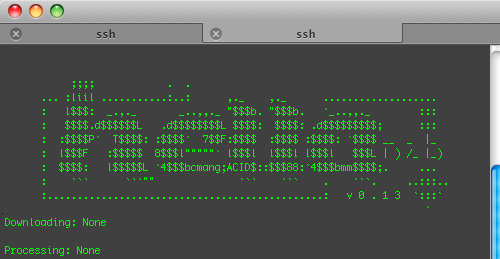
How can you say no to ASCII art?
SSH into your Linux box or work directly on it and install hellanzb and it’s required parts.
sudo apt-get install par2 rar hellanzb
Hellanzb needs python but you most likely already have that installed if you’re using a distro like Ubuntu. Next up, you’ll need to configure hellanzb.
sudo vi /etc/hellanzb.conf
In the config file, you will need to go through and change the following items:
- host – For example, it would be news.giganews.com:119 for non-SSL, news.giganews.com:563 for SSL
- username & password for your Usenet service provider
- connections – The maximum simultaneous connections to your Usenet service provider’s servers. This depends on your account and can range from something like 5 to 20 max simultaneous connections. If you’re not sure, check with your provider.
- ssl – Set to “True” if your account supports SSL encryption, leave “False” otherwise.
- Hellanzb.PREFIX_DIR – Where you want the hellanzb directories to remain. I wanted them on my larger, secondary drive and I removed the dot from the hellanzb folder name so they would be visible when browsing from networked computers (OS X likes to hide .folders by default).
- Hellanzb.UNRAR_CMD = '/usr/bin/rar'
- Hellanzb.PAR2_CMD = '/usr/bin/par2'
- Hellanzb.SKIP_UNRAR – Set to False to have it automatically extract completed downloads.
- Hellanzb.NEWZBIN_USERNAME & Hellanzb.NEWZBIN_PASSWORD – Provide login info for your Newzbin.com account so hellanzb can automatically download NZB files given the NZBID.
Don’t forget to save and quit vim (:wq). Once hellanzb is installed and configured, you can start it up by simply running it.
hellanzb

That is the standard way of running hellanzb. It gives you live download stats and monitors the queue (.hellanzb/nzb/daemon.queue) for new nzb files to download. Just drag a file in the queue directory to start a download. However, you must keep the command line open all the time or the process will quit. This is why I prefer running hellanzb as a daemon process:
hellanzb -D
A daemon process runs in the background when working. It’s always at your beck and call. Interacting with hellanzb as a daemon is a bit different. To get download stats, you must manually call them with the status option.
hellanzb status
You can cancel downloads with the cancel option and so on. Read the man page for more.
Remote administration
The whole point of this article is not only to get started with downloading over newsgroups but to get it to a point where you can start downloads away from the computer. There are multiple methods of doing this but naturally I wanted to go the road less taken and build something.
Alternatives include utilizing a web UI such as hellahella but to be able to access the UI outside of my network I would have to open up ports on my router, potentially risk my network’s security and all of that. Another option is opening up an SSH port on the router and then SSHing into the server to manage downloads. It’s a powerful option but it brings with it the hassle of setting up DynDNS for a dynamic IP and forwarding the SSH port to the file server, which itself changes when devices become unplugged/plugged in the network and DHCP reassigns recently used IPs. In a nutshell, no thanks to all of that.
Custom email to hellanzb python/bash scripts you say? Respect.
I realized the best solution for me would be emailing my file server somehow. Initially, I thought I would send it the nzb file but that’s too much hassle for the user, brings in device constraints (try downloading and emailing an nzb file on your iPhone) and leads to a more complicated script. I decided it would be best to create a special email account and send it emails with the NZB ID (typically a 7 digit number) of the file, or the URL itself, I wanted to download in the email body.
After many hours wasted trying to work with various mail fetching scripts and not getting what I wanted, I enlisted the help of hacker extra-ordinaire Mike Wozniak. Mike is a computer engineering major at Georgia Tech that first got me into Linux when he lived down the hall my freshman year, but I digress. He came up with 2 scripts.
Download the scripts here: hellanzb_scripts.zip (4kB)
Place both scripts in /usr/bin/. Edit hellagmail.py to include login credentials of the email account you wish to tie to your file server/download box. Look for the info around line 170. I highly recommend setting up an entirely new account only for this purpose. The file is named after Gmail as it makes use of POP3 SSL and the Gmail POP server. I believe it can be used with any email account by removing the _SSL part around line 111-112 in the try block and changing the POP server URL.
When selecting an email name for this, you must never share it or others might send it NZB IDs to download without your knowledge. As such, mine is more of a captcha than a real word. Also POP3 access must be enabled in the Gmail account.

Save hellagmail.py when you’re done and make it executable with the line below.
sudo chmod +x /usr/bin/hellagmail.py
Do the same with hellascript.sh.
sudo chmod +x /usr/bin/hellascript.sh
What do the scripts do?
The hellagmail.py file checks a Gmail account via POP3, reads email messages and outputs the numbers it finds in the email body. As such, send otherwise empty emails – a number in your signature could confuse hellanzb. An example email body might be “1234567 1235678″ and those two numbers would be queued by hellanzb.
The bash script, hellascript.sh, checks to see if the hellanzb daemon is running and then queues the NZB IDs from the email using the enqueuenewzbin option. This will only work if you gave hellanzb access to your Newzbin.com account in the config file.
Cron job’n it!
These scripts need to be run every so often to check your email account so I used crontab to manage hellascript.sh as a cron job set to be run every 5 minutes.
Edit crontab with this line.
crontab -e
Then give crontab the time information it needs as well as the path of the script to run.
*/5 * * * * /usr/bin/hellascript.sh

If it looks like that, you can go ahead and save. Fire up the hellanzb daemon (hellanzb -D), browse Newzbin.com, find a download you like and send the NZB ID in an email to your new email account. Within 5 minutes or less your computer should begin downloading the files after looking up the NZB ID on Newzbin.com and downloading the nzb file. When the download is done, hellanzb will check the parity of the files with par2, repairing as necessary, and then unrar the files (as per the settings in /etc/hellanzb.conf).
Thoughts
If you download shared files online, do you use Usenet, BitTorrent or something else? Will you consider migrating over to Usenet? What do you think of the whole “emailing your file server from your phone to download you something” concept? If you found this article useful, please leave a comment on the way out and tell your friends.
PaulStamatiou.com runs on the Thesis Theme for WordPress
Thesis is the search engine optimized WordPress theme of choice for serious online publishers. If you’re a blogger who doesn’t understand a lot of PHP, Thesis will give a ton of functionality without having to alter any code. For the advanced, Thesis has incredible customization possibilities via Thesis hooks.
With so many design options, you can use the template over and over and never have it look like the same site. The theme is robust and flexible enough not only to accommodate a site like PaulStamatiou.com, but also to enable the site to run far more efficiently than it ever has before.


{ 12 trackbacks }
{ 73 comments… read them below or add one }
nice long post! :)
Shame my uni connection is blocked from all this, 100mbps and i can’t download :(
Quick edit: to change it to non gmail (TLS encrypted POP3), don’t remove those lines completely… only remove the “_SSL” part
Hah, I love newsgroups. Best kept ’secret’. It’s not REALLY a secret (been around for soo long), but most of the public doesn’t get it or knows how to use it. Heaven for those that do of course!
the only difference : usenet = usually paid, while bittorrent = usually free.
@stabani – if you’re happy with bittorrent that’s great. for the people that value speed and security, a few bucks a month might not be a bad deal to get on the usenet bandwagon.
hello paul,i have been downloading from utorrent but didn,t realise i could get into trouble.
somebody told me about downloading with this newsgroup system but i’m not very computer savvy and don’t have a clue what to do.Is there an easy explanation to using this system.
I’m quite happy to pay for stuff but i don’t know how to get started,could you point me in the right direction,maybe an article somewhere.Is it quite simple to use?.
Regards Paul Sov
For what it’s worth, I’m a big fan of Pan for GUI newsreaders on Linux, though I am not a big user of nzb files (you still tend to miss things as not everyone uses nzb). Paul, what didn’t you like about it?
Coincidentally, users of AT&T DSL (or at least ex-Bellsouth users) have a rather fantastic newsgroup service available to them for free. Yes, the binary retention is only 10-15 days, but the download amount is uncapped, which is very nice.
I almost forgot what an incredible nerd you are. Rolling your own mini sub-$200 pc is pretty geeky, but this crosses the line into true nerdery. Welcome back nerdy Paul. Welcome back.
Hey Arcadiy – I actually did try Pan for a while. I didn’t care for the interface too much. That is, I thought it was too cluttered. It was a complete solution for reading newsgroups when all I wanted was a downloading/xfer client.
I’ve seen GigaNews in the past but I’ve never tried it. I’ve been a user of Easynews for about 5 years now and it’s been great. They have a solid web search that you can use to find, zip together, and download individual files right from the web with. I don’t ever touch any desktop apps for my usenet usage.
I use news.astraweb.com I uses their prepaid 90gb/$25. Really good if you like prepaid and don’t download 100+ gigs a month. I know of a few people who do that. They have really fast speeds, encrypted and 8 connections at a time.
Talking to your server remotely(phone) sounds like an interesting idea. Something like the webGUI for bittorent? Elaborate on this?
PS: I love Unison, going to try NZB Drop.
I never tried out newsgroups, buy would like to, don’t like paying with CC, wish they accepted paypal, then I should try out!
You might wanna take a look at Easynews and drop all the desktop clients and the croning and the scripts hence the headache.
Just search what you want in Easynews’ global search, click to zip it and click to queue it to your download manager of choice.
If you wanna broadcatch stuff with rss a la tvrss/ted, also take a look at Easyschmooze.
hmm very neato setup you have going. good concept w/ the emailing file server from on the go to have stuff queued or ready before you get home.
many cable users (especially those on time road runner) in socal or across the country and many other ISP also provides newsgroup servers for free (included in net service). so always check w/ your ISP and check the quality of the news server before you opt for a third party provider.
for me, I believe road runner recently switched news server to one that’s a wee bit slower during peak times but has higher retention rate (up to a 90 days or so). unlimited dl. pretty darn good for an included free service.
ditto on newzbin. i generally hate paying for simple convenience but nzb makes life so much more easier. plus its only 30 pence per week, not exactly highway robbery.
nice article!
At the top, you wait for the train to scuttle you home? Shouldn’t that be shuttle? (scuttling ships=sinking them?)
:D
Great. Now I need a Bay Area job, and iPhone, a Usenet service and ID, and a nzb number.
Excellent how-to article.
Xnews for Windows. I’ve used it for years, and love it’s easy functionality.
http://xnews.newsguy.com/
I’m sure it can be used for more than a.b.m.h — but that’s all I need it for.
Usenet is THE way to download. Paul you should checkout Binsearch.info. It’s by far the best Usenet search engine IMO.
Jack.
Really great article, Paul! (A bit on the technical side, but that makes it more useful for the right audience.) I haven't used newsgroups in years and years, since before I knew how useful they could be. I've been considering going back to them, but I don't really know secure the whole setup is. Not so much the data transfer and all that, but rather the companies themselves providing you with access. Any suggestions about this aspect of newgroups?
Paul! You forgot the first rule of Fight Club/Usnet! tsk tsk…
In any case, if you just want an excellent Windows Usenet client, check out alt.binz (http://www.altbinz.com) — downloading TV shows via RSS was never easier. After the initial setup, I don’t have to do anything nowadays — I just come home to my favorite shows already downloaded.
Wow, everyone has forgotten the original indexing site for usenet. It was the first indexing site for anything. Its no longer taking new members, but binnews.com has been and still is the best for usenet. Not only that but the owner stood up to the mpaa for her members.
There is no beating Encrypted Giganews access with a newzbin subscription and sabnzbd+ with the sabnzbdStatus firefox extension. Yeah, it costs $30/month, and yes it is absolutely worth it. Full 1.5GB HDTV episodes in 5 minutes. Secure, fast, reliable and extremely easy to use…
See http://shsc.info/NewsGroups for more info
why is that when you are signing in it do not open, please use the name as the password email as the name thanks for that
year in, year out, we can always count on you for amazing tutorials.
thank you once again.
Hey Paul – “First time caller, long time listener”. I use Newshosting, and have for quite some time – unlimited transfers, 8 connections, 80 day retention, $14.95/month. If you become a fan of Newzbin, they usually offer a half price deal around the holidays so you can stock up for the year.
Windows users:
newzbin.com – search site/nzb index
giganews – best usenet provider..hands down..and I’ve tried plenty
quickpar – archive repair tool
newsleecher – best usenet downloader/nzb tool on the web
winRAR – archive extractor
After 20 years of dealing with crap, there is no better combination than what I’ve just stated. Now it’s up to you to understand them.
i use this pure greatness please donate to keep the improvements up….
alt.binz is a powerful binary newsreader, for downloading and managing articles from Usenet. Checking the downloaded files, auto unpausing missing PAR2 blocks, repairing, and finally unraring them, are just a few options in this utility.
Various usenet search engines fully supported, browsing groups, searching for files and importing them for download, has never been easier.
I can’t believe you think that an email interface is user friendly on the iPhone. You still have to find the nzb file somehow, then copy that text (without copy & paste on the iPhone), into an e-mail. That’s such an un-Apple-esque way of thinking. My friend whipped up a nice iPhone web app that integrates with hellanzb & newzbin. You browse to it to manage your hellanzb queue, you search from it (which in turn performs a search on newzbin and returns the results) to find what you’re looking for, and when you find it, you click and it gets added to your queue. Not sure if he’s publishing it, but it’s got to be better than an e-mail.
That’s silly; usenet doesn’t exist! It’s just an urban legend, I tell you! No, no need to investigate for yourself…
@Bubba – Copy and paste isn’t necessary, you only need to write down 7 digits. I would love to see if your friend actually did write an iPhone interface as you claim..
does this scenario exist for windows users? I can barely use linux, much less accomplish all this stuff.
First rule of usenet is don’t talk about usenet.
You should add hellafox to the tutorial. It’s an extension for firefox that lets you download nzb:s from the context menu in the browser, and supports newzbin, and some other usenet listing sites also probably but who cares about them.
Also for a LAN hellanzb lets you communicate to it via a xmlrpc protocol, so you can install hellafox on computers on your LAN (or even open that port up to the world on the internet if you are brave) and people on the network can easily enqueue nzb:s for download.
And then you also forgot the dashboard widget for OSX that lets you monitor hellanzb. Its kind of buggy, but you can’t get everything.
Oh and also there is floamtv. A pretty new python script that will download tv series for you as they are released.
@malte – I actually did mention Hellafox (linked it with “firefox integration”). It’s pretty neat but I didn’t expand upon it much as my main browser is Safari. I’ll have to check out using it over XML-RPC with other networked computers.. is that functionality there by default or do you have to configure something?
Been with easynews for 2 years, love their HTTPS search + DL…
Why is everyone suggesting that usenet is service you pay for? It typically comes with most ISP subscriptions, or, did as of a few years ago. Search your ISPs support docs for the news server addresses and then find a usenet reader. The one suggested in this article is probably okay, but there are many others. I will concede that in this day of “Web 2.0″ or whatever, chances are more and more ISPs *aren’t* including it by default, in which case any of these subscription ones are a good solution.
Usenet is a core Internet service that has been since supplanted by web-based forums and bulletin board community sites. Back in the day, when you had a question about something, you posted to a relevant Usenet forum and could expect dozens of replies – either in the forum or back at your e-mail inbox. Your posts were seen by perhaps thousands of people because everyone was reading/writing posts in the same place (Usenet). As the web has fragmented communication over a million different web forums, it’s difficult to replicate the power of uniform distribution that Usenet afforded.
- Dave
yep, but p2p download speed gets better as more people use it. but on a single server, the performance drops.
cheers,
Praveen.
Definitely on the Easynews bandwagon as well. I researched all the other options and Easynews was the best, and for the price was far and away the best. With a combo of torrents and Easynews I can get almost anything within a few hours of thinking of it. Newsgroups are definitely worth it IMHO.
Great post but for my money, there isn’t a better client out there than Newsbin Pro. It takes a little getting used to but it is incredibly powerful and very inexpensive.
First rule of the usenet:
NEVER EVER TALK ABOUT THE USENET IN PUBLIC OR ON THE WEB.
rule two: see rule one
In the fascist US, we have RIAA, MPAA, Patriot act and DMCA. Please, stick to the above rules.
Consider this a gentle reminder……….
Caltrain back to SF? Top Gear? What are you, a bad stereotype?
@test – haha, that’s what you would call comedic relief. I don’t live in SF or take the Caltrain, etc..
Why the heck would you advertise this?
Your doing a favor for a few people while helping to screw the rest of us by bringing attention to it?
You suck.
@”Me” – Welcome to the blogosphere.
First Rule of USENET is……………how are you going to break the first rule dammnit!!!!
you could run hellanzb with the screen command instead of daemon mode:
screen hellanzb
ctl A ctl D to exit
screen -ls #to show the various screens available
screen -dr #to reattach to the screen if only one is running, screen -dr PID if there are >1
nice summary on an interesting subject i knew nothing about
warning: the usenet is now under active attack from riaa. you are not anonymous anymore if you use giganews, easynews, or any other news service provider access.
riaa has begun requesting names of account holders from giganews. i know because i just got ‘pay up or else letter from riaa lawyers for files dl’d via giganews.
my detective efforts indicate they are going after affiliates and heavy uploaders. i am giganews affiliate.
it appears giganews is now obliged to track usage on targets.
google recent changes to giganews service agreement.
I don’t understand … if someone can afford to spend money on subscription fees for access to this, why can’t someone afford to pay for the content in the first place. Give your money to the people who actually create the stuff and guess what, they will be able to feed their families and then come back in the next day and make more cool stuff for you to enjoy.
(I await the torrent of angry replies telling me that, despite the comments thread being full of “HDTV episodes in 5 minutes”, all you guys are using this extremely complex system for entirely legal purposes.)
Nice article on facilitiating piracy, Paul. Great display of ethics and I’m sure this looks great on your resumé for future employers.
Hey,
Thanks for a great post. I have set up hellanzb on an old ibook running leopard using macports. The only thing not working yet are the python scripts aimed at parsing in the nzb-id numbers. I had to modify the .sh script as osx doesn’t have pgrep, but the email script seems to do nothing when run. I have tried it using both a gmail account, and another account (editing out the _ssl bits). Something I found a bit odd was that the scripts I downloaded gave compile errors when I tried running them from terminal, I actually had to go through and remove quite a few indent errors before I could even get the script running.
Been trying to get a hold of you on AIM, but I am guessing the time difference between the UK and the states is making it difficult.
I will keep trying to get this to work, but as I don’t know a whole lot of python (yet, I am a first year computer science student) it has left me a bit stumped.
Chris
If I pay for a newsgroup, can I share the connection with two ppl? For example with a friend?
Great little article, got me started on hellanzb and U…….t. There I never mentioned it. Been running Linux Ubuntu a while now and this has increased my enjoyment. Took me a while to get hellanzb configured given very little understanding of everything…rar..par etc. Thanks again.
Hmm, here’s my snag: Newzbin.com now requires a “invitation” by an existing account-holder.
Mind sending one my way? :) Much thanks.
I’ve been a Usenet user forever. In fact, it was ‘the Internet’ when I started..
I use NewsBin and newshosting.com for my downloading. The running d/l tally on my newsbin reads 250GB right now.. Probably because I just rebuilt my machine last month….
anyone know what this means? tried running the script myself since waiting 5 mins for cron to run didnt seem to do anything.
hellanzb v0.13 (config = /etc/hellanzb.conf, daemonized, C yenc module)
File “/usr/bin/hellagmail.py”, line 80
def has_attachments(self):
^
IndentationError: unexpected indent
Hi,
If someone is interested in my recently developed firefox add-on, which allows remote control of hellanzb, check out https://guidos-corner.de/?page_id=4. Some Feedback would be really nice.
cu Guido
Unfortunately, despite a good HOW-TO, you won’t be able to get this to work unless you know someone who already is a current member of Newzbin.com
I was a member, but they purged their database! :(
I got hellanzb installed and running. I configured it and the scripts as your said. But running your scripts, I’m getting this error.
$ hellascript.sh
File “/usr/bin/hellagmail.py”, line 80
def has_attachments(self):
^
IndentationError: unexpected indent
@anon – as the error implies that seems to be an indentation error. try playing with the indent structure in and around that line. I can’t test that just yet as my media server where I use this script is being worked on at the moment.
newzbin requires a invite? Do you have one? please mail :-)
Hi, have a little trouble with the Hellanzb.PREFIX_DIR =
I am sorry to ask and yes I am very very new at this. but I would like to save the files on my Desktop in a folder located on my Desktop called downloads
I am using ubuntu hardy heron, if that matters for the path ..
but could someone please write the path that I would put into /etc/hellanzb.conf file
Now it reads like this below:
Hellanzb.PREFIX_DIR = Hellanzb.PREFIX_DIR(‘~’) + ‘/.hellanzb/’
would someone be nicest enough to write the full directory so I can just copy and paste it into the /etc/hellanzb.conf PLEASE
sorry to ask but I have been trying to figure this out for like 3 hours..
thanks you in advance for any help and for your time.
I installed this just as it said in the above post.
Hellanzb.PREFIX_DIR = ‘/home//Desktop/downloads’
Assuming a normal ubuntu setup…
put your user name between /home/ and /Desktop/
damn formatting bullshit
I liked this article, I gave me a good understanding om usenet concepts.
Because of this article i have decided to pay for usenet giganews for 1 monts.
He Paul, why did you remove the links to http://www.newsdemon.com? I signed up for their service yesterday and it has been great so far, thanks for the recommendation!
http://paulstamatiou.com/2008/02/12/how-to-download-with-newsgroups
alt.binz ( http://www.altbinz.net ) is a great GUI programme for Windows, and LottaNZB ( http://www.lottanzb.org ) is a Linux GUI front-end or standalone replacement for hellanzb .
Great blog, BTW!
hi all, new to news groups and have downloaded a bit of music and was real fast and easy. Then i decided to try movies and when i had downloaded a few over night came down to check my downloads they have all came up as part files??? i thought it would have been one big movie file just click and play but these number of part files i dont know what to do with? they have fully downloaded around 5gb each. hope someone can help
many thanks jamie
@Supra jay:
http://www.slyck.com/ng.php is your friend.
hum…
I used usenet before webbrowser were invented. Browser made all stuff easier. No security at all. But time has changed and going back 2 roots becomes much more interesting these days, if u arent member of one of those fancy ftp-leechers group :)
But why in hell should i pay for usenet? That really makes no sense!
just to find good music that isn’t easy to find,this is why i wanna join the news group
I find URD (www.urdland.com) a pretty decent usenet downloader for linux, comparable to HellaNZB but with a fancy GUI and more features.
Found this after clicking through from the microcell report. Let me put in another nod to astraweb.com. For $25 you get 180 GB downloads. More than worth it. Retention matches or beats Giganews.
Also for Windows, try alt.binz as an nzb client. if there’s a better on out there, I haven’t found it yet. And the price is excellent: free.
Biggest problem with Usenet is that the secret is getting out. The only saving grace is that you have to pop for a few bucks which keeps most of the riff-raff on the torrent sites, but everyone I know who has moved from torrents to usenet has never gone back.
Thanks for breaking the rule as I had no idea
Been downloading since my 1200 baud on the c64 when I was a kid.
4 1541 drives.. Best BBS in Town ;)
this is a touch high profile already
any invites would be more than appreciated
thnks