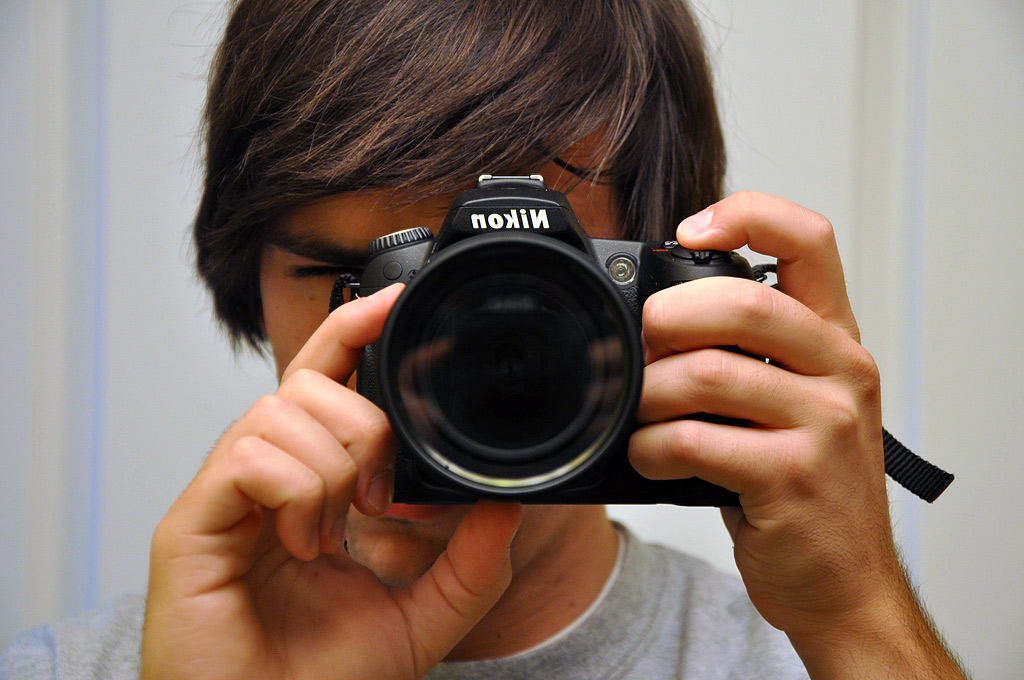
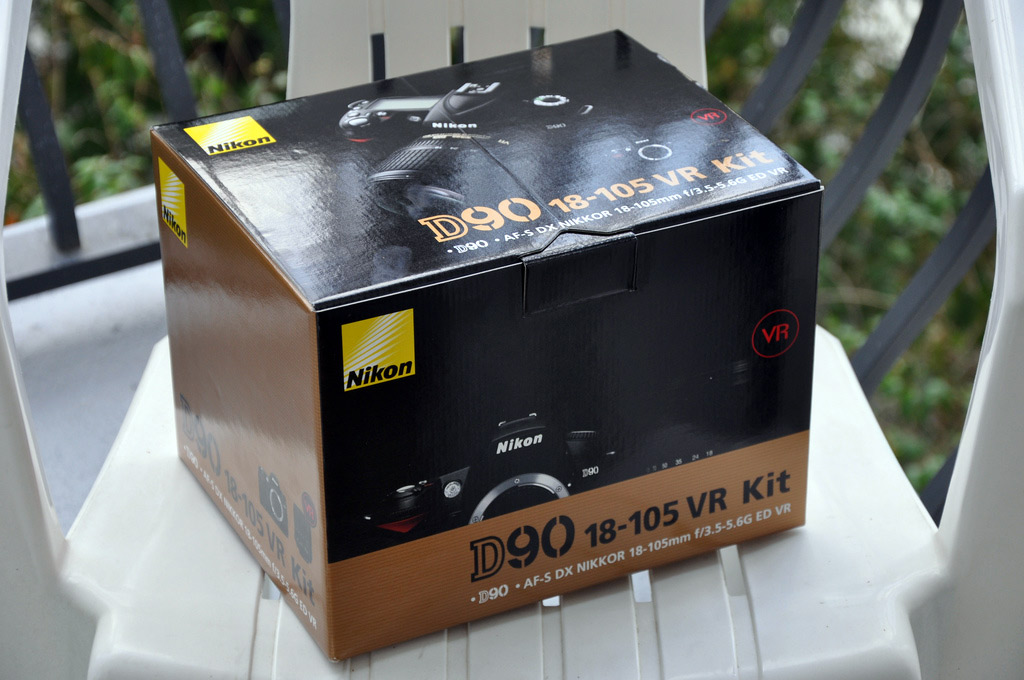
Last week I made the upgrade from the Nikon D80 to the new Nikon D90. The D90’s claim to fame is that it is first DSLR camera to feature video recording. This lets me consolidate my gadgets as I just gave back my loaned Samsung SC-HMX10C HD camcorder. The D90 bundle comes with the new Nikon 18-105mm VR lens and retails for around $1,300 USD.
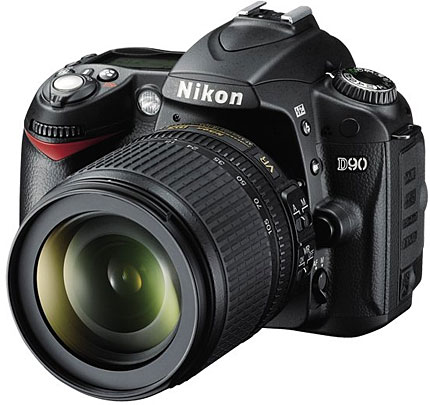
Basics
Some of the highlights of the Nikon D90 are below:
- 12.3 megapixel CMOS with integrated dust reduction
- 3-inch rear LCD
- Live View
- D-Movie video recording up to 720p (HD)
- Face Detection
- 18-105mm VR lens
- Support for external GPS module
- Active D-lighting
- Great ISO range and low-noise shots
- 4.5 shots per second
Before I jump right into the D90’s video recording, I must stress how much of a leap the D90 is from the D80 in terms of still photography features and performance. First off, it comes with a VR lens. Not many lower-end Nikon kits have come with this type of lens, which stands for vibration reduction. It makes for a great general purpose lens, but as Ken Rockwell points out it’s “Nikon’s fuzziest lens in the corners at 18mm.” That being said, if this matters much to you, I’d just buy the D90 body and opt for arguably one of the best all-around lenses, the $660 Nikon 18-200mm VR lens.
The first thing I liked about the D90 was the upgraded screen. It’s considerably larger and makes it easier to see if your shot was a success without digging in too deep. Next, I love Active D-Lighting. I only know a few things here and there about photography, so having it automatically adjust settings and “preserve details in highlights and shadows” and create photos with natural contrast is a big plus.
Then I noticed an Eye-Fi option in the menu. The D90 supports the Eye-Fi wireless SD card right out of the box, so you don’t have to dig through settings to get it to work properly, as you did in the past. However, I did notice one problem with using the Eye-Fi on the D90. It isn’t fast enough to save videos and holds up the camera for up to a minute when saving a recorded video.
The D90 totes features first introduced in cameras like the D300. For example, Live View is now offered on the D90. Live View brings back the familiar point-and-shoot style of shooting where you can use the LCD as a viewfinder. And with the D90’s spiffy 3-inch rear LCD, it’s fun to use. The main benefit of using Live View is being able to fine tune what your photo looks like by being able to zoom in digitally and then see how you should adjust your focus and other settings to achieve the look you’re going for. However, in Live View mode auto-focusing is very slow as the D90 tries to use face detection.
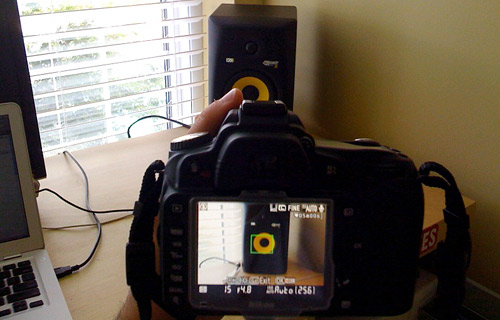
Nikon D90 Live View – Using LCD as Viewfinder
As I stated in my Nikon D300 post, most hobbyist photographers won’t use Live View.
Video Recording
Once in the Live View mode on the D90, you can tap the OK button to begin recording a video clip. While the idea of being able to record video on a DSLR where you can swap out lenses and fine tune advanced settings (things that would only come with a camcorder costing many thousands) is awe-inspiring, the video recording implementation on the D90 has some deal-breaking drawbacks.
Example videos in HD: Kickball game pan, Jeep off-roading in Utah
In HD mode (720p/24fps in an .avi file) the D90 can only record a maximum of 5 minutes, otherwise the CMOS sensor will overheat. Standard definition will let you roll for 20 minutes. Right off the bat, it’s no replacement for a regular HD camcorder for most uses. Autofocus only works before you begin recording, so after it starts recording you’ll have to manually focus when necessary. And last but not least, the infamous “rolling shutter/jelly motion” issue. When moving fast, the video appears to flex noticeably. This is due to the CMOS sensor having a slow read-reset – a general problem with still cameras. You won’t run into this issue much if you do graceful pans and use a tripod instead of rapidly turning it around.
So there you have it. Video recording, or D-Movie as Nikon calls it, in the D90 is more of a “look what I can do” feature rather than a full on replacement for your camcorder. It’s neat to play around with and record a few short clips, but I wouldn’t want to have my parents record my college graduation with it.
Example Shots
I took the D90 with the VR lens to one of my kickball games and to a Skribit meeting at Octane Coffee. Here are a few photos that stood out from the rest. Photoshop only used for cropping and resizing. You can click for a larger version.

Me at Octane Coffee, Atlanta, GA. Taken with Nikon 28-70mm lens. Could have been better with a bit less exposure, natural light in front of me.
Thoughts
The Nikon D90 is a substantial step-up from its D80 predecessor and boasts features previously only found on the Nikon D300 and D3. However, the D90 is aimed at budding photographers with a bit of money to invest and as such Nikon has added features that point-and-shoot users have come to expect like face detection, live view and video recording. While these features are welcomed additions to the D90, I still think they have some work left before they can even be considered key selling points.
Regardless of those issues, the core still photography utility is fantastic and makes the D90 a great platform for any amateur photographer. Pick up a nice lens and filter and you’ll be very happy. That being said, I recommend you buy the D90 body alone and pick out your own lens. The Nikon D90 gets 9 out of 10 Stammys.
Note: I have yet to be in a situation to test out the low light and high ISO aspects of the D90, which are apparently amazing.
What else would you like to know about the D90? I’ll answer in the comments. What do you think is the best all-around lens?
PaulStamatiou.com runs on the Thesis Theme for WordPress
Thesis is the search engine optimized WordPress theme of choice for serious online publishers. If you’re a blogger who doesn’t understand a lot of PHP, Thesis will give a ton of functionality without having to alter any code. For the advanced, Thesis has incredible customization possibilities via Thesis hooks.
With so many design options, you can use the template over and over and never have it look like the same site. The theme is robust and flexible enough not only to accommodate a site like PaulStamatiou.com, but also to enable the site to run far more efficiently than it ever has before.


Stumble This


{ 5 trackbacks }
{ 111 comments… read them below or add one }
Seems pretty dope, but I think I’m going to opt for the Sony T700 you wrote about.
Great review though I’d really love to see what the D90 can do with the ISO kicked all the way up! (Perhaps a part 2?) :)
I have to say I’m becoming more and more impressed with Nikon and if I didn’t already have so much invested in Canon, I’d probably consider converting. They’ve really stepped up their game and though I don’t really think I’d ever use the video feature, the D90 seems like a great camera for someone just starting out in photography. I do wish they would address some usability issues. I consider Nikon more of a 2-handed camera and Canon more of a 1-handed based on where they’ve placed the controls.
I’ve shot with the Nikon D700 and the D3 and I’ve been blown away with the images they can capture when you put some decent lenses on them. If I were starting from scratch now I think it would be much more difficult for me to choose between Nikon and Canon now than it was a few years ago when I started stocking up on Canon gear!
I can echo your review on the D90. I’ve had mine almost a month now and I’ve been very happy with it. Of course the video “jelly motion” and lack of auto focus are causes for concern, but otherwise it’s hard to find a lot of faults with this camera.
I really think the low light performance is great for this price range. You’re getting the D300 sensor out of the whole deal, so you will get near D300 results.
I took over 1200 pictures my first weekend with my camera as a nice ‘break in’ and I was very impressed with how it did. Battery life is also very respectable.
Just wanted to put in my .02 on this “jelly effect”. I think that the root causes of the jelly effect – #1 panning and #2 zooming, are two of the most irritating camera movements available to a filmmaker. If either are done poorly, which is very frequently, the result is a scene that almost always causes the viewer to suspend their viewing moment, refocus, and start over – REGARDLESS of the camera. Done correctly pans and zooms are slow and subtle and allow the viewer to continue in their focused moment of viewing your video. Coincidentally a pan or zoom done correctly, almost always is correctly handled by the camera and its hardware.
If your primary concern its shoting video with your camera, I think -you better get a point-and-shoot camera with video built-in, but for being a Nikon Camera and a DSLR, I think its a great feature.
Another cool feature is the 18-105mm VR lens!
@Brenton – they may share a similar sensor but technically i think the D300 is 14-bit and the D90 is 12-bit due to differences in the A/D converters/image processors.
Sweet review. I was thinking of upgrading to the D90 from my current D40 at some point here.
Speaking of lenses, I absolutely love my 55-200 VR lens. It really is amazing how it can take decently sharp pictures in low light. I don’t know how photographers survived without VR.
Being Canon-biased, I’m rather pleased that the 5DmkII and its 1080p video is jelly free for twice the cost (body only)…
I guess you had better update the My Gear section in your footer. Nice review.
Hey i love all of your reviews. Whats the body like weight/ruggedness wise? I liked all of Nikons old film cameras because they were built like tanks. My canon (XT) has seen a few tumbles and has faired pretty well, how would you think this would compare?
Thanks for the review, I was particularly interested to know how the video recording capabilities fared, apparently not too stellar as I suspected. I think I’ll be sticking to my trusty D40, which is small and comfortable to bring wherever I go. For lens I love my Nikon VR 18-55mm.
What is the sensor size of D90?
The jelly mode is inherent to all CMOS based cameras. The D90 exhibits it to an extent as well as the new Canon 5D Mark II. Unless a global shutter is used in these cameras, or they completely redesign the CMOS chipset, it will continue to be a slight drawback in all CMOS cameras/camcorders.
You can however, whether it be Canon or Nikon, reduce the jelly effect dramatically by using good technique and/or a tripod. There are certain “no no’s” when shooting video, and those are pans that happen to quickly, as well as excessive or quick zooming in and out. These are the types of shooting that cause the jelly effect, and you shouldn’t be doing them in the first place if you desire a final product that others will like to watch without getting nauseated.
What I want to know is how you afford all of these gadgets.
@Raj, 23.6 x 15.8 mm same as D80, D60 and D40 models. It has 12.3 megapixels as opposed to 10.2 for the D80 and D60 and 6 for the D40.
@PStam, I’d have to say that the best lens is the 18-200 VR. Ken Rockwell raves about it, and everyone I know that has one loves it.
@ natan. Thanks for the information. I think the quality of the picture depends on the sensor size rather than the mega pixels.
Just got back from 10 day vacation where I put my new D90 through its paces.
My previous camera was the D70.
I experienced problems with my D90 where it wouldn’t autofocus sometimes. I had to turn it off and on, then it worked. Whenever I switched to Auto mode, it would not register until I turned the camera OFF/ON. I also got a flashing E on the display next to the power button and again I had to turn it OFF and ON.
I was told that there is already a firmware upgrade to the D90. Is this correct? I am strongly considering to return this camera.
I’ve had this same problem. Originally purchased from BestBuy in Sep 08. After about 2 months it stopped autofocusing and the top data screen would go blank and ultimately produce an “err” in the top data screen. Only way to get rid of the problem was to open batt door to “reboot” the camera. I took it back to BB and they sent it off. It came back in 1 week and they stated that the CCD image processor was bad and was replaced. Anxious to see it work, I put my card in and turned it on, and low and behold, the original problem was still there. I showed the Geek behind the counter and he verified that the camera would not autofocus, take pictures and even verified the “err” in the data window. The store manager opted to replace the body 1 for 1. I agreed and we made the swap and out the door I went. Well, about 2 weeks later it started doing the same thing. took it back to BB today and told them the whole story and instead of swapping out the lens like I thought they would, they shipped the new body, old lens back to where ever they send these things. So, in the past 4 months I’ve been to Boston at the height of leave color changing, London and Germany, and only managed to get about 150 shots. I’m sure it’s a great camera, but I can’t prove it.
I”m getting the same problems as well: Doesn’t auto focus/doesn’t shoot. Or if in manual, doesn’t shoot. Or sometimes on auto it doesn’t focus and captures a black frame. I dealt with this all day today while shooting close to 500 pieces of art. What a mess. I tried turn off/turn on, remove battery/put back in, replace battery and finally slightly twisting off the lens and then back on again. That trick seemed to work the longest before camera acted up again. I experienced a similar scenario with another D90 and exchanged it for the current one. Now I’m about to send this back and exchange for a different camera altogether unless I can find a solution. Any solutions out there? I’m concerned I either have received 2 lemons or this camera has some major issues.
Hi Stephanie,
Wanted to chime in that I ALSO went through two D-90s in Nov/Dec 2008 that demonstrated the CHA ERR message. They would freeze up and stop shooting. I did an even exchange for a second body and got the same problem. Clearly, a manufacturer defect.
Curious what camera you ended up buying? I’d like to get something else but wanted comparable capabilities. Thanks!
had 2 d90 with the same problem ,also my daughter is on her 2nd camera .I hope there is a fix
I’m happy to see I’m not alone on this one. My NIkon D90 is great when it’s working, but on a recent trip to Italy, on the first day, it wouldn’t take pictures at all and I was panicking. At a repair shop, the technician took off the lens, cleaned the contacts and it worked like a charm. However, soon after that, I began getting the dreaded “Err..” signal. I wound up opening the battery compartment and pushing up against the battery to re-establish contact. How annoying…I must have done this 50 times during my trip. I did get great pictures, but now there is a whole new problem. My camera functions, but the screen has become nothing but a series of horizontal and vertical lines, so there is no menu and I can’t see what I’m doing. Not good. I have never dropped the camera so I’m thinking design or manufacturer defect. For such an expensive and much-touted piece of equipment, this should not be happening.
I have had the same “err” problem. I was told, by Nikon, that it had to be sent in. Ritz Camera sent it away for me. It came back after a few weeks and did the same thing. I do not enjoy paying for something that does not work. Ritz replaced the whole camera and lens kit. Now, the new one does the same thing. Nikon had the nerve to accuse Ritz of selling defective (never opened, brand new) equipment, since they were going out of business. — the company lost a lot of respect with that comment. I am sending this one back (since it is obviously a manufacturer’s design defect), and seeking greener pastures. How does a company build something that just does not work? Where is the recall? Where is the taking ownership of the problem? I have read that the D300 pops up with similar errors. It can’t just be user error.
Obviously the D90 has manufacturer’s defects, or there wouldn’t be so many of us who have had the same problem. I wound up sending mine to Photo Tech on 14th St. in NY, and I heartily recommend them. They replaced the digital board and checked out the battery compartment. Since then, I have had no trouble with my camera and I’m getting some terrific shots. Maybe I’m just lucky. Nikon should own up to these defects, however, and do a recall.
Cyman,
Sounds like you have a lens connection issue and not a body issue. You should ensure that your contacts are clean and try to avoid plastic lens mounts if you have any.
I haven’t seen any new D90 owners complain of this. And no, there is no firmware update for the D90. Even if there was one, you have a connection issue, so it wouldn’t do you any good anyway.
The ERR thing happened to me tonight. 2wk old D90 I just bought from JR Photo. I tried taking the card out and putting it back in, but every time I took a picture ERR would show up on the screen and the camera would lock up. I put in a different card, took a couple of shots (but the camera was accessing the other card very slowly), then took out all the cards and took 40 shots in demo mode. After that the original card started working, but sometimes the lens wouldn’t focus. So I re-seated the flash head, and it started focusing again. I tried taking the flash on and off, and I managed to get it to say “A–” then “A90″. So I took the lens off and put it back on, and it seems good as new. I just fired off 200 test shots in different modes, with different lenses, with and without the flash. Maybe it was just a fluke…??
I have seen this issue twice now over the past two weekends of shooting soccer matches. The camera after a while will refuse to autofocuses – it would display that err message on the top display. I would turn it off for a while and turn it on and then it would focus and I could get some action shots but eventually it would stop. I would try shutting the camera off and then removing the battery and it would still do the same – work for a few moments and then stop again. This is very frustrating. I am shooting with a Sigma 50-500 Zoom. To clean the contacts – how do you do that? The camera is very new – around november 2008 timeframe. I never remove the lens I am using – I never had this issue with the two D70s I had previously – until the shutter finally failed due to shutter life (i shoot 60-100 games each year, around 500 shots per game). Any ideas would be appreciated – and hints on cleaning the contacts.
Since my first scare it’s only given me the Err message once since that, and I’ve taken hundreds of pictures with my D90 and kit lens. However, twice since then it did “forget” which lens was attached and my f/stops were all wrong (i.e. f/35 to f/99). Never had that problem on my other Nikkor lens, but I don’t use that one nearly as often. Hopefully this won’t happen when I get my 50mm prime.
Oh yes, and to fix the problem I just take the lens off and put it back on. Works for weeks after that with no problems. I did lose one shot, though, because of this issue. If I did this professionally I’d probably ditch the kit lens and get something better. Love the D90, though!
For me, cleaning the contacts was nothing more that rubbing my finger along the thin line of contacts on both the camera and lens. Radio shack has a liquid contact cleaner that should work. I haven’t had any problems since.
But it’s odd that so many people have experienced this problem, and nothing has been heard from Nikon.
I agree with MacMaven. I’ve seen that E before on my D80 and I just twisted my lens in place a bit better and it worked fine.
Thanks for the post! Very informative. I am very thrilled by the possibility of being able to take videos with a DSLR. Obviously there are limitations (given the cost and the weight … D90 is pretty good for taking video!) so I guess people need to make the camera works for them and not against them.
I am actually looking to buy my first DSLR and have decided on D90. Now the question is what lens to use if budget is not too much of a constraint. I am actually considering prime lenses but I read that these days the zoom lenses are pretty good. I enjoy taking pictures during my holiday and hence I would suppose I need wide angle as well as portrait. And if I do visit the zoo, I may need a tele. I attend press conferences and events as a blogger and that is a tough one. Maybe 18-200mm is an OK lens to walk around with. But usually it is low light so I reckon I probably need a fast lens.
Hence the confusion … care to shine a light :)
Cheers.
Hello PSTAM. Which lens do you recommend for a D90 that is wide angle and can take pictures in low light? I had a Minolta in Vietnam with 1:1.2 lens was taking great pictures in the dark. I think it will go to ebay now.
Best Regards from Paradise,
Demos Kukeas, e-pro
Real Estated Sales Consultant
Amerivest realty
http://www.NaplesUSARealEstate.com
demosk@NaplesGolfBeach.com
Direct: 239-592-9222
For a wide angle in low light, your best bet will be the Tokina 11-16 2.8. The IQ is supposed to be excellent, and the 2.8 fixed aperture should help out greatly in low light. Tokina also makes a 12-24 f/4 which is supposed to be pretty good, but the 11-16 has better sharpness and is faster. These lenses are sub $600 new.
If you really want to spend some serious cash, you can look into the Nikon 14-24 f/2.8 or the 12-24 f/4. You’re talking about $1K to $1500 with those.
Hey…Thanks for all of the posts. I have been debating which DSLR to purchase and this article has been by far the most helpful. (It seems as if you all have actually used the camera!)
I think you have helped me make up my mind at last…D90 here I come!!!
i’m new to all this. what filter(s) do you recommend and why? also, what do you all like for wide angle lenses?
Hey man! great page you got! I am within a week of buying the new D90 and am doing some research online about lenses for that camera, and I stumbled upon your page… I am looking to get the Nikon 18-55mm and 55-200mm combo and I am curious first what you think about that? and also does that camera take any lens made by nikon
@Chad – I think those two lenses are great alternatives to the 18-105mm that comes in the kit. It takes any Nikon lens but the newer ones are a bit more friendly with features like VR and the like. I don’t know too much about lenses so I’d recommend reading up on a site like http://www.kenrockwell.com/nikon/nikkor.htm
Very FRUSTRATED by D90! I’ve been taking pictures with SLRs and DSLRs for 15 years now, so I think I should know what I am doing here. About 2 out of 5 pictures I take with the D90 are coming out just BARELY out of focus. I have tried every different setting I could use to no avail. I am using the 18-200 VR lens that works great on my D60. I have used tripods, speedlights, inside, outside… zoomed in, and out. I have tried everything. What to do? I haven’t called Nikon yet, just wanted to see if anyone else is having this problem. I also have the problem another poster mentioned earlier. Sometimes when I hit the shutter-release button half-way nothing will happen. It refuses to focus for me. I usually have my SB-600 speedlight on it and I can see the red focus assist lights come on, but nothing will happen, no matter where I point the camera. I have to shut off the camera and turn it back on for it to work. Help!
I’d say if 2 out of 5 images are having focus problems, its not the body or the lens, but the end user. Either the body or lens is going to be defective or it isn’t in this regard. It won’t be defective 20% of time, and great 80% of the time, in terms of image sharpness.
Have you shot the same exact shot with the same exact lens and settings on your D60 and D90 on a tripod? What were the results? Can you post examples of your problems with exif data including aperture and shutter speed? Are you shooting RAW or JPEG? Are you using VR with a tripod? Is your problem occurring with daylight shooting or night or both? Have you tried post processing your pictures? What are your in-camera settings? What mode do you normally shoot?
There are so many variables here, if you want someone to accurately answer your question, you have to provide much more detail and samples/comparisons of your issue. Nikon will ask for the same if they are to look at the camera under warranty without charging you.
In regard to your second problem, try cleaning your mount and lens contacts. Normally, when you have to shut the camera on and off again to resolve a problem like that, you are not getting good information feeding from your lens to the body.
Good luck!
REPOSTING AS NEW:
I’ve had this same problem. Originally purchased from BestBuy in Sep 08. After about 2 months it stopped autofocusing and the top data screen would go blank and ultimately produce an “err” in the top data screen. Only way to get rid of the problem was to open batt door to “reboot” the camera. I took it back to BB and they sent it off. It came back in 1 week and they stated that the CCD image processor was bad and was replaced. Anxious to see it work, I put my card in and turned it on, and low and behold, the original problem was still there. I showed the Geek behind the counter and he verified that the camera would not autofocus, take pictures and even verified the “err” in the data window. The store manager opted to replace the body 1 for 1. I agreed and we made the swap and out the door I went. Well, about 2 weeks later it started doing the same thing. took it back to BB today and told them the whole story and instead of swapping out the lens like I thought they would, they shipped the new body, old lens back to where ever they send these things. So, in the past 4 months I’ve been to Boston at the height of leave color changing, London and Germany, and only managed to get about 150 shots. I’m sure it’s a great camera, but I can’t prove it.
Sorry to hear about your trouble. You don’t say which ERR message you are getting specifically, as there are over 20 different ones that you can get. If you are getting the CHA error message, then you need to swap out your memory card, as some D90’s have had some compatibility issues with Sandisk Extreme cards.
On the flip side of things, you could also have a mounting issue, again, depending on your error message. Plastic mount lenses have this issue more than others, and the kit 18-105VR lens is no different. Simply clean your contacts, ensure that the lens is seated properly, power up and see if that fixes your problems.
I’m not sure who BB sent the camera off to for repair, but your issue does not sound like a CCD imager issue at all. Looks as if they would have tried a different lens and card to ensure an efficient process of elimination before sending it off to anyone. I guess that’s the problem you get when not dealing with someone who is familiar with DSLR’s like your local camera shop should be.
Good luck.
The D90 is fantastic. I bought 1 from here http://www.squidoo.com/cheap_nikon_cameras and it’s making me happier day by day lol
I just purchased the D90 – am at Disney with the family and loved it for 2 days straight. After 1 day of use I started getting an error message and would pop the battery out and put it back in and it would work again. After each day I would download all the photos (250 + movies a day), and then delete all the photos from the memory day. After the second day of doing this – the camera has officially become worthless. After taking a photo the screen says “Folder contains no images” – meaning its not being saved to the memory card (at least I think). Also when you hit the [Lv] button to shoot movies it pops up for 1 second and then goes black.
I’ve read the previous reviews and I know you’ve mentioned user errors in some, I just don’t think this is one – and if it is, I’d love to know how to fix it. Otherwise I’ll return the camera for a new one.
The memory card that was working is the Sandisk Video HD 8GB card. I tried reformatting the card and that didn’t work.
Just bought the D-90, loved it for the first 2 days here in Disney – images were great. Well, after the first day I started seeing this error message, but quickly learned that taking out and replacing the battery solved the issue temporarily. After the first 2 days I would download all the images (250 a day + a couple movies) and then delete the photos off the memory card using the camera (delete all – feature). This morning when I went to use it with a freshly charged battery and no images on the memory card – it would say on the screen “Folder contains no images”. The replacement of the battery, a couple more error message on the top of the screen, no auto focusing, and a lot of frustration later – I have no clue what is wrong with this camera. Even the [Lv] movie capturing feature does not work – it pops up for 1 second and then clicks off to a black screen. Nothing is being saved to the memory card.
The memory card is a Sandisk Video HD – 8G, worked nicely for 2 days and not has nothing on it, and I’ve tried reformatting with the camera and that didn’t solve the problem.
I’m stuck in Florida for a couple more days and if there is any advice or guidance I’d love to hear. I know you’ve mentioned the user error in most of these – but trust me, the lens on correct, the battery is charged every night, etc..
I’m stuck with poor Fuji for the rest of the trip, once I get home I am planning on exchanging this one for a new D90.
Are you seeing the ERR CHA error? As I’ve stated in previous posts, there are numerous error messages that a DSLR can display.
If I were you, due to a few complaints about Sandisk and D90 compatibilities, I’d buy another SD card. Try another manufacturer and stay small, say a 4GB card or below. Its good to carry a couple of smaller cards instead of one big anyway, just in case something happens to one or the other and its not a total loss of images.
Hope that helps
I wish I read these reviews/comments before i bought my D90. It’s locking up with “ERR” and “ERR CHA” messages. Mostly, it locks up when switching from manual to autofocus. I switched from Canyon hoping Nikon would be better. That’s not the case.
sounds like a connection issue between the lens and the body. take it to a Wolf camera or something and see what they say.
Hi Paul,
I too had an initial love for the D90 back in November 08 when I first purchased it from B&H. However, when I was at Disney and about to capture a shot of my young boys with Pluto and the D90 froze up and flashed the ERR CHA message, I quickly became disenchanted. Trust me that I explored every avenue to fix the problem. I purchased and tried different brand cards (SanDisk, Lexar Pro, etc.). I troubleshooted with Nikon Customer Support. Finally, I did an even body exchange with B&H and tried a second D90. Again, it allowed me to shoot several hundred shots and then again the ERR CHA message started appearing again. That was two new D90’s with the same error message. The sad part is that Nikon will not admit there is a problem despite dozens of complaints. I returned the camera again. Any suggestions on a good replacement for the D90? Would love your input! Thanks so much.
Of the following cameras which you guys think is ahead and which is 2nd and third taking into account all the factors including cost.
Nikon D90, Nikon D700 and Canon 50DI know the D90 with lens 18 to 105 is equivalent to 27.5 in film camera.
It really depends on what you intend to do with the camera. If you never plan to shoot in low light situations or sporting events, then the D700 would be a waste on you no matter what kind of bargain you could find.
Figure out what you want to do with your camera, and what is important to you, then start weighing out price versus feature set.
Great Review. I am currently using Canon EOS 400D , I bought it for about, 900$ with standard 18-55 leans, but when I red that you bought Nikon D90 it for 1300$ and you had a 18-105 leans , I was shocked – really cheap, so now I am thinking on going to Nikon.
Thank’s for review.
I do not know enough about cameras. I want to take ultra wide to telephoto with one lens. I do not want to keep changing lenses.
First the body Nikon D90 versus Canon 50D. Nikon lense 18-105 I hear the wide part of the lense is not very sharp. In 50D the lens start from 24. I had Nikon D90 and at times it would not click. I had to shut off the camera and then turn on again. Was I doing something wrong or the camera was mulfunctioning. Canon 50D I never tried it. some of you have tried both. You must have a better knowledge.
What’s the verdict guys?
Thank You
I’m not sure where you heard that the 18-105VR is not sharp at 18mm. It’s actually very sharp throughout the entire range. As with any telephoto lens, you may have some distortion, but that is to be expected and can be corrected during post processing.
Both the Canon and Nikon are very good bodies. You need to decide what you are going to be doing with each. The Nikon is $300 cheaper. So if there is any feature on the Canon that is worth the extra $300 to you, then you have your answer. If you have no idea, then the Nikon will be plenty of camera for you. Besides, the D90 has a superior AF system to the Canon, superior flash system, and weighs a bit less which is important when traveling. There are a few advantages to the Canon system as well.
Again, it depends on what is important to you.
For the D90, remove the lens and inspect, and then clean the contacts. That solved my problem.
How do you clean the contacts?
I think I will buy buy Nikon D90.
Canon has some pluses but cost $350 to $400 more.
Paul,
I am interested in buying a Nikon D90 and see a broad range of cost on the net from mid $300s to the normal $999. Are the low price cameras Nikons or look a likes or what. I would like to save but not dive into a shallow pool.
Do not buy from non-reputable dealers. Take a look at reselleratings.com, and you can research each online retailer. The best I’ve dealt with that have the best prices are Buydig.com, Beachcamera.com, Abesofmaine.com, or tristate (but only on ebay).
Purchased the Nikron D-90 lense then a week ago and the plastic lens is already broken. Why plastic? Not happy with this at all!
You broke the plastic lens mount? Granted, its not metal like the higher end lenses, but its still very hard plastic. Normally it can’t be broken unless the lens is dropped, abused, or used very heavily for a long period of time. Even at that, its rare to hear of one breaking off.
Most of your ‘higher end’ lenses have metal mounts, but that doesn’t mean that they can’t be damaged with abuse or dropping as well. Plastic is obviously used as a cost cutter, but every lens manufacturer uses it. Want a better mount? You’ll have to pay more money. But again, very rare that these things break.
Something weird is happening with my D90. After I take the pics I want, when I download them to my hard drive, I notice there are duplicates of each. But the file name extension would be like “DSC_1488″ and be 6.0 MB in size and then other would be “DSC_1488_2″and be 6.1MB. What gives?
This effectively doubles the size of the data being put on my hard drive.
PLEASE HELP!!!
My parents were recently in Hong Kong, (we live in South-Africa) and they bought me a D90. it worked fine for a day or two and then it started giving them the little “err” sign on the top screen. It works fine indoors and at a low f-stop but as soon as you take it over f3.5 in light it give you the “err” and all the photos come out very dark!!!
I really dont know what to do!
The same thing happened to me in Venice! The first day I had no camera, as they were all coming out dark, and I had the dreaded “err” signal. Luckily, a camera repairman saved the day, removing the lens and cleaning the connections between the lens and body. After that, it worked great, though at times I got a different error message…this time it was the battery that was loose. I believe the compartment wasn’t holding the battery tightly enough, and I had to open the door and push on the battery many times per day. I have since had a technician look at it, and so far so good. Hope this helps.
Hi everyone,
I just got Nikon D90 last Friday (6/12/09) and I had SLR camera since early ‘70. It has come a long way since then. The main reason I got this one was the fast action picture that I wanted. It is doing a great job of that plus it also takes great clean pictures with 18-105mm lens. There is only one problem that I noticed, the release button would freezes and would not take any pictures. Also there was a blinking red box on the screen when I press the release button. I tried everything to get it back to working order. Went thru the manual and found nothing there. So I did a reset for all settings and that did the trick. Then it happened again but the reset did not work. So I turned it off and on. That works. I went back to Best Buy where I got it. They said they need to see it and would exchange it if there a problem. So I am keeping an eye on it now. I hope for a resolution for it. Thanks, Stevo
After reaching limits on my digital point&shoot, I purchased the D90 with 18-105 VR and 70-300 VR lenses. Absolutely incredible results. I can do things in difficult lighting situations that were impossible before the D90 or even with my film SLR. This tool is so much fun to use that I am always looking for photo opps. My interest in photography has been renewed. Editing Raw files with capture NX2 is a learning experience to get results that were easy with Picasa on jpegs. Enjoy your D90’s!
I bought the D90 a month ago after selling of my beloved D40. I use my 10-200 VR most of the time – and is very happy with the improved image quality (over D40, which was good) . Now I added the new 35 mm f/1.8 DX lens. For portraits and low light it is absolutely stunning. I adds a whole new level to my photography. Portraits are razor sharp – an low light performance on the D90 very impressive. Great indoor pictureas at almost no light. I use the flach much less after I added the 35 mm.
My D90 worked like a dream until the 3rd occasion when it showed errormessage and wouod not shoot. But when I reinserted battery it worked. But yesterday I was frustrated as the camera gave up on me just as when my daughter was getting the degree Cert! I am desparate as i was looking forward ot takin git to Orlando on my first hol since buying th eCamera. Any ideas?! First of the 5 Nikons that has given pronlem.
Sam
I am pretty much convinced the problem I am having with my D90 is heat related. I shoot my son’s soccer games and on hot days – hotter than say 90 degrees f, the camera won’t focus and so it won’t shoot. It is very frustrating because they do play on hot days. I am not sure what to do. I think my camera is beyond the warranty and I don’t want to send it off for repair unless I know for certain that it can in fact be repaired. So my question is – does anyone know for a fact if the D90 has an issue with operating on hot days and if so, have they had it repaired? I don’t recall having his issue with my D70.
I have had D90 for about a month and NOW realized the problem is related to the lens. When the camera stop doing anything and I see ‘F–’ on the upper right screen blinking. Just take the lens off and on. That does the trick! Looking at the manual says “No lens attached”. Sounds like a glich with the computer chip. Hope Nikon come up with a fix.
Now I have had D90 over a month now. Still learning new things on it.
After returning from vacation I found that some of the photos are not being transfer to my PC. I have the total 1,255 on the card. After connecting the USB from camera to PC it only picked up 1,042. 231 photos are not picked up. I checked it is still on the camera. I have looked in the manual and I dont see why and what is the problem. Has anyone experienced this?
Stevo
Problem identified !!! I bought another SDHC card to test the camera and Adobe photoshop tool. Now it works fine with the new SDHC. So this means the other SDHC is corrupted however still takes good pictures BUT not able to transfer to the PC. Next step – re-format the first SDHC card should be able clear up the problem.
I want to add myself to the list of folks getting the err message. Never had a problem with years of use with my D50. After reading the internet, I am convinced Nikon has a real problem with the D90. Lot of people having the exact same problem.
I don’t have dirty lenses, have never dropped it. It just quits while shooting, displays a “err” in the window. Pulling the battery is the only thing that makes it work, very briefly I might add, again.
I have the 18-105mm lens and does a great job!!! However I sometimes want to do a real close up picture. Even setting the mode to ‘flower’ does not help. I am assuming that I would have to get a wide angle lens like 14mm? Please advise. Thanks, Stevo
Steve, I’d check out the 50mm Nikon fixed lens. I got mine for under $100 several years ago. I have the f/1.8 version but I believe an f/1.4 and f/1.2 have since been made.
http://www.kenrockwell.com/nikon/5018af.htm
I’m also getting the D90 Err message and lock up. I bought my D90 about two months ago and the problem started happening about three weeks ago. Up until then everything worked great. I use the Nikon 18-200 VR and it never leaves the camera and I have never dropped or otherwise abused it. The only thing that corrects it is if I remove and reinsert the battery, sometimes it take multiple times. I can get a couple of hundred shots before it happens again. Looks like my D90 will be taking a trip to Nikon service.
Dohale – I think it is more of the lens issue. I get the same thing and I just take the lens off and on. And I do it periodically so I wont get stuck in the middle of taking pictures. Otherwise everything is great… Stevo
I bought my d90 2 months ago from Asia and it has had no error messages… using 18-200 nikkor and 4gb Kingston sd. Maybe the problem for you guys is because of the nikon usa manufacturer..
Had my D90 for seven days and it’s been great. Unfortunately on the eve of day seven it’s acting up. Err message, won’t autofocus, and thinks that it’s at f/99 on a lens that only goes to f/22. Did I mention the store has a seven day return policy and now I’m stuck with it. It’ under warranty but now I wish I bought a Canon. I expect a little more for $1500.
I just wanted to leave a positive review, as comments often attract a disproportionate amount of negative input.
I’ve had my D90 for almost 11 months now.. No problems so far.. Have taken about 20k photos. Beautiful image quality, great battery life, nice weight and feel, intuitive design.. I’m still discovering all the useful little bits and pieces built into this machine.
Photos actually look better than those from my friend’s D300, so in my opinion, the D90 is a steal.
Still using the 18-105mm kit lens, and have also invested in a Nikon 50mm f/1.4.
What can I say.. I love it to bits! :)
Chris – try removing and inserting the lens. This works for me. Now seems to be working fine. Stevo
I’ve had mine for almost a year myself. Over 5K clicks and no issues what so ever. Exactly what I expected for my $1300!
when shooting on the street with my D90 passersby ask me what i know about the message that causes so many of us loss (not to mention fear of using this camera on assignment): err. it’s inexcusable for nikon to just ignore an obvious glitch.
when it happens again, i’ll check the lens and battery solutions suggested.
any opinions on the 16-85mm lens?
thank you for a very helpful site.
Wow. The guy must have had a set of eagle eyes to be a passerby and be able identify a D90 badge on the camera? I can barely see it when looking at my own camera.
I’ve got over 7K clicks on my D90. Nothing but flawless execution from the camera. Haven’t seen any issues of this in the dpreview or Nikonians forums for quite some time either. Sounds like there may have been an issue with a select few cameras, but overall, doesn’t seem to be an issue any longer.
I have the 16-85VR lens. It’s fantastic. Great optics, build, and holds its resale. Probably the best ‘consumer’ grade lens out there. The VR works wonders as well. Couples great with the 70-300VR.
to macmaven
many passersby easily recognize my nikon d90 because they have the same camera.
if you read the posts on this forum you will find a number of people with the same d90 issues.
thanks for feedback on the lens.
to ee
Even if you have the same camera, to determine by mere sight what it is, D70, D50, D80, D90, D300, or even the D40, you really have to look in order to make out which configuration it is. Don’t really buy that you’ve had several just walk by and ask you about the problems with the camera around your neck. Very strange indeed.
The people on this forum are an extremely small percentage of all of the D90’s sold. Extremely small…a fraction of a fraction. And that is aside from the fact that typically, the only thing you read about in forums are the problematic issues. Go over to avsforum.com and read about LCD televisions. You’d think that every manufacturer has out for the consumer, and based on the feedback, you’d never buy an LCD again. But again, those complaints are fractions of a percent of total purchasers.
Go over to dpreview, and monitor the D90 forum for a week. You’ll see very few of your complaint. Not saying that your complaint or issue is not legitimate, and I hope that Nikon resolves it for you. But its not a mass exodus of issues that you are making it out to be. You are in the minority.
I have a problem with my D90. The camera flash is always on the open position, whether the camera is on or off. I cannot get it to lock when I push it down. Help, anybody?
Hrm – it sounds like the little latch is broken. Can you see it inside there? It’s a tiny piece of plastic that looks like a hook, on the left side of the flash, a bit in front of the dial.
I have a D90, purchased in February ‘09 from BH photo. I get the dreaded ERR message frequently. The problem does not go away when I remove and replace the lens (16-85, and not a plastic mount) but it does appear to go away every time I remove and replace the battery. Very annoying though. Does anybody know what the standard warranty on this camera is — I did not purchase an extended warranty. Thanks.
Standard warranty for a body is 1 year. So you should be able to send in for service.
Good review. I’m not a professional and just recently migrated from a D40 to a D90; its love at first click. I think the video recording is meant for such things as your baby’s first step and the like, not for serious videography. I added a Tamron 18-270 VC (Tamron’s equivalent of vibration reduction) and I can’t stop falling in love with my shots. Only snag till date… would have loved a lens with a higher aperture range, say 2.8. I’m still saving….
I bought the D-90 last January and I bet I havent taken 300 photos with it. I can’t tell you how many err messages I get on the top screen.Popping the battery out is the only fix. The camera takes fantastic pictures when it does work. Am I correct to assume that the lens seems to be the problem?
The store I bought it from gave me a complete new D-90 last July before I went on vacation.
This past weekend went to 2 Christmas parties and I bet I must have had to take the battery out 15 times.
TWO D-90’s with the exact same problem.
Not a happy camper for the money that was spent.
I am going back to the dealer tonight to see if we can come up with a fix.
I have the same problem.. Never had it with my D50
I have had less problems than when I first got it. Now works 99 % of the time. Otherwise I just take off and on the lens.
Still happy with it… great pixs and fast action.
Stevo
Just got back from the camera dealer and seems most everyone hit the nail on the head with the suggestions to remove the lens. The Nikon rep told the camera dealer to “remove the lens 10 times” to fix the problem. Seems there is a coating on the electrical contacts on the lens and it is a simple problem to fix. Had a couple of ppl tell me today to use an eraser on the lens contacts.
Hopes this helps others who have had this problem.
LOVE the camera and the pictures are fantastic.. :)
So glad I am not the only one with these problems. I was beginning to think I was going blind. Everything looks like it is focused and then when I load my images they are blurry. I have a D50 and two other Nikons that have never done this. I am so frustrated. I received the same err message others are talking about today for the first time. (I have never received an err message on my three other Nikons.) Lost 150 pictures. Looks like the D90 has some serious issues. Wish I would have read this review before I got mine in October. Hopefully BH will help me.
Quantifying your statement, YOUR D90 has some serious issues. Mine has been fantastic for over 5K clicks and one year of service. However, with respect to your issues, they aren’t related.
I’m not sure what is going on with your AF, but you do have a very high rez LCD that will easily show OOF shots if you were looking for it. I chimp quite frequently so I don’t have any surprises, and that LCD is amazingly detailed and will show when a shot is not in focus. Are you setting the focus points correctly? Are you shooting moving or still images? Have you taken a focus card (easily downloaded on the net for free), set your D90 up on a tripod, and taken a few test shots with various lenses to define the problem? If not, I’d suggest doing it so that you can define the problem, if there is one, from the body or the lens. They are two different things and can cause the problems that you are talking about.
The D90 is a complex camera to use if you haven’t mastered the controls. Its no way close to D40 in ease of use, it is therefore possible to mistaken control and configuration issues for technical issues. I had the same issues during the first few days of use and the solution is to get a very good “how to” books. I bought magic lantern and my problems became solved. Again, D90 is a fantastic machine if you receive error messages, do an online search using the error code and you’ll see what you are not getting right. Cheers.
Just got my D90 as a Christmas gift and was enjoying it tremendously…then I got the f—- message… okay I could deal with that from reading the posts, but now it won’t turn off. It still takes pictures even when it is turned off. I have reset and have taken the battery our and replaced it, however it is still on when off! Any ideas?
I was hoping for a quick & easy answer but from the problems I’ve just read about above, that seems unlikely.
My Husband bought me my 1st DSLR camera, the Nikon D90 with a Sigma DC 18-200 from the Hong Kong airport (we live in Australia). On day 1 I read through part of the manal & experimented with some of the functions & everything seemed fine, although after 3 hours & maybe 50 images the battery sign flashed. On day 2, after charging the battery over night the LCD displayed the battery as very low when I turned the camera on….on inspection the camera seems to function ok when the lens is switched to manual, with all of the functions working. But when I switch to AF on the lens & turn the camera on the low battery sign flashes & the camera doesn’t work. Any advice for me??? The battery is a EN-EL3e & bought from the same supplier as the camer & lens. I’ve tried turning the camera on/off, removing the battery & lens but the same problem is occurring. Hope you have an simple explanation. Thanks
does macmaven work for nikon- in any capacity?
Nope…just trying to help troubleshoot, that’s all.
I also had the same error message on my D90 in December 2009. It looks like they are still selling defective equipment!!!!!!!!!!! Mine is supposed to arrive back tomorrow from the Nikon shop.
I have had my D90 since June 09 and, as a photography student, have taken thousands of pictures with no problems. This is a great camera for it’s versatility and small enough to travel with.
I would recommend, if you are considering this camera, that you go to your local camera retailer (specialist), not BB or the like. You may pay a few dollars more, but the help you can get at the store whenever you have a problem is invaluable. I can go to the store where I bought mine anytime, and they will show me how to do something if I can’t figure it out myself from reading the manual.
Love this camera.
I agree wholeheartedly. :)
I recently purchased the D90 as a backup….a thousand pictures so far, narry a problem…I will say this camera is capable of capturing excellent images! Video (who cares) ?
The user interface is pro-like and the camera handles better than the D300 IMO. Size and form is excellent…18-105 VR is a great walk around lens…but the 35/1.8 is even sweeter.
I tried the D90. After awhile it would not click sometimes.
I did not like the Movie part of it. No stabilization.
I ot rid of it.
I had years ago a 1.2 lens. I could take pictures in limited light.
I never tried the D700. It is too expensive for my blood…though I am curious on how it works.
I think the D90 issues may be related to humidity levels. I had intermittent trouble with mine. Eventually got it replaced by Nikon, no issues with the new one yet. Knock on wood…
Doubt it’s related to humidity. I live in South Florida. You don’t get much more humid than that. Camera works great!
I live in Lagos, Nigeria, Africa (hot humid tropics). You can hardly get more moisture in the air than here in Africa, yet my D90 works wonders. I guess the ones with issues have factory defects.