When I wrote that I couldn’t live without my Vudu box, I already had a Linux HTPC hooked up to my TV and still thought Vudu rocked. Why was that? There was no easy interface for me to work with all of the media files I had on the HTPC. Using a keyboard and mouse to navigate through Nautilus and manually play videos through VLC player isn’t exactly the best living room experience. Enter Boxee.
I’ve had a Boxee account since June but only started using it in the last two weeks that I’ve had it installed on my HTPC. In the last several months, Boxee has received $4M in funding so they’re definitely going somewhere. But let me backtrack a bit – what is Boxee? As you can probably already guess, it’s a media center front-end of sorts for your computer. They describe it as the “open (based on XBMC), connected, social media center for mac os x and linux.”
Test Setup
While I have yet to fully settle into a true Boxee setup with a wireless remote control (perhaps just a simple Apple remote if I can get a USB IR receiver and write a driver for it), I’ll still be using my same HD setup to test out Boxee. The Linux HTPC currently runs Ubuntu 8.10, an experimental Nvidia driver for the motherboard’s integrated graphics and has the same Intel Core 2 Duo 2.53GHz processor and 2GB of RAM.
In the background, the HTPC runs a hellanzb daemon that is configured with my giganews newsgroups (aff link) account, making it a near-perfect media box.
First Impressions
Installation was a breeze and you folks are smart, so I’ll just skip talking about that part. There are a few issues here and there depending on your hardware and software setup and for that a bit of poking around the Boxee forum should help out.
After installation, I just added a few folders as media sources (supports Samba network and UPnP shares too) and Boxee had no trouble listing my content, even downloading album/media artwork when it automatically recognized some of it. I’m not certain if Boxee looks at metadata/ID3 tags only or if it also tries to infer titles based on filenames, but it only recognized a few TV shows and movies out of a terabyte of my media. That’s not a big deal though, playback is fine, you just can’t tap into Boxee’s special sauce – sharing things like recent plays with friends, rating media and viewing media information such as movie summaries.
In addition to Boxee helping your friends make media recommendations for you, many users flock to Boxee for it’s native support for many online video streaming services (unfortunately Hulu was recently pulled). However, that’s not why I’m using Boxee. I’m using it to painlessly manage the stockpile of media I already have on my HTPC. That being said, this post comes from my usage of Boxee and as such I won’t be mentioning much of Boxee’s Internet video streaming, built-in BitTorrent client, Python plugin system and other such features.
But I digress.. Firing up Boxee for the first time is quite an experience. Slick as hell comes to mind.
More Thoughts
I navigate Boxee with a keyboard but I only need to use the arrow keys and enter/escape buttons so if you have a wireless remote control, mapping keys should be a pain-free process.
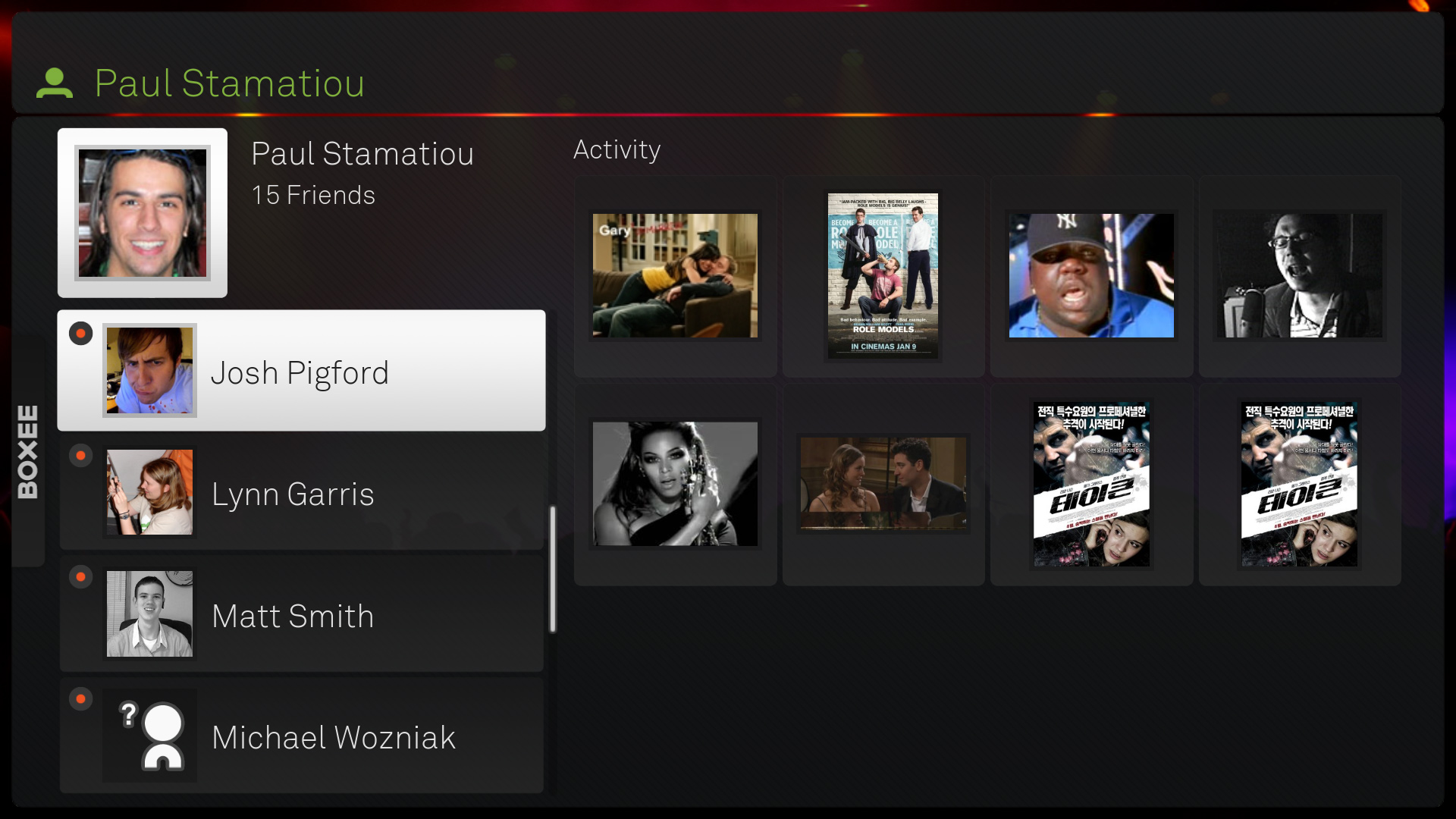
Pro Tip: Setup another Boxee account as your “guest” so your Boxee friends don’t call you out on watching a Beyonce music video when your guests use your Boxee machine. I learned the hard way.
The Boxee home screen is your typical dashboard showing off recent activity within your Boxee network.
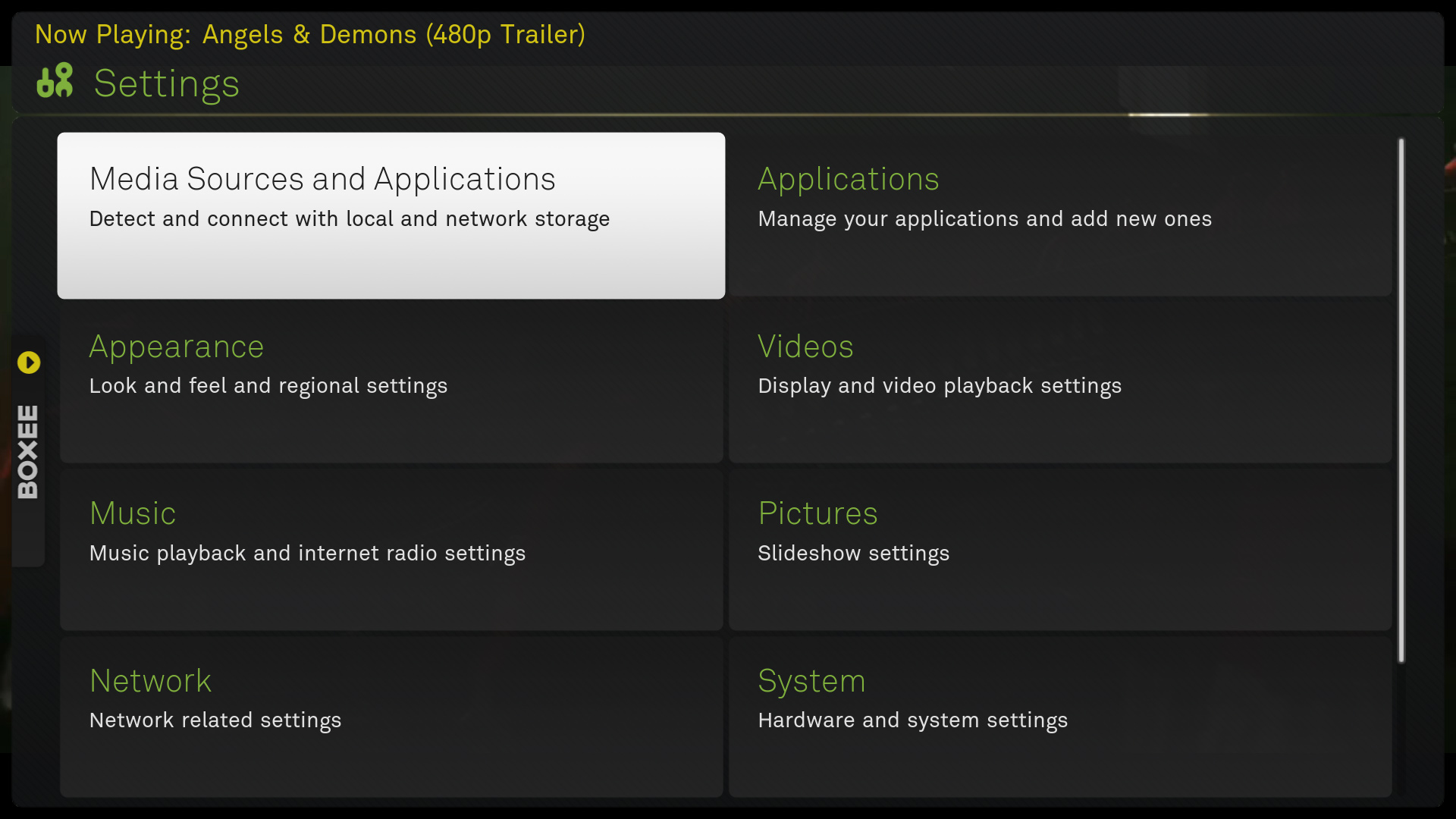
Most of Boxee’s navigation is done with a few left and right sidebars. The left sidebar splits up media types and settings while the right sidebar (not shown) lets you change up view options when inside a directory.
A typical in-directory list view for Boxee. With long directories, scrolling down quickly brings up the current letter you’re on (like the iPhone), however I would have liked a way to just start typing the name of the file/folder I’m looking for and have it auto-scroll there.
Content that is recognized by Boxee will have several additional actions aside from just playback functions. In this case, it let me read more about the trailer I was watching, rate it as well as recommend it to friends.
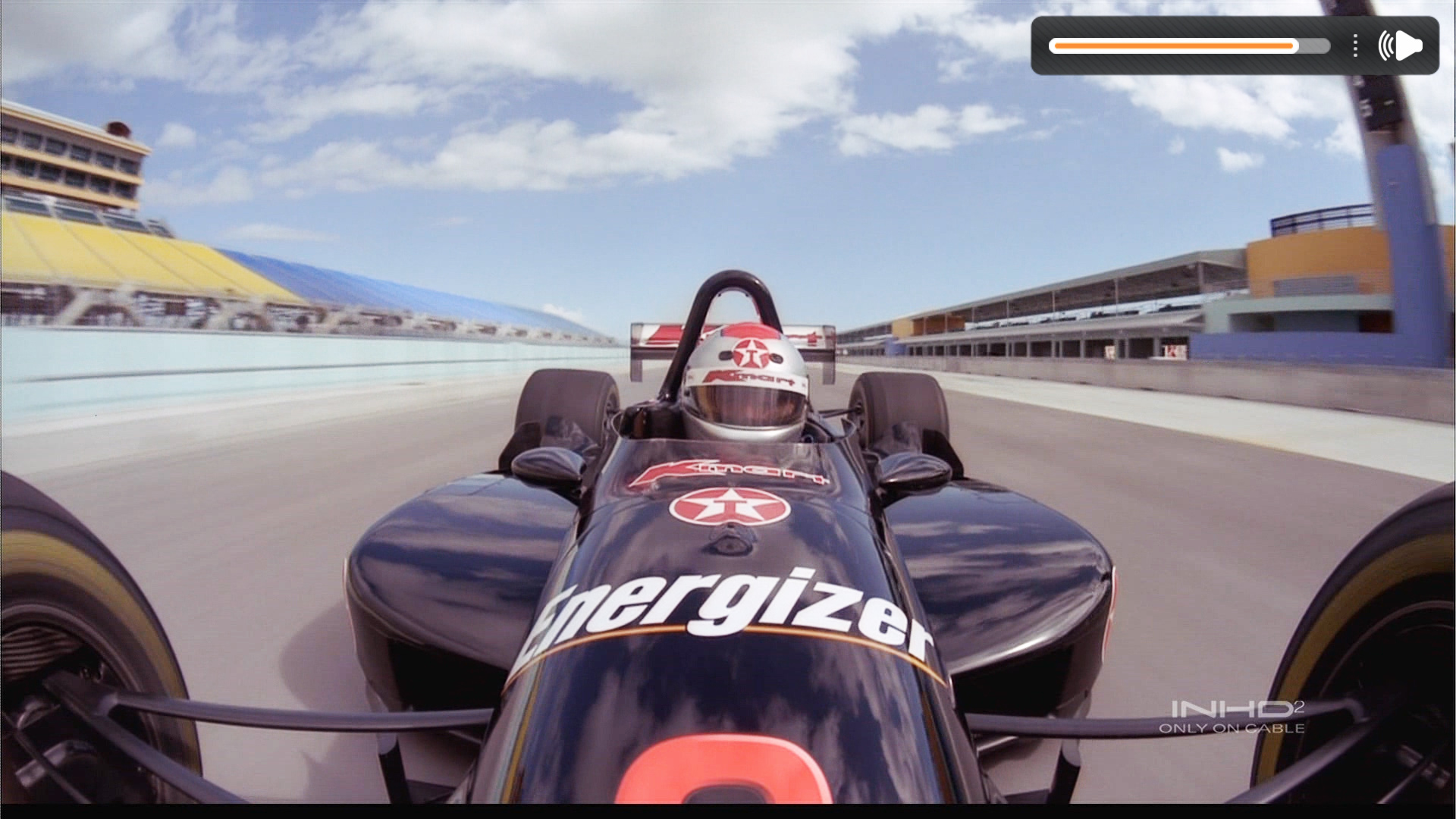
Boxee’s “core” video player advanced playback features will allay any worries media freaks might have. You have access to scaling the video as you like, cropping black bars, adjusting brightness and so on.
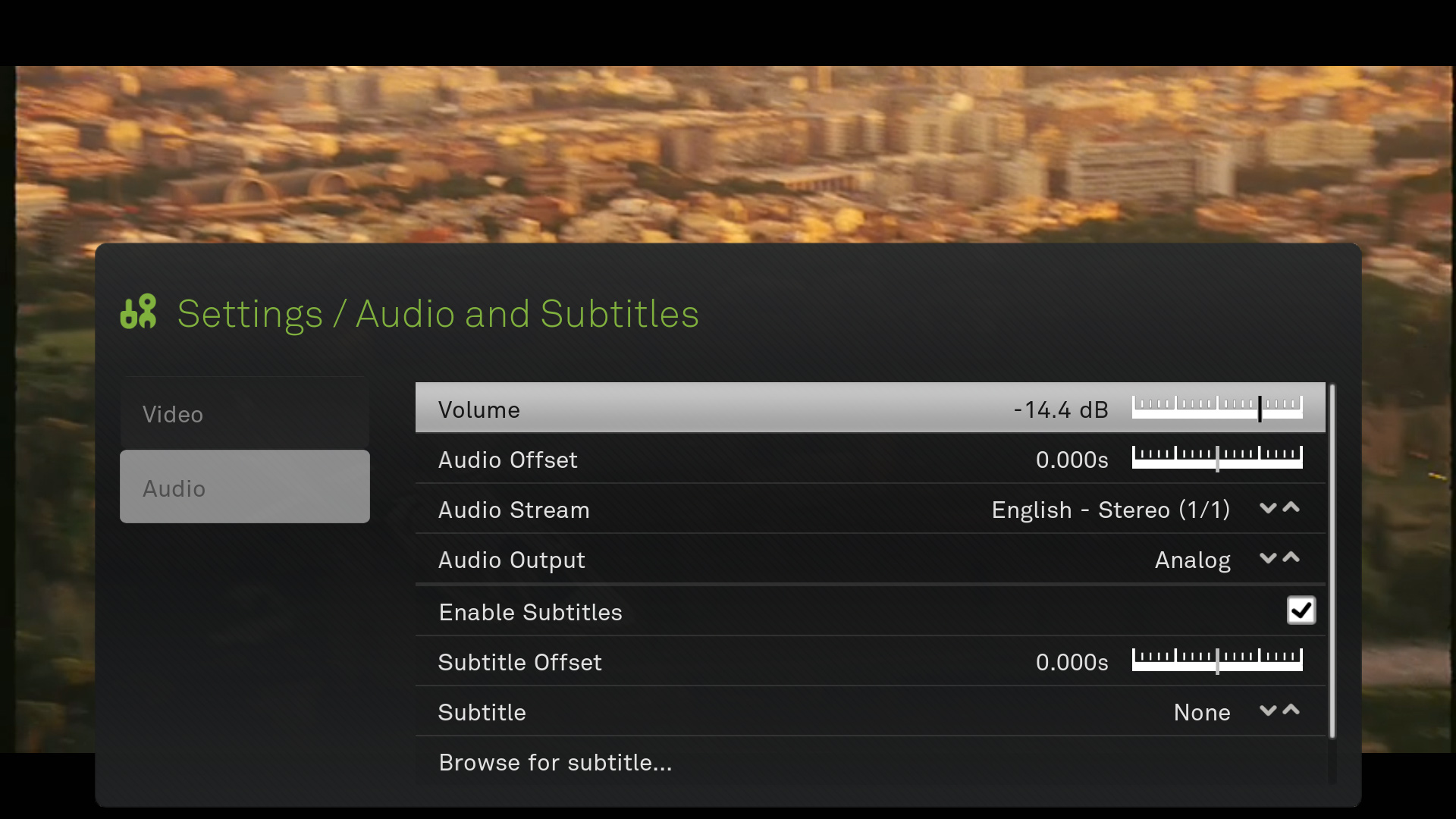
And don’t you just hate it when the the sound is off by ever so much? No problem, Boxee lets you fine-tune the audio offset (as well as with subtitles too).
Performance
I should start this section by saying Boxee is alpha software. Depending on your setup, you could have quite a quandary on your hands. I have run into various issues with sound dropping out (usually sudo alsa force-reload and then restarting Boxee fixes it), Boxee and Ubuntu hard crashing, as well as just complete Boxee sluggishness when navigating the menu and trying to play media (for some reason small MPG files do not like being played back with Boxee).
But once you do get it working and assuming you have at least respectable hardware (unfortunately video hardware acceleration is not yet supported), Boxee flies. Boxee’s video player can pretty much tackle any type of non-DRM-protected media you can throw at it:
Supported formats/codecs:
Physical media: CDs, DVDs, Video CDs (including DVD-Video, VCD/SVCD and Audio-CD/CDDA)
Container formats: AVI, MPEG, WMV, ASF, FLV, MKV, MOV, MP4, M4A, AAC, NUT, Ogg, OGM, RealMedia RAM/RM/RV/RA/RMVB, 3gp, VIVO, PVA, NUV, NSV, NSA, FLI, FLC, and DVR-MS (beta support)
Video codecs: MPEG-1, MPEG-2, MPEG-4 (SP and ASP, including DivX, XviD, 3ivx, DV, H.263), MPEG-4 AVC (H.264, including Nero Digital), HuffYUV, Indeo, MJPEG, RealVideo, QuickTime, Sorenson, WMV, Cinepak,
Audio codecs: AIFF, WAV/WAVE, MP2, MP3, AAC, AACplus, AC3, DTS, ALAC, AMR, FLAC, Monkey’s Audio (APE), RealAudio, SHN, WavPack, MPC/Musepack/Mpeg+, Speex, Vorbis and WMA.
Digital picture/image formats: BMP, JPEG, GIF, PNG, TIFF, MNG, ICO, PCX and Targa/TGA
Subtitle formats: AQTitle, ASS/SSA, CC, JACOsub, MicroDVD, MPsub, OGM, PJS, RT, SMI, SRT, SUB, VOBsub, VPlayer
As briefly mentioned above, the biggest complaint I have is the occasional sluggishness I get when loading videos. After a while they play just fine though. I also experience this sluggishness when attempting to fast-forward through a movie. Tapping the right arrow key a few times doesn’t always work. However, from my experience scrolling/seeking through large video files is a resource-intensive task so I can’t place too much blame on Boxee for that. I’ll update this post if/when I upgrade my HTPC to a quad-core Intel Core i7 setup and see how that changes things.
Overall
I give Boxee 8 out of 10. This is still an alpha product; I can’t imagine what the final version will be like. If you have an Apple TV you can get Boxee running on it as well, just don’t expect HD content to work.
What do you use for your media playback? Do you have a dedicated HTPC?
Related
- Going HD: Part 1 (Plasma)
- Going HD: Part 2 (HTPC)
- Going HD: Part 3 (Blu-ray and Surround Sound)
- DIY $200 HTPC: Part 1
- DIY $200 HTPC: Part 2
- DIY $200 HTPC: Part 3
PaulStamatiou.com runs on the Thesis Theme for WordPress
Thesis is the search engine optimized WordPress theme of choice for serious online publishers. If you’re a blogger who doesn’t understand a lot of PHP, Thesis will give a ton of functionality without having to alter any code. For the advanced, Thesis has incredible customization possibilities via Thesis hooks.
With so many design options, you can use the template over and over and never have it look like the same site. The theme is robust and flexible enough not only to accommodate a site like PaulStamatiou.com, but also to enable the site to run far more efficiently than it ever has before.


Stumble This


{ 2 trackbacks }
{ 24 comments… read them below or add one }
Got a HP Slimline beside the TV Stand, and was using Windows Media Center – and then I started looking at Qnap NAS + PS3. Boxee looks interesting, but wont be running on my Slimline, until I move back to Ubuntu or get a Mac Mini.
There is a windows version of boxee in alpha, you can signup to join the test via the forum
Will look into it. Thanks!
Hi
I was just wondering can you turn off the social network aspect of Boxee if you are not interested in them.
Thanks
@James – Yes you can. In the Account page there is a Privacy section and you can control that. http://bit.ly/co8×4
That is cool,
Does the that then remove the friends and recommendations from the interface?
Thanks
No, not really. It’s been awhile so I can’t remember if the friends thing is like Facebook where you don’t become friends or see each others stuff until after you confirm or not. I would imagine though that as long as you turn sharing off, that no body but you can see what you’ve watched or watching.
You could read this if you want the lawyer version though.
http://www.boxee.tv/privacy
Still using the Xbox360 and Rivet on my Mac. Just watching SD stuff though. Boxee looks nice. I was a big fan of XBMC (and XBMP before it).
Hi Paul,
You don’t need to buy a remote, you can use your iPhone with the Boxee App.
But you need to jailbreak your iphone.
here is how you can get it:
1. Open Cydia.
2. Go to Manage->Source->Edit->Add , and add “http://apt.boxee.tv/cydia/” as a source.
3. Choose “Boxee” from the source list.
4. Choose “Boxee Remote Control” from the source list.
5. Hit “Install”
nice article- I’ve got to call you out on the phrase
“And don’t you just hate it when the the sound is off by ever so much? No problem, Boxee lets you fine-tune the audio offset (as well as with subtitles too).”
“ever so much”? “off by that much” or “off by a fraction of a second” would have been better. :P
Thanks for keeping me informed about the tech world.
Funny timing — I just finished a blog post on setting up a media center, although I’m going the Plex/sabnzbd route myself.
How does Boxee do with for you with playing really high def video? You could try out the birds video from Planet Earth to see how well it does. It drops over 100 frames on any system I’ve tried, and it’s completely unwatchable in VLC and some “better” video players, yet works OK in Plex. Still trying to get it to run perfect on any setup though.
I use TVnamer (http://wiki.github.com/dbr/tvdb_api/tvnamer) to cleanse the film names of downloaded TV shows, find that the Boxee name parser is a lot happier with something like Lost – S01E01 – Its Weird.avi. It’s a python script so happily runs as a cron job.
Not sure if you are aware of the “A” key functionality, basically it lists the shares being monitored and lets you see how many files its had issues with, if you click on any of the shares it lists out files and directories for you to manually enter the details. Often find adding the year to film names helps the parser.
I use Plex (XBMC). Find it way better than boxee. I use it strictly for HD movies and ripped tv shows tho.
I’ve been using Boxee for almost 2 years now, and I use it primarily with a Mac mini hooked up to my 42″ Philips HDTV. I use 2 1TB MyBooks as my media storage, and I love Boxee’s simplicity and ease-of-use. I’ll be a Boxee user for a long time in the future.
Like Mark Jaquith posted above, I also use my Xbox 360 and Rivet running on my iMac. It works just fine for a limited space setup, and especially because I have my iMac on all the time. I’ve used Boxee though and have to say that it’s pretty damn good software, especially for an alpha release. The interface design is solid, and I’m sure it can only get better from here. If I ever run a dedicated HTPC in the future, I’d probably run Boxee. The temptation is getting hard to resist.
You said:
“…If you have an Apple TV you can get Boxee running on it as well, just don’t expect HD content to work.”
Not sure what I’m missing there. I have my ATV running Boxee and have for about 3 months. It plays HD content just fine.
?
Since you said you weren’t particularly interested in Hulu’s streaming options, had you tried out XBMC before Boxee? I’ve wondered how similar / different the two really are, considering they share the same codebase.
thoughts on boxee media center (verdict: kickass) http://tinyurl.com/cq2svf
This comment was originally posted on Twitter
@boxee you really should check out this great review by @stammy: http://bit.ly/fz6JI
This comment was originally posted on Twitter
http://tinyurl.com/btzxyn Review: Boxee Media Center (or Going HD: Part 4)
This comment was originally posted on Twitter
I want to read the rest, but you have a markup error halfway through. :P
Question though: how viable is using something as awesome sounding as this for movies? I mean, I know I’m not like everyone else (a lot of people I know download movies, watch them, then delete them), but I have over 700 DVDs. Even if I was to rip them, or to have downloaded them all first (not just movies, but hundreds of episodes of various TV shows), wouldn’t the combined file size be too much for even today’s huge hard drives to handle? If I may ask, what sorts of things do you have all together, and how much total? (Reply to this) (Thread)
This comment was originally posted on http://dyogenez.livejournal.com/)“>Adam
Man, livejournal crashed on a self closing BR tag. That’s valid html Livejournal!
Sounds like we’re on the same track as far as movies go. I download and archive everything myself, so nothing is deleted. In the past I’ve always downloaded DVDs so I could archive and grow the collection independent of the limitations of hard drive space. I’ve always favored DVDs because of the potential extras, but I only looked at them for movies I really liked.
Storage is definitely an issue if you’re wanting to archive everything though. I haven’t even bothered to rip my existing DVDs (similar size collection to yours i think). 700 dvds @ 5gb you’re already looking at way too much space to be in a normal budget. I’m not archiving everything I have ever downloaded on hard drives, but things that I love go on there. New DVDs I download go on the drive too, with the idea that I’ll eventually burn them. I haven’t been burning new ones though.
I have a Drobo for storage (so far with 3×1tb drives) and haven’t filled it up yet. A lot of the movies I’ve been downloading lately are 720p rips (10gb+), just to get the quality boost you can’t get on DVDs, so there is an advantage to it. But yeah, you can never realistic archive files of that size anywhere other than on a hd somewhere.
A lot of people on the Plex forums use Drobos for storage. I’m a fan of being able to use different sized drives especially. The Drobo itself is working out great for me, but I wouldn’t recommend the Droboshare. Works alright for general purposes, but for a media center you really need a hardwire connection.
Some Plex people are crazy about storage though and have gone the unRAID route. UnRAID sounds awesome, and seems like the next step up if you want an entire collection on one volume. It has it’s downside though — huge power draw, more complicated setup, more heat, louder, bigger. What I love about the Drobo is how little time I have to spend on it, and how flexible it is. When I get the 4th drive, installing it will be a matter of unwrapping it and slipping it into the Drobo. :) (and waiting 8-12 hours while it rebuilds the raid, unfortunately)
Checking out what I have now — I’m at about 900gb of videos on there (600 movies / 300 tv). The movies are in a variety of formats, but I have been favoring divx more lately for times when I don’t care about quality. If I had unlimited storage I’d probably download everything in the highest quality, but I do take it into account when choosing now a days. For anything that’s extremely visual I’ll grab the highest quality still though. ;) When my Drobo fills up I’ll probably get a second one to slowly start filling up, but that’s still a ways off :)
As far as my folder structure goes:
/Drobo/Music/
/Drobo/Video/TV Series/…
/Drobo/Video/Movies
/Drobo/Video/Anime Movies
/Drobo/Video/Anime TV Series
(these could be in the same, but it helps me sort faster)
Folders within Plex have to be sorted on 2 separate factors though — what type they are (movie, tv, music video) and what source it should pull in information for that item from (imdb, aniDB, etc). Once just video outgrows my Drobo, it’ll be separated by tv/movies across devices. (Reply to this) (Parent)
This comment was originally posted on http://dyogenez.livejournal.com/)“>Adam
There’s a big topic on the Plex forums about large storage devices btw: http://forums.plexapp.com/index.php?showtopic=2519(Reply to this) (Parent)
This comment was originally posted on http://dyogenez.livejournal.com/)“>Adam
Thanks again for sharing all this. I’ll have to check out the links when I get some more free time. :)(Reply to this) (Parent)
This comment was originally posted on http://dyogenez.livejournal.com/)“>Adam