By the time you read this, Microsoft's latest attempt at making a decent desktop operating system (I kid, I kid), dubbed Windows 7, will have been released worldwide. I took it upon myself (and my debit card) to build a new computer properly suited for Windows 7, as well as some HTPC/gaming goodness, after receiving this Skribit suggestion. I have always been a fan of Small Form Factor computers, dating back to my old Shuttle SB61G2 (Intel P4) and SN85G4 (AMD Athlon 64) computers. When it came time to plan out my next PC build, I decided to stick with SFF and base the system off of the fairly new Shuttle SX58H7 barebones kit.
The basis for this PC build started out as a simple computer for Internet Explorer 6-8 testing for web development so I didn't have to rely on VMWare Fusion with Windows setup on my MacBook Pro, which I always found rather annoying. Then this project snowballed into building a media powerhouse and Windows 7 tinkering machine.
Why SFF + Shuttle SX58H7?
Well for one, the Shuttle SX58H7 is the only Core i7-supported SFF created by Shuttle, and one of the only such SFFs out right now (the others are just ugly.. I'm looking at you iBuyPower). That being said, I originally looked at building a regular, non-SFF tower computer. After a few hours of searching for good cases, I gave up and went to the sleek Shuttle SFFs I have loved so much in the past.
Shuttle SFFs are sold as barebones kits. They include the case, power supply, motherboard and CPU cooler; you bring the rest.
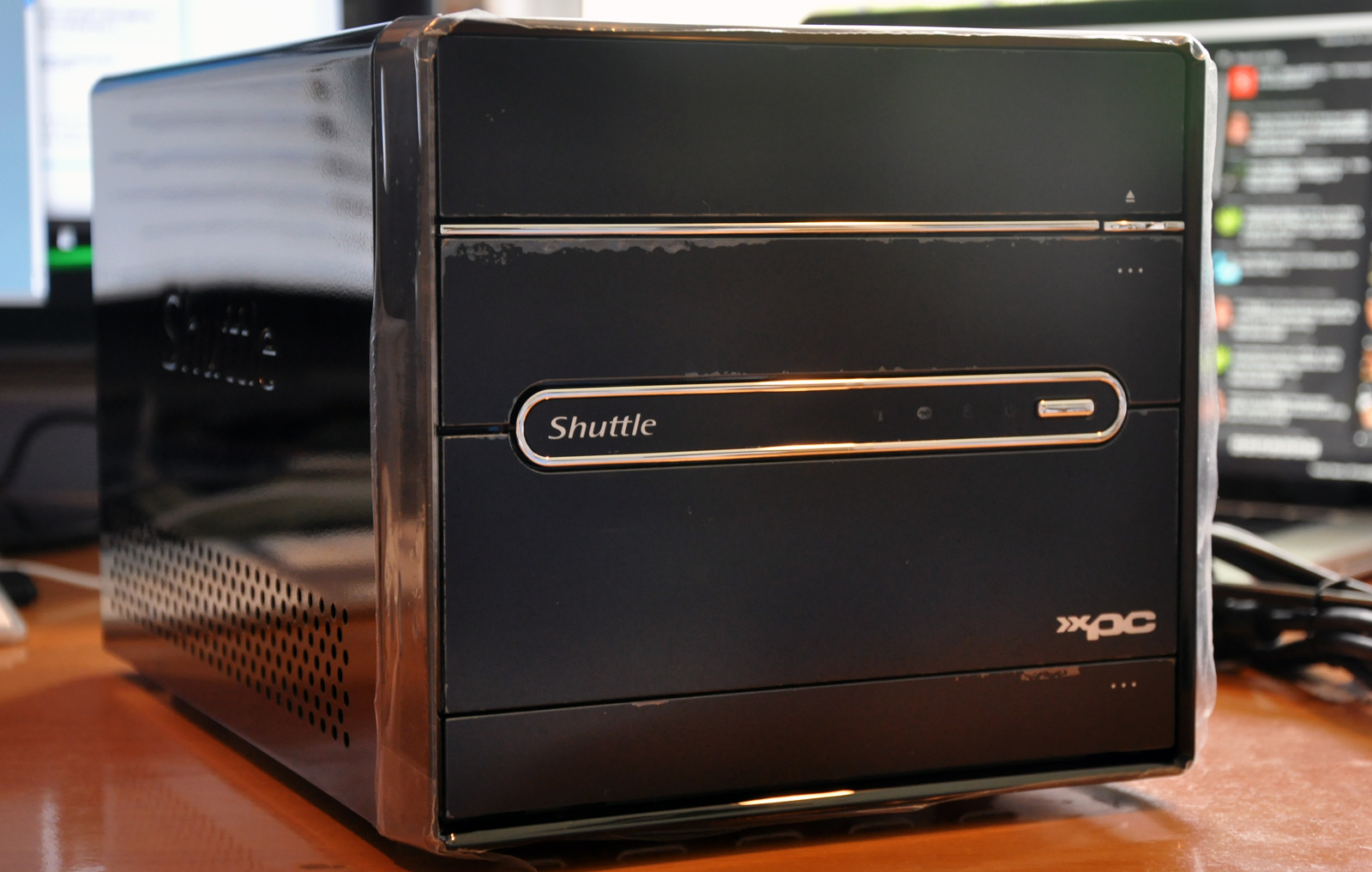 The freshly unboxed Shuttle SX58H7 (protective wrap still intact) - Shuttle's first foray into Core i7
Aside from aesthetics, the SX58H7 boasts much of the same features and more or less all of the performance served up by its full-sized bretheren. It sports a 500 Watt PSU, motherboard with Intel X58 chipset, support for up to 16GB of DDR3, and an onboard SATA RAID controller through the ICH10R southbridge. Historically, Shuttle SFF PCs have had heating and noise issues but recent kits have put those issues to rest.
In short: Never trust a computer you can't lift. (ref)
Why Core i7?
 Intel's Core i7 platform has been in the early adopter stages for quite a while (released November 2008) and is just now ready for mainstream usage with more reasonable prices, and the typical unrivaled performance associated with Intel's latest and greatest. (The mobile variant of the Core i7 was deemed the fastest laptop processor ever.) Actually, I take that back; Core i7 is not for mainstream, that's more along the lines of what Core i5 is for.. but I digress.
 Core i7 processors are the first to run on the 45nm Nehalem architecture, which includes such goodies as 30% lower power usage for the same performance, an integrated memory controller supporting DDR3 and better hyperthreading performance. The Core i7 processor I went with for this build is the low-end 2.66GHz quad-core Core i7 920 processor, namely because the next processor up had a huge price difference.
In short: Why build a new computer on the now-outdated Core 2 Duo/Quad platform? Start with a low-end Core i7 setup and if you feel the need for speed later on, just get a faster Core i7 processor (or overclock).
Why Windows 7?
 The reviews are in and Windows 7 is leaps and bounds better than the 3 year nightmare known as Windows Vista. Reasons for this include much better device driver support (my printer just... worked!), a hugely revamped window manager (Aero) and pleasant performance (Windows 7 will actually run on a netbook without being horribly sluggish).
The number one feature I have come to enjoy with Windows 7? Aero's hot keys for Aero Snap:
Win+Up Arrow: Maximize the current window Win+Down Arrow: If the current window is maximized, restore it; if the current window is restored, minimize it Win+Left Arrow: Dock the current window to the left half of the screen Win+Right Arrow: Dock the current window to the right half of the screen
It's not quite like Exposé but it sure does bring a lot of convenience to Windows 7. Oh and Jump Lists. Those are great too. Aero Peek is spiffy as well. So is the new taskbar. And Shake..
I could make this section a whole post, so I'll stop there. Read David Pogue's thoughts on Windows 7 in the NY Times for a basic overview of Windows 7, then checkout this post detailing some of the Windows 7 interface.
Pre-orders of Windows 7 at Amazon.co.uk in the first eight hours of its availability surpassed the demand for Windows Vista in its first 17 weeks. It became the highest-grossing pre-order in Amazon's history, surpassing sales of the previous record holder, the seventh Harry Potter book. -Wikipedia
In short: None of my computers run any version of Windows right now so I am giving Windows 7 a shot. Windows 7 brings back the excitement I once had in Microsoft products — I used to watch Bill Gates keynotes (I vividly remember watching the stream of Gates at XP's launch on 10/25/01) like I now do Steve Jobs keynotes.
Parts List
 Piano black Shuttle case looks sleek but is an epic fingerprint magnet
Prices as of October 2009
- Shuttle XPC SX58H7 $625
- LG GGC-H20L Blu-ray drive Discontinued ($169 as of 6/08)
- 2 x 1TB Samsung F1 RAID class/certified hard drives 2 x $132
- 6GB (3 x 2GB) OCZ Gold DDR3 $129
- Intel Core i7 920 CPU $279 (snagged mine for $199 with some deal at a Micro Center store)
- XFX ATi Radeon HD4890 video card $195
- Shuttle PN20 Wi-Fi adapter $69 (got it for $50 on Newegg, but it's now "deactivated" there)
- Microsoft Windows 7 Ultimate $319 for full, $219 for upgrade or free through Microsoft BizSpark
Note: Links above utilize my Amazon Associates tag. If you enjoy this blog and want to share the love, feel free to buy/browse through those links. One of the things I learned at BlogWorld Expo that I just came back from (that's another post) is that it's easier to sell a product, rather than get advertising. So I'm giving this affiliate stuff a shot. Otherwise, no hard feelings. I'll keep blogging.
In short: A good amount of fast RAM, quad-core CPU, ~high-end video card with 1GB GDDR5, and lots of storage. A fine setup to put Windows 7 and any media/gaming tasks I have to the test.
The Build
 Computer parts ready for installation
As with most Small Form Factor PCs, the Shuttle SX58H7 has rather cramped internals but the case's superb design, with a removable drive cage, makes setup fairly easy. I'll let the pictures do the talking:
 Installing the Core i7 920 processor
Yeah I admit it, this post is more about detailing the computer build and the why's about it rather than a pure how to article. If you have any questions about the specifics of building this, or any, computer drop me a line in the comments or my contact form.
 The business end of the Shuttle SX58H7. Dual gigabit LAN is nice to see.
 The final, assembled system with the case off
This system is equipped with two 1TB Samsung Spinpoint F1 hard drives sporting RAID certification. While you can just about RAID any two identical drives, if they are not RAID certified they are more likely to get dropped out of the array when doing error recovery. That is to say that the RAID controller might think the drive is offline/taking too long to respond while it is really just in the middle of some hefty error recovery, and the controller will incorrectly drop it out of the array; thus degrading or failing your RAID array. These RAID certified drives make those issues a thing of the past. (However, I'm not sure how relevant that still is as the ICHR10 RAID controller with the X58 chipset isn't too shabby either.)
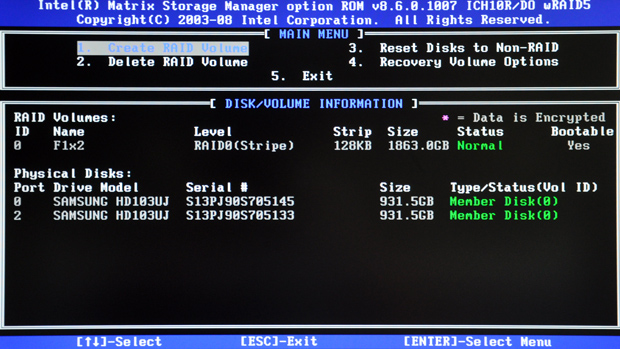 Setting up 2x1TB RAID
 Installing Windows 7 Ultimate
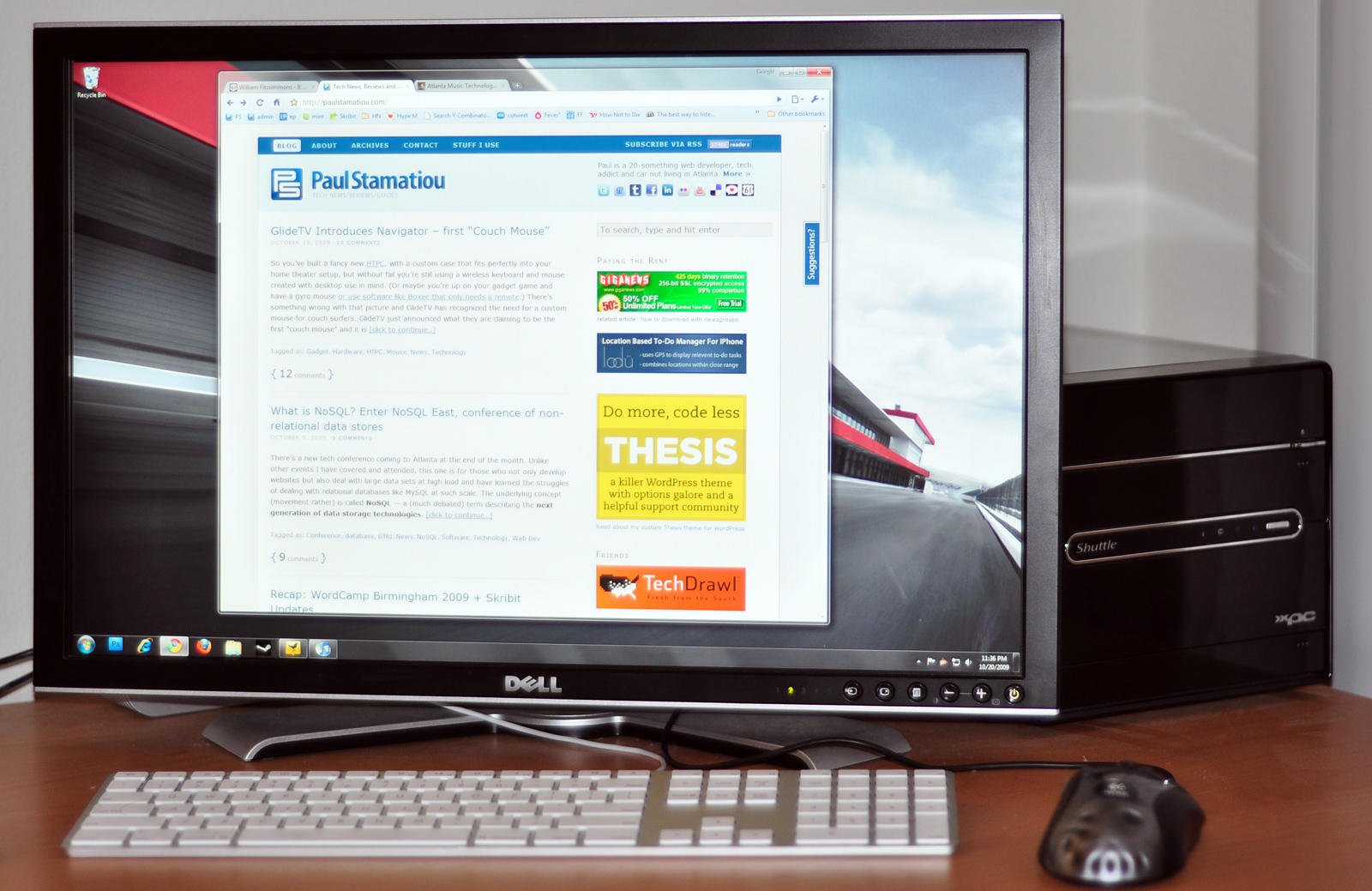 The Shuttle nicely tucked away behind a 24-inch display.
While not initially intended to be a replacement for the HTPC I built and wrote about last year, it seems like this new computer has become my primary media PC.
Questions?
There will very likely be a follow-up to this piece, so please let me know what you'd like to see next - suggest on Skribit (and/or comment below). Did you end up waiting in line for the Windows 7 midnight launch? Are you planning on upgrading to Windows 7 for your PC? Thoughts on SFF computers? on Core i7? Price still too high? on Windows 7? I'm curious to hear your thoughts.