Going HD: Part 3 (Blu-ray and Surround Sound)

January 11, 2009 · 23 comments

It has been a while since I have written about my move to an HD home theater setup. Going HD: Part 1 detailed the arrival of Samsung’s 50-inch plasma HDTV while Going HD: Part 2 with discussing the build of an HTPC. Part 3 will discuss the addition of a 5.1 surround sound system and PlayStation 3.

HTPC Update

Working with my HTPC has been a bit of an uphill battle. I equipped it with a Blu-ray drive and assumed all would be well and I could simply play Blu-ray discs with software like VLC Player in Ubuntu. Unfortunately, that was not the case.

I won’t go into details, particularly since playing Blu-ray movies in Linux consists of bypassing DRM and is considered illegal in the United States, but it consists of compiling the kernel to support UDF 2.5, grabbing the AACS key from a Blu-ray disc and getting an application to rip and decrypt the data. It is “possible” to play the Blu-ray without ripping but requires an advanced setup and enough system resources to be able to decrypt on-the-fly. Then there is the issue of when the disc was produced and if that encryption key hasn’t already been found and put into a database, it is necessary to use a tool to find the Volume ID manually and other such cumbersome tasks. I may revisit this later on but at the moment it’s just not worth messing with Blu-ray in Linux.

Many headaches later I resorted Windows, hoping that would alleviate the problem (Windows solving a problem? *irony*). To my dismay that proved to be a dead-end also as HDCP issues required I get an HDCP-compliant video card before playing Blu-ray discs with CyberLink Blu-ray playing software.

After that turn of events I decided to forget my dreams of playing Blu-ray discs with my HTPC and put Ubuntu back on the HTPC. Ubuntu is my OS of choice for the HTPC for a few reasons. First off, it is easy to setup Samba shares so it can network with my Mac (Finder » Go » Connect to Server » smb://192.168.1.101 in my case). Also, I have a highly-configured installation of the hellanzb newsgroups downloader installed, which could help with acquiring TV shows and movies quickly if I ever had the itch to do such a blatantly illegal, copyright-violating act.

As for interfacing with the HTPC when hooked up to the HDTV, I don’t use any fancy remotes or HDTV-friendly media front-ends. I just have a wireless mouse. To allay any fears about plasma burn-in issues, I have the task bars autohide and use a black desktop background.

I am currently dealing with some bottleneck issue that causes the playback of 1080p movie files to stutter and hang intermittently. It’s not a hardware issue; the CPU doesn’t get maxed out nor does the hard drive (10,000RPM Raptor – bad choice for an HTPC as it is incredibly loud) have any issues reading off the 50GB files. I’ve come to the conclusion that it is an Nvidia driver problem that will need to get sorted out. In the meantime, 720p movies play just fine on the HTPC.

No More DirecTV

I canceled my DirecTV service today. I simply don’t watch enough TV to warrant the $50+ monthly bill. Furthermore, my building does not have the 5-LNB dish setup necessary to look at the satellites that broadcast the majority of DirecTV’s HD programming, making the HD package worthless. If it’s not HD, it must go.

Bye Bye Wii

Tacking on to that last sentiment, I sold my Wii and accessories. It was a neat system but playing it on an HDTV was painful. The Wii’s 480p resolution on a 1080p display was unbearably ugly, not to mention a white console did not fit in aesthetically with my black equipment.

Going Blu

The next step was to add a Blu-ray player. After some research, I came to the conclusion that the best value for a Blu-ray player on the market right now is the PlayStation 3. If you are going to spend upwards of $300 for a good Blu-ray player, you might as well invest in a PS3. The software is upgradeable ensuring that it will always be able to play the latest Blu-ray disc profile. I opted for the 80GB $399 version and picked up Gran Turismo 5 Prologue while I was at it.

Paul's HD Home Theater System

Little known fact: Georgia Tech is working with Sony, Toshiba and IBM to promote and keep developing their cell processor, of which a 3.2GHz-equivalent variant is found in the PlayStation 3.

5.1

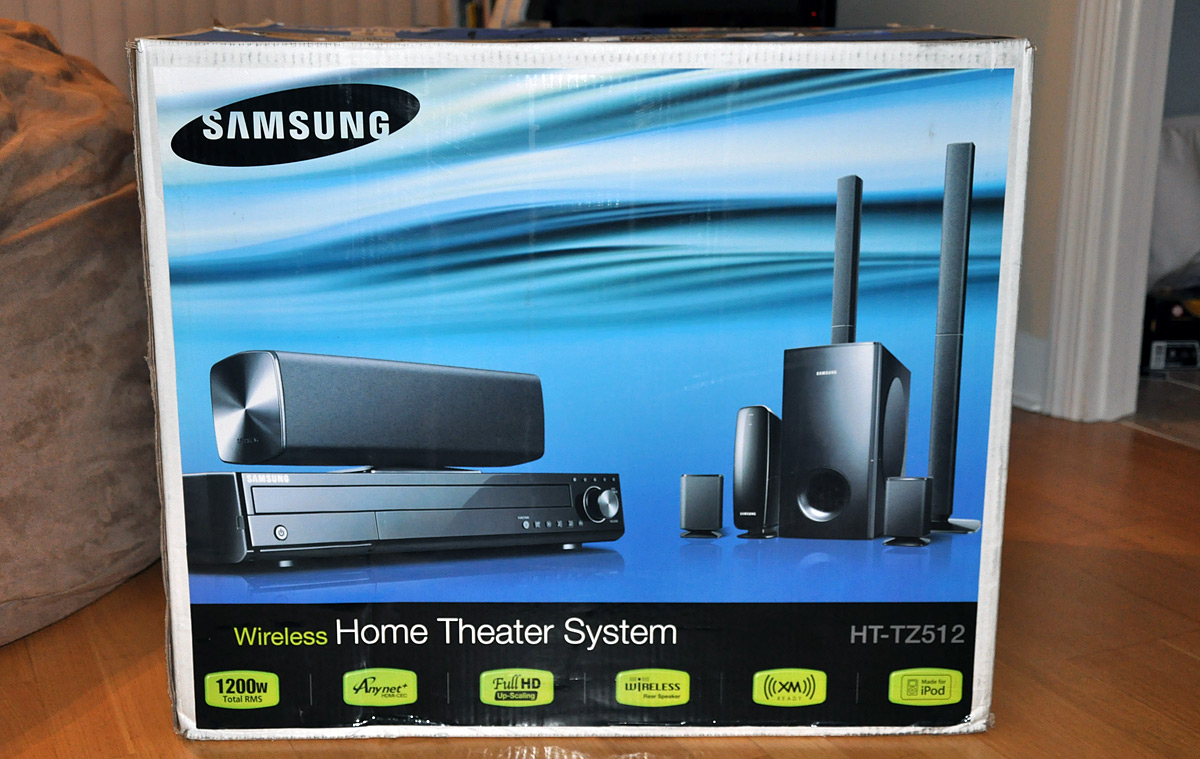
My first comments about the Samsung 50-inch plasma mentioned how the integrated speakers were sub-par and rear-firing, making for an unusual sound perception. A surround sound system is a must for any good home theater setup, however I did not want to spend too much money. I decided to stick with Samsung and purchase their HT-TZ512T system for under $400 USD.

Samsung HT-TZ512T Home Theater System

The main selling points of the 512T system are the inclusion of wireless rear speakers, iPod compatibility, an upscaling DVD player (5 disc changer), FM radio and XM-ready receiver. With 1200 watts of power, I find it to be a great value. However, it does not have many audio inputs, which led me to purchase a 3-way digital audio optical switcher.

Nyrius Toslink Selector
Nyrius Toslink Selector Switch

My optical audio cables have yet to arrive, but the switcher will connect the 512T receiver to the PS3, Vudu box and potentially the HTPC if I decide to get a sound card for it.
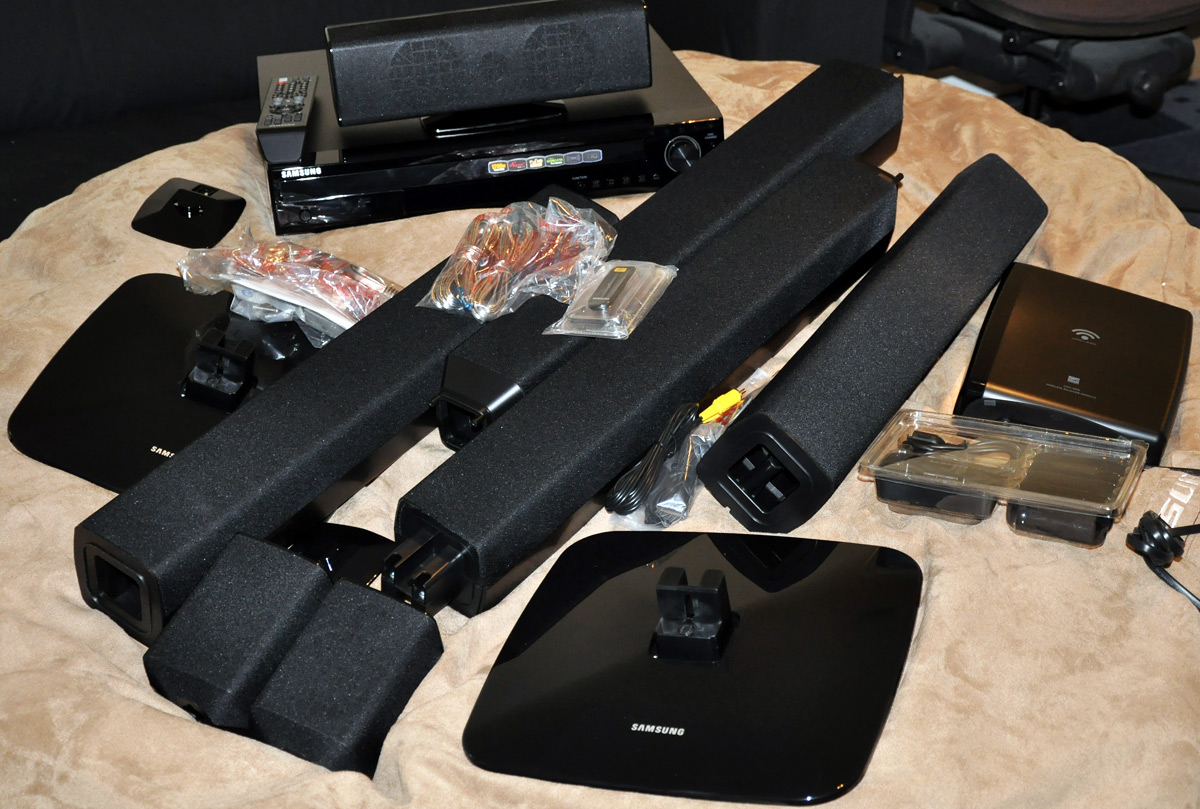
Samsung HT-TZ512T Home Theater System Unboxing

That being said, I have not listened to these speakers with a 5.1 source yet. I was adequately impressed with this system’s sound quality with a 2-channel source with Dolby effects enabled. They have much more range unlike the HDTV’s integrated speakers, and unlike the Logitech 2.1 computer speakers I sometimes used with the HDTV, the 512T system does not flood you with bass (even with the lowest setting on the Logitech Z-2200 2.1’s, there was way too much bass). More on the sound quality when I setup the optical inputs.

The wireless rear speakers are a bit finicky. At the moment I can’t get them to connect to the main unit, although they were working just fine for the past 2 days. I believe I need to do an “ID set” to get the speakers working on the same channel as the wireless transmitter in the main receiver. Initial impressions prove that the sound quality from the rear speakers is acceptable, but they have yet to wow me.

The overall build quality of the HT-TZ512T system is mediocre and screams of cheap plastic like an American car interior. My biggest issue with the entire system is the flimsy nature of the front left and right tall speakers. They’re too light and move too easily.

The (almost) Finished Product

Paul's HD Home Theater System

Questions? What is your HD home theater setup like? Thoughts on the PS3?
Previous Home Theater: How To: 100-inch Uber Theater on a Budget

PaulStamatiou.com runs on the Thesis Theme for WordPress

How smart is your Theme?  How good is your support? Check out ThesisTheme for WordPress.

Thesis is the search engine optimized WordPress theme of choice for serious online publishers. If you’re a blogger who doesn’t understand a lot of PHP, Thesis will give a ton of functionality without having to alter any code. For the advanced, Thesis has incredible customization possibilities via Thesis hooks.

With so many design options, you can use the template over and over and never have it look like the same site. The theme is robust and flexible enough not only to accommodate a site like PaulStamatiou.com, but also to enable the site to run far more efficiently than it ever has before.

SEO Copywriting Made Simple
I used the Scribe WordPress plugin and service to optimize this blog post for SEO.

{ 1 trackback }

Review: Roku Digital Video (Netflix and Amazon) Player — PaulStamatiou.com
May 10, 2009 at 11:30 pm

{ 22 comments… read them below or add one }

1 Cory O'Brien January 11, 2009 at 3:57 am

My home theater setup consists of a 50″ Vizio plasma (Yay plasma!), an older Teac receiver (It’ll do 5.1 surround and has one optical input, but no HDMI. Probably going to replace it soon.) and a JBL speaker set (ArcCenter flanked by Arc1000s with Arc10s in the rear.) Right now the Comcast cable box does all of my HD content (Including movies in 1080i), and I’ve got a Wii as well, but I should be adding a PS3 to the mix soon, both for the Blu-Ray and for the games.

I love that you dropped the Wii partly for the color! It’s a shame they don’t do a Wii2.0 that outputs in 1080 and comes in more than one color.

Reply

2 Jeff Smith January 11, 2009 at 4:13 am

My home theatre setup is made up of a 42″ Sharp Aquos LC42D64U, a Sony STRDG520 5.1 channel receiver (tons of inputs with 2 HDMI inputs with video passthrough to the Aquos), Polk Audio RM10 5-piece surround speakers, Polk Audio PSW10 subwoofer, a Motorola DCT3416 HD PVR, an Apple TV, and an XBox 360.

I’ve spent the past year and a half purchasing the various parts of my setup and I’m pretty happy with everything at this point–great sound, lots of great sources for HD video. The only other thing I’m thinking about adding is a Blu-ray player (likely a PS3 for the same reasons Paul mentioned above or some other Sony Blu-ray player).

Reply

3 William Brawley January 11, 2009 at 4:33 am

Very impressive setup. It’s something I’m looking forward to setting up my self as soon as I graduate, find my own place, and have the income to afford it.

By the way, why is the setup skewed over so close to the doorway? Looks like it could be scooted over to the left a bit.

Reply

4 Paul Stamatiou January 11, 2009 at 5:29 am

As for the placement – if I go more left then the couch to TV-centered ratio would be wrong. I have a lot more couch to the right of the TV than to the left. It’s kind of an awkward placement as the internet/antenna hookups are right there.

Reply

5 Mark Jaquith January 11, 2009 at 5:14 am

Keep the receipt for your Toslink switcher. I’ve found that they don’t always work (if the two ends aren’t perfectly aligned, light bleeds out and you lose the signal).

Reply

6 Paul Stamatiou January 11, 2009 at 5:30 am

eek, that sucks. This one was only $20 bucks so it might suffer from this issue. I’ll keep you posted.

Reply

7 Ben K. January 12, 2009 at 2:50 am

Thanks for the comment on the switch Mark.

Can you recommend one that’s not too pricy? I’ve found two that seem to be decent but not really in my budget right now.

http://www.digitalconnection.com/products/audio/aa1177.asp
http://www.inday.com/da4x/da4x.htm

Reply

8 Dan January 11, 2009 at 7:03 am

Looks like you need a Logitech G25 to complete your GT5P setup!

Reply

9 Jonathan January 11, 2009 at 9:47 am

Try out boxee (www.boxee.tv) superb HTPC software for windows and linux.

Reply

10 Paul Stamatiou January 11, 2009 at 3:31 pm

Thanks for the comment Jonathan – I’ve actually used Boxee on Mac but it was a long time ago and I haven’t touched it since. Didn’t know they now have a linux version!

Reply

11 Mike January 11, 2009 at 6:26 pm

Works on the apple TV too, but I’m not impressed with the HD quality on the apple TV…. it’s just not powerful enough to handle it. As soon as they come out with an upgrade to the apple tv though, I’ll be getting one.

Reply

12 Nicholas January 11, 2009 at 7:09 pm

Apple TV hardware isn’t strong enough to play 1080p/i video consistently, unfortunately :(

Reply

13 Chris January 11, 2009 at 10:37 am

Don’t know how much you can swing for speakers, but you might try something from PSB, Paradigm, Cambridge, or Gallo.

Reply

14 Wes January 11, 2009 at 2:53 pm

I’m hoping to pick up a PS3 this week to finally play the Blu-Ray copy of Dark Knight I got for Christmas. I certainly agree that if you’re going to spend money to get a Blu-Ray player, why not spend slightly more and get a media center and game console to go along with it.

The PS3 will connect to our 51″ rear projection and 5.1 system.

Reply

15 Taylor Brooks January 11, 2009 at 5:30 pm

I’m curious, has anyone used the Western Digital Media Player?

http://www.wdc.com/en/products/products.asp?driveid=572

I’ve thought about buying one instead of fooling around with a full-blown HTPC setup.

Reply

16 Carlton Bale January 13, 2009 at 10:59 am

For blu-ray playback on a HTPC, you need Slysoft AnyDVD HD to get rid of any potential HDCP issues. It also allows backup to a media server. Get it now, because they are switching from a lifetime single purchase to an annual subscription model.

Arcsoft Total Media Theater is the best Blu-ray software player I’ve found. You don’t even know that you’ve left Windows Media Center.

For hardware, a motherboard based on the nvidia 9300/9400 chipset is ideal because it has hardware decoding for HD video.

Reply

17 Michael January 13, 2009 at 11:44 am

Man, you all have me beat. I have a floating shelf hanging on my wall with a projector, my xbox 360, digital cable box and a samsung home theater system I got open box from best buy a few years back. I only turn on my cable box about four hours max a week. With netflix on the xbox, I usually have the xbox on most of the time running netflix, playing dvds, streaming content from my imac with connect 360 or gaming. I’m looking at buying an lcd and an inexpensive, maybe 2.1 system for my room.

Reply

18 Scott January 13, 2009 at 2:21 pm

Hey Paul, I think you might like NullRiver’s MediaLink software for the Mac. It’s indispensable. I can stream all my media (audio, video (including HD) and photos) from my Mac to my LCD TV via the PS3. http://www.nullriver.com/products/medialink

Reply

19 Sameer January 18, 2009 at 2:54 am

I’d like to second the Medialink plug by Scott. As far as I’ve been able to find, it’s the easiest (only?) solution for streaming from Mac to PS3. I’ve had a few issues with it though. It’s not perfect. I’ve noticed sometimes it completely stops working and freezes the PS3 and my iBook. I’m not sure if it’s a resource issue or a network problem, but I’ve seen some other reports of this happening on message boards as well.

Either way, I’d still recommend it, and would love to see some kind of write up on how it all looks on an HD TV. Thanks.

Reply

20 Brian Dusablon January 21, 2009 at 3:37 pm

I second the MediaLink referral. It’s pretty nice for $20. I have a Samsung 40″ 1080p hooked up to my PS3, which is networked with my Mac. MediaLink has some minor streaming issues occasionally, but overall I’ve loved having access to all my movies and TV shows through my PS3.

Oh, get Burnout: Paradise City. It’s only $20 now, and the addons (especially Burnout Bikes) they’ve released are awesome.

Reply

21 Chris Lentz January 27, 2009 at 9:07 pm

Hey Paul, the setup is looking nice. I picked up that same TV not to long ago. It is a beauty. Also I own a PS3 as a Blu Ray player and am very happy with it. I tested other Blu Ray players, and the PS3 doesn’t even compare to the others. How is GT I am debating on getting it or waiting for the full version which I like it less than a year away.

I also agree with ^ Brian about Burnout: Paradise City I love that game and I am not a huge gamer.

Reply

22 Murali March 13, 2009 at 2:12 pm

Hey Paul, I have a Denon AVR 1909 – AV receiver with 3 HDMI input, which connects my PS3, DVD to my HDTV and all audio to my 5.1 speakers. I can’t find 5.1 audio content to hear pure 5.1 audio on my speakers. PS3 supports MP3 surround – but hard to find decent 5.1 MP3/AC3..

Reply

Leave a Comment

You can use these HTML tags and attributes: <a href="" title=""> <abbr title=""> <acronym title=""> <b> <blockquote cite=""> <cite> <code> <del datetime=""> <em> <i> <q cite=""> <strike> <strong>

Previous post:

Next post: