Every year around this time some large gadget or tech website makes a back to school post. Unfortunately, they are under the preposterous assumption that college students can afford very expensive gear. Containing items such as a 55-inch plasma TV, CrunchGear’s Back to School Cheat Sheet published last year was met with mess of comments stating the list was absurd. Not to be outdone, Wired Magazine published a similarly hopeless article including a $700 monitor and a professional-grade BlackBerry 8800. It’s about time someone set them straight. I’ve been in college long enough to know what works and what doesn’t, so here is my advice to any incoming college freshman.

My dorm freshman year – an 11ft x 14ft dungeon shared with a roommate.
Laptop
If there’s one thing that seems to be consistent from college to college, it’s that desks are small and cramped. By getting a desktop computer, you’ll be taking up most of your desk space making it impossible to use your desk for real studying when finals time rolls around. Also, mobility is key when it comes to finding quiet study places or taking notes/surfing digg in class. Starting at $1099 not including student pricing, the Apple MacBook is a worthy choice.
Pros: The 13.3-inch MacBook is a perfect mix of price, performance and remains small enough to take to class daily. I recommend picking up the lower-end MacBook and manually adding RAM. Replacing RAM or the hard drive in a MacBook is incredibly easy; just pop out the battery and they can be accessed. Apple has a back to school deal for college students where you can buy a MacBook or MacBook Pro and get a 2GB iPod Nano for free.
Cons: All of my roommates have MacBooks and the number one complaint is that 1280×800 resolution is confining. If you think you will run into this issue, consider upgrading to the lower-end MacBook Pro, which comes with 2GB of RAM stock and a larger screen capable of 1440×900 resolution. You will sacrifice a bit of mobility going this route, so you might also consider sticking with the MacBook and picking up a cheap external monitor. A 19 or 20-inch LCD can be found for as low as $200 on sites like Newegg. If you do this, you’ll likely also want a keyboard and mouse – I suggest cordless so you can move it out of the way when you need to use your desk for studying.
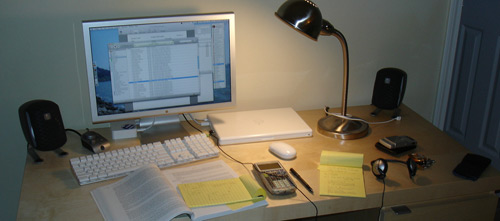
Incoming Georgia Tech students often ask me whether they will be fine having a Mac along with their Computer Science courses. There are many CS classes that require a particular IDE that only works in a certain OS, such as *nix or Windows, and just don’t work in OS X. I have had this issue for the past two semesters and ran Windows in Parallels Desktop (VMware Fusion was just released as well) without a hitch. If you decide to do this, just make sure you have at least 1GB if not 2GB of RAM. Other than that, Macs can do pretty much everything you’ve done in the PC world.
Software-wise, you should pick up Office for Mac or go along with the free NeoOffice. You will undoubtedly need to open your professors’ .doc files occasionally, not to mention write papers and create PowerPoint presentations.
What I Do: I’m more of the example of what you shouldn’t do, but I have the 2.2GHz MacBook Pro with 4GB of RAM that I dock to a 30-inch Dell LCD when I’m not in class. I had a regular MacBook for a year alongside a 24-inch iMac as my main computer, but now the MacBook Pro serves all my needs so I don’t need 2 computers.
For those that must have a desktop
If you really must have a desktop computer for whatever reason, you can build your own quickly and affordably. Given the state of the tech industry now, I (and my roommate) would recommend the following parts for a productivity and light gaming computer:
- Intel Core 2 Duo E4400 2.0GHz (~$125) or E6550 2.33GHz processor (~$180)
- Optional: Thermalright Ultra-120 HSF (~$65) or Zalman CNPS7700-Cu (~$40)
- EVGA Nvidia nForce 650i based motherboard (~$99) or Gigabyte GA-P35-DS3R motherboard (~$130)
- 2×1GB Crucial Ballistix DDR2-800 with Micron D9 chips (~$110)
- Any 256MB Nvidia 8600GT based PCI Express video card (~$115)
- Western Digital Caviar SE16 320GB SATAII hard drive (~$75)
- Lite-On 20x DVD±R burner with SATA; LH-20A1S (~$33)
- Antec Solo Mid Tower ATX case (~$90)
- Antec EarthWatts 380Watt PSU (~$49)
- 19 to 20-inch monitor from Samsung/Dell/etc (~$200-300)
- Any decent keyboard/mouse (~$30-60)
- Total: ~$950-1250 not including OS and speakers
Jeff Atwood has a great four-part series about building a computer if you’ve never done it before.
External Hard Drive
It doesn’t matter what kind of laptop you have, 2.5-inch or smaller hard drives commonly found in laptops are notorious for dying prematurely with high heat and rigorous conditions. I have experienced 2 hard drive failures while in college the past few years so I put value in a backup system. If I had it my way everyone would backup online to Amazon S3, but when it comes to important episodes of Entourage school work it feels better if your data is only a few feet away.
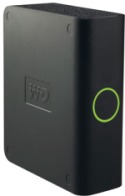
Whatever you do, don’t backup to another 2.5-inch drive, they are just as likely to fail. Desktop-size 3.5-inch drives are much more reliable, which is why I recommend the Western Digital MyBook Essential 320GB hard drive (~$95). It comes with EMC Retrospect Express backup software and all the cables you need.
Laptop Bag
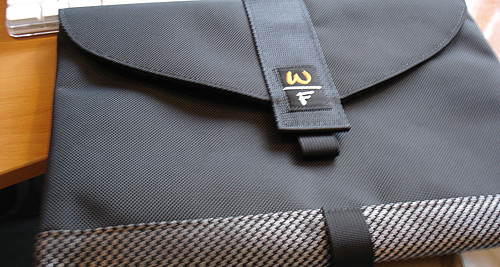
Now that you’ll be taking your MacBook to campus everyday, you’ll need some way to lug it around safely. I usually toss my MacBook in an SFbags sleevecase and put it in whatever messenger bag I have lying around. This year, that messenger bag was a Crumpler but they can get expensive, so the most popular choice is a standard Timbuk2 messenger bag. While these types of bags will cost around $100, give or take some, they will last you all 4 years (or even 5, 6, 7 if you go to a tech school and change majors a few times).
If you’re not a messenger bag type of person, your typical Jansport backpack will do fine for toting your laptop if it’s within a protective sleeve.
Wi-Fi Router
Most colleges have Wi-Fi Internet access in classrooms and places like the student center. At Georgia Tech, there is no Wi-Fi in dorms, except for the study lounges, which is why many people setup their own APs (even though we aren’t allowed to). This way they can use their laptop on their bed, couch, et cetera with Internet access. Any cheap 802.11b/g/n router will suffice. That being said, the most popular router seems to be the Linksys WRT54G, costing only $50.

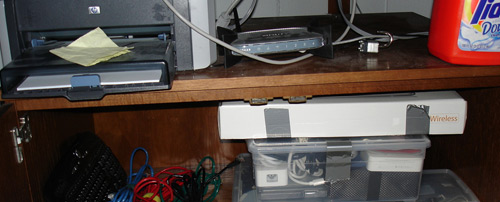
My old Netgear router lived under my bed alongside laundry detergent and a printer.
If your campus doesn’t allow unauthorized Wi-Fi devices on their network and checks the MAC address of the computer registered when you moved in, most routers allow you to spoof the MAC address to make the router appear as the computer on the network. It’s also a good idea to use WPA2 encyption (WEP is fairly vulnerable, with your script kiddie neighbors being able to grab your key in a few days, even less if they flood your router with packets) and not broadcast your Wi-Fi network’s SSID.
Printer
Printers are the one item you can technically do without in college and be okay. Most if not all universities let you print out at the library, although you are likely on a quota, such as a max of 10 pages may be printed during any one week. If you don’t like making 3am runs to the library to print off a report, then getting a printer is for you. Considering that most of what you print will be PowerPoint handout slides and papers, it is best that you get an affordable black and white laser printer.
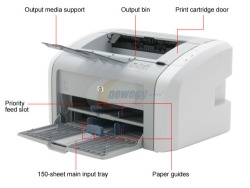
While color laser printers do exist, they are considerably more expensive due to all the rollers and toner cartridges necessary to print in color. Laser printers print fast, the print doesn’t smear, and the toner lasts an amazingly long time. I have been using a now discontinued HP LaserJet 1012 printer for 3 years and I have only replaced the toner once. Newegg currently has a sale on the HP LaserJet 1020 for $99 which is an outstanding value.
USB Flash Drive
It is imperative that you get your hands on a reliable USB flash drive before heading off to college. USB sticks are used on a daily basis – from bringing work to class, toting files to print out at the library, storing data to use in a computer lab, grabbing notes from a friend and more. I always have a USB stick in my bag.
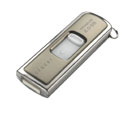
USB sticks have dropped incredibly in price over the last 5 years, so you can find a 4GB stick for around $40 – $60 now. I have always preferred SanDisk products, but watch out for USB sticks that say U3. The SanDisk Cruzer Titanium is adequately rugged and well-priced at $50 for 4GB ($65 if you opt for the Vista Ready Boost version).
TV
You can also do without TV in the dorm, especially if your university has TVs in the dorm lounges. In any case, you’re best off finding a cheap, used 20-inch CRT TV on craigslist. One of my roommates two years ago found a 27-inch TV for free from a friend tossing it out. You could always buy a TV like I did – a 14-inch flat CRT for $100 – but it is a big waste of money.
What not to do: Don’t bring an entire home theater system. College is not the place for such high-end electronics; it’ll get stolen or your roommates will vandalize it when they’re drunk.
Surge Protector
There will be a shortage of power outlets in your 1940-built dorm, it’s inevitable. Come prepared with a good power strip and pay a few extra bucks so it doesn’t catch fire. Most universities will not let you plug a power strip into a power strip for fire hazard purposes, so make sure you get one that can fulfill your needs.
I’m currently using a Belkin surge protector with 4 spaced out outlets for wall warts. Power Squids are great as well but you shouldn’t go as far as an expensive Monster Cable surge protector.
Headphones
The first thing you learn about living in a dorm is that you can’t just listen to your music anymore; you now have several roommates to respect. As such, I had a mutual agreement with my roommates that we would just listen to our music with headphones when we were all in the same room.
Depending on how you would rate yourself on the audiophile scale, you can pick up a decent set of headphones for around $20. I have always preferred the behind the neck Sony headphones when at my computer and the regular iPod earbuds when out and about.
Alarm Clock
It’s compulsory that you have an alarm clock up to the task of waking you up for your 8am Calculus III class. This area is obviously more personal preference than the rest, so just be sure to pack one. You get bonus points if your alarm has a battery backup; I can’t tell you how many times I have overslept from the power flickering during the night. However, please do not be the person with the alarm clock so loud that others can hear it at the end of the dorm hall. Also, please do us all a favor and turn off your loud alarm clock on the weekends, I don’t think the entire dorm enjoys waking up at 7am on a Saturday (you know who you are).
If you search around, you can find a few unique alarm clocks – such as the robotic one that moves around when it goes off and one that makes you solve a puzzle before you can hit snooze.
Digital Camera
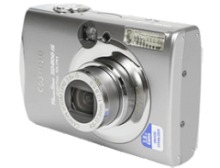
What better way to show your friends at other colleges what your college is like than sharing photos on Flickr or Facebook? Canon’s Powershot SD750 ($260) and SD800 ($310) are reliable and compact cameras that won’t break the bank. They make use of SD memory cards, which cost about $10-$15 per GB. If you want to go one step cheaper, the Fuji FinePix line of cameras is also good.
The cameras are small enough to slide in your pocket, but cheap enough that you won’t care too much if your buzzed friend knocks it out of your hand at a frat party or two.
LED Flashlight
I have heard many stories of unsteady power at old dorms, and have experienced it myself a few times, so it is nice to have a LED flashlight of any sort lying around. And who knows, you might end up going camping one weekend. I picked up a 21-led 3-triple A powered flashlight on eBay for just a few dollars and have had luck searching on Amazon.
Things to look for: standard batteries (AA, AAA but no button cells), rugged aluminum or rubber-coated body, easy to use on-off switch (none of that twist on/off stuff).
Fan
In my experience, air conditioning in dorms is horrible. My old dorms have relied on central heating/cooling units, which meant my roommates and I pretty much had no control over the temperature and it was generally hot. It was even worse for me when I lived across from the community bathroom my freshman year, which was always steamy and humid.
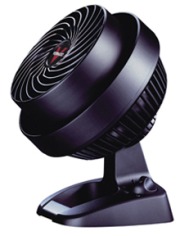
The Vornado 530 3-speed personal fan will run you $40 but it is worth it. I would also recommend looking into a small personal heater for the winter (our dorm would get in the low 60s until they finally turned the heat on), but heaters are considered a major fire hazard in dorms.
Lighting
With 4 or 8 fluorescent tubes lighting each dorm room it is usually too bright to keep lights on in the early morning, especially if your roommate is sleeping while you’re trying to finish some work. There are a few solutions to this dilemma. To get rid of the harshness of the room lights, most people take out half of the fluorescent tubes. Alternatively you can do what I did and either lay blue painter’s tape across the lighting fixture or pin up a thin piece of cloth in front of the lights, but far enough away so it doesn’t become a fire hazard.

Now you’re still going to need a suitable desk lamp. Halogen lamps are a huge no-no, but incandescents are alright as long as you stay at or below 60W. Ikea has great lighting fixtures such as the $10 nail-in one pictured above. For a few extra dollars you can pick up a CFL bulb that produces a lot more light while using less electricity, although they do tend to hum a bit and you can’t attach.
Mobile Phone
Affordable and rugged seems to be the theme here and there’s no exception when it comes to picking out a mobile phone. I had a Nokia clunker for several years and it was quite possibly the best phone to have in college. I had literally tossed it down a dorm hall, accidentally dropped it from a 4th floor stairwell and had it plinko down to the 2nd floor, and it held up well.
When picking out a phone, keep in mind that it will go everywhere with you – the cafeteria, the gym, class, et cetera. I usually look for clam shell phones that have an external display so I can quickly find out the time. As we all know, mobile phones are used more for their time keeping ability than placing calls. Don’t forget to get a plan on the same carrier that the rest of your family has, so you can talk to them for free.
But don’t take my word for it, I’m writing this with my BlackBerry a few inches away.
Calculator
Depending on your major, you will need to take at least a few math-intensive courses. Graphing calculators are pretty much the staple tool for any engineering student, but don’t automatically assume that you need the best. TI-89 calculators may be able to do integrals and derivatives, that is if you spend 5 minutes correctly inputting the problem, but they are a mess to work with. Stick with the college standard TI-83+.
In the Calculus I, II and III courses that I have taken at Georgia Tech, I don’t think I have ever used the graphing utility of the TI-83+ except for a few demonstrations the professor asked us to follow along with. Calculators aren’t even allowed on most tests, so it’s best to learn without the aid of a super calculator.
Anything Else?
What do you think is important to bring to college? Is there anything I left out? I know I didn’t mention an mp3 player, but that’s because I assumed everyone already has some sort of iPod. What do you use for each of these?
Oh and you don’t need a voice recorder like all the other back to school guides, not written by students, declare. Just pay attention; it’s better for your work ethic if you don’t have a fall back mechanism like a voice recorder. If you record lectures you will instantly be known as “that person”. There was once a guy in a history class of mine who took it a step further and recorded lectures with the camera in his laptop. And he wondered why no one talked to him.
Update: I have written Back to College Shopping Guide, Off-Campus Edition aimed at upperclassmen.
PaulStamatiou.com runs on the Thesis Theme for WordPress
Thesis is the search engine optimized WordPress theme of choice for serious online publishers. If you’re a blogger who doesn’t understand a lot of PHP, Thesis will give a ton of functionality without having to alter any code. For the advanced, Thesis has incredible customization possibilities via Thesis hooks.
With so many design options, you can use the template over and over and never have it look like the same site. The theme is robust and flexible enough not only to accommodate a site like PaulStamatiou.com, but also to enable the site to run far more efficiently than it ever has before.


{ 24 trackbacks }
{ 82 comments… read them below or add one }
This will be my 6th year in college so I know you only speak the truth. Especially w/ sticking to a TI-83+, and ditching a printer and TV to save space.
Excellent guide Paul. Where were you when with this when I started college?
I would like to say that I disagree about the TI-83+. I think the TI-89 is a necessity for all EE students. It just simplifies your life too much not to make the investment. The Canon SD800 is by far the best point and shoot camera I have ever owned. I highly recommend it.
Additionally I guess you should budget in to purchase additional software depending on your major. For instance, my first semester I bought the student version of Matlab, and ended up buy several EE software packages before graduation.
Hey! Amazing article, so damn usefull. I´ll be going to university this fall, so great article again!
Very good article Paul, it reminds me of my uni years (not that long ago). I used to be a HP calculator addict, with the unusual way to enter the operation which is good because no one asked me my calculator :)
Ah the good ole TI-83. Fond memories… fond memories. I’d make some practical food recommendations regarding the first few days in my Halls, as they are called in the UK. Raid the parents pantry and steal some easy to use cans of soup, it’s amazing how easy and filling a quick bowl of soup with some bread can be – or good old beans on toast.
Mechanical pencils are a god send, as are pads of paper that are spiral bound and perforated along one edge meaning you can fold them round in that lecture without them falling out then separate them at a later date.
I won’t say mainly for women since in today’s day and age it might be advantageous for chaps too, a decent personal attack alarm can be picked up for a few pounds here and that can emit a decent loud piercing scream to help fend off any rogues or vagabonds that might accost you on the way home from the library late at night.
You could consider combining the alarm clock / some form of mp3 player speakers. I found a small generic speaker set that had a standard stereo jack was equally useful in the kitchen when cooking. You can even use it to keep up with your tech podcasts, if is your will, whilst making dinner.
Index cards… an absolute must for revision purposes, along with sticky post-it index tabs.
Some halls allow these or not, a mini cooling / fridge – for Coke, Mountain Due. Also helps keep fiends from “borrowing” your stuff.
I’ll try and post some more when I think what I NEEDED in my room when I was at Uni.
Thanks Paul, Im not in college anymore but this is good for Air Force permanent party dorms
Thanks Paul – another good article! Assuming I get the grades, I should be off to uni (i.e. college) in September. I’m trying to do without Office and use Google Docs/iWork 08 but let’s see how long that works :)
Excellent – compare to my own list back in 1982:
- black and white portable TV
- portable CR/Radio Player
- Casio Scientific calculator
and …… books, lots and lots of books to buy and read (well I think they said read them never really got that far)
If nothing else your post has made me smile at the ‘progress’
Paul, that is an incredible article. Enough said.
Dugg.
Paul-
Always been impressed with your reviews! I appreciate that you cover the full gamut here as well..
I’ve been a huge fan of Waterfield Design sleeves over the past few years–just picked up a TimBuk2 bag last week on ebay for around 40…
Of course, my fifth year is right around the corner, and, suffice to say, I did a lot of the ‘wrong’ things.
Had to laugh there! When I went to uni I thought a 1024×768 display was the bee’s knees and was fine for design work. In fact I still do the majority of my design work on a 1280×800 laptop screen without too much problem, and there is no ill effect any other time. Then again, the concept of a USB thumb drive was pretty foreign 5 or 6 years ago too!
No doubt my attitude to such a resolution may change when I get used to using my 24″ iMac (when it arrives)!
Paul you’ve yet to disappoint,
I’m going into 3rd year Mechatronics Eng, and found in first year I ended up using my cell phone’s alarm more than the alarm clock I had. I was allowed a fridge which was great and doubled as a printer stand. A small selection of tools like an adjustable wrench and a ratcheting multi-tip screwdriver came in very handy, (can also be effective in meeting the ladies). Just be careful once word spreads and you have stalkers at your door asking to borrow them.
Nice. This post is already half way to a realistic guide for business startups.
Excellent post, Paul! I agree with everything there, and have almost all of it myself. My school charges for printing, so it’s definitely useful to have your own (color) printer in your room.
A few points that weren’t listed:
1: Check with your roommate (if you have one) to make sure that you don’t have a lot of duplicate stuff. (Printers, refrigerators, and dry erase boards come to mind)
2: I think a mini fridge is essential. Going to school in upstate NY means crazy cold weather from late Oct – April. Having a place to keep some cold drinks and some fresh fruit in your room is necessary to avoid a 3AM run in the snow to help you survive your all-nighter.
3: A portable usb/bluetooth mouse. There are a lot of times where I’m working outside of my room for long stints and feel a bit bogged down by the trackpad. Particularly for things like Excel spreadsheets or graphic work, having a little mouse around really saves some time.
This guy and I were best friends until the usb stick had an unfortunate run-in with the floor while still in the port.
Great article (even though I’m not in school).
Glad to see your WP database issues worked out as well.
I just want to point out you don’t necessarily have to avoid U3 flash drives. All U3 manufactures are required to provide removal tools on their website. I did this for my SanDisk U3 and it now functions as a regular drive.
Any recommendations for a non Apple laptop? I have no need for OSX, and prefer Windows and from what I’ve seen Apple laptops tend to be a bit more expensive than Windows based alternatives.
Mike S -
Depends on what you want. Most non Apple laptops are pretty similar. i’ve found that Dell, Toshiba and Sony are pretty damn solid. Sony’s are more expensive, due to brand while Toshiba is just a solid buy and Dell provides the cheaper yet reliable computer.
However, Apple laptops are not more expensive than Windows based alternatives. That I’d have to disagree on. Whether or not you would like OSX or Windows is beyond me, but I have gotten used to my Mac and wouldn’t go back.
Bottomline: Windows based gives you a lot of options. I would recommend as much RAM as you can afford. Other than that, pick what you want.
@Blake – I was just saying for the basic college student taking a few math classes, thanks for the add-on. I only took a few CmpE classes before I changed over. ;-)
Awesome guide…dugg. With the macbook, if you buy the RAM from somewhere else (say newegg) then install it yourself, does that void the warranty at all?
@Elliot – In my experience no. My MacBook was replaced for another issue and they didn’t even care that I had installed my own RAM.
Ace article Paul; really comprehensive and possibly one of the most informative reads I’ve come across for quite a while!
Keep up the good work.
If you are an IT student, makes make it really simple to SSH into school UNIX/Solaris terminals. Maintaining linux on laptops is tricky since there are many and you need driver support. Another option is new Dells with Linux pre-installed, at least you know you’ve got driver support out of the box.
Chances are most people won’t need more than a trig calculator. You can buy a standalone television tuner to plug into your monitor (Samsung ATSC tuner has HDMI/component out, get HDMI>DVI) to save space. Your big sub is just going to tick people off, but some nice $75-100 Sennheiser headphones instead with a 30 foot cord.
I could always work around not having a flash drive, by using online storage. There certainly not expensive, but unless it was permanently on my physical keychain/bag I’d forget it. Try box.net or similar. Use Google Docs!
Microwave popcorn smells! tuna fish cans smell! puke on your half of the room!
> makes make it really simple
Make that “macs make it simple.” :)
This is great advice Paul. Also don’t forget your fun!
boy, oh boy… 1280×800 resolution is what led me to dump a relatively new 15 inch HP dv6000 series notebook for a 15 Macbook Pro just this week! where did these PC guys get it in their head that all we wanna do is watch DVDs???? yucky. try running Photoshop on that screen — ugh.
as far as the newbies in CS asking about running Windows apps, just tell ‘em to pony up for VMware Fusion. it was your review of it that led me to pull the trigger on the Macbook Pro. Stammy my boy, Windows XP runs better in VMware Fusion on my Macbook Pro than it does on my company-supplied desktop! just get VMware and run it there.
apple should be paying you a kickback on my macbook purchase Paul. if you hadn’t told us about VMware Fusion and how it runs Windows apps on your Mac desktop…. (how’s that for rationalizing running up your credit card? blame it on Paul, yeah, that’s the ticket!)
good stuff… keep up the good work!
Hi Paul & faithful,
Check out http://www.amazon.com/off-to-college for a list of over 180 items for your dorm room and college needs. Hopefully this check list is a little better than those in the past!!
Thanks for stopping by Stephanie, it’s nice to see that Amazon has come up with a comprehensive list of their own.
You were allowed to do derivatives in your calc? The calc class that I took didn’t allow us, but you probably took a more advanced class.
nice post!
Wait… hold on Paul… The person recording the lecture with his laptop wasn’t in POL1101, was he? And was it a dell?
If not, great guide! :)
@Don – no we weren’t allowed, but I was just saying outside of class to help you study. Either way, most classes here don’t let you use calculators on tests.
Man, everytime there is a back to school guide for college students, everyone seems to mention that ridiculous list that crunchgear wrote last year :-P
Back to School guides annoy the hell out of me whether they are about gadgets or clothes. As if students on state subsidy can afford $700 speakers.
I totally agree with having a Nokia phone for university. I’ve dropped mine too many times to count. Even falling into puddles hasn’t damaged my phone at all. My friends seem to be replacing their slim Motos and Sonys a lot though. :P Nokia may not have the prettiest phones, but they sure last a long, long time.
Paul great post – and it appears as though you actually go to college! SOme of those other guides you mentioned we really ridiculous!
Anyways — For a great free Mac alarm check out http://www.robbiehanson.com/alarmclock/index.html
It works perfectly with itunes and if you have a remote for your mac it works with that as well.
Also – for a free backup and storage solution I still use box.net all the time.
Paul – one thing I forgot to mention. Everyone starting college needs a Moleskine with the Student GTD Hack! ;)
where were you when i went off to college? great write up, very realistic, its not tech related at all but the only thing i can add is to not forget flip flops for the shower
Just one question: Why the MyBook? I’ve used it for my classroom, but am not entirely satisfied. It is very plastic and bulky compared to other options. Would be nice if you would say more about the harddisk.
I wouldn’t have been able to get through some of my classes without my trusty TI Voyage 200. It’s nice having a calculator with a full keyboard on it, and surprisingly all of my teachers were fine with me using it. :)
I started reading this article, and soon after the beginning, realized how unrealistic your back to school guide is… and how much of a spoiled brat you must be!
you recomend the low end POs macbook at 1000$
you can easily spend 700 or less and get a fine laptop, and either use Xp or throw a nix on it.
you have 4gb mac and a 30 inch .. why are you even writing this article?
@dan – everything you mentioned was purchased on my own with money earned from this site. thanks for the comment. As for the MacBook suggestion, I truly believe that OS X is great for the new college environment and I wouldn’t recommend XP to anyone.
“either use Xp or throw a nix on it.”
You honestly expect a non-tech-savvy, regular college student to use *nix? And those sub-$1000 no-name/compaq/hp laptops really aren’t that great. Tons of problems.
Paul, your good buddy Dan, being the tech savvy user that he is, seems to have setup a DynDNS redirection to what is most likely a server in his home. He’s serving up quite a number of goodies, such as a ton of copyrighted music, and a good number of copyrighted hollywood movies. It would be a shame if someone were to notify the RIAA or MPAA of Dans little server. Considering the links on the homepage of his site point to what is probably his actual IP address, I’m sure it wouldn’t be hard for them to track him down. He seemed pretty bitter about not having the money to buy the things you mentioned, so I would think having to make a cash settlement in the thousands to avoid a lawsuit might not sit too well with him.
I need a damn RSS reader so I know whenever you write stuff. While the time to make an influence is long gone and past I would slot my vote for the Macbook over the Macbook Pro for sheer mobility. My Macbook is the same footprint as the majority of my books so it slides into my bookbag rather nicely and if I ever felt the need for more desktop space I could simply hook it up to the 225BW. For the price of the cheapest MBP you can get a MB + decent widescreen, keyboard, and mouse and treat yourself to lunch.
And also a better power strip. Most dorm electrical systems aren’t that great and a nice Battery Backup UPS (APC BE350 is the model I got) from a company like APC is a good investment. Not only will it protect against surges but it has about 5 minutes of backup juice in case the power goes out. The lower end ones run about 40 bucks. If you have a desktop at college you should get a GOOD power strip or a UPS.
very good list paul
Very very comprehensive!!
How you finding the 4GBs in the MBP?
This list was compiled by a spoiled rich kid. Televisions, complaining that a 1280×800 monitor is too low in resolution… but what really got me was the complaint about air conditioning. You’re lucky you even have it at all!
@dan
Stop being an idiot. First of all, $1000 for a decent laptop is far from extravagent. In my experience, bargain basement PCs end up costing more in the end, as they tend to be inferior quality, are harder to upgrade, and typically have poor support. Apple happens to have the highest rated tech support among computer manufacturers, which becomes important when your hard drive fails around finals time. In the end, it’s cheaper to do it right than to do it over. My girlfriend got a low-end Compaq laptop her freshman year and had to replace it two years later. Same thing happened to my brother and sister (who, FWIW, both decided to get Mac laptops and love them).
Calling Paul “spoiled rich” is a bit harsh, too (and completely misguided). His recommendations are modestly priced compared to the articles he references in the intro. And having just graduated college I’d say that while some of these items may be a stretch for the average college student, none of them are outrageous (besides, sometimes good tools are worth the investment). Many of his suggestions are things I tell incoming freshman all the time if asked for advice (e.g., having a big television isn’t worth it b/c you probably won’t even watch it, and laser printers are totally worth the up front cost after years of printing reports, notes, presentations, etc).
Finally, keep in mind that Paul isn’t your typical college student. He’s also a (technorati top 100) tech blogger who clearly puts a lot of effort into writing content that tons of people enjoy. He can easily justify a high end laptop, and he has every right to buy one — he earned it. If you read the post you’d have noticed that he stated (repeatedly) that his setup was unusual. Either way, as a college student and tech writer he has a pretty unique perspective and did a great job with this post.
I appreciate this guide, however, even though $1000 for a laptop seems moderately priced, for some students (like me) it’s a bit out of range. I am a freshman going to college this fall, and I ended up going to DIY desktop route for around $650 including a 19″ monitor (though Newegg now lists a 20″ monitor for only $170 :\ ). I probably won’t buy most of the items on this guide new, but scrap them from graduating friends and family if I can.
IF you have to have a graphing calculator, texas instruments has a cool new customizable skin for case covers called GraphiTI. You can add photos or design your own. Click on my name to check it out.
Paul,
I just picked up the HP LaserJet 1020 for ~$95 from Amazon.com to replace my 7 year old NEC SuperScript 1400 and it KICKS ASS. Thanks for the pointer. :-)
The thing is FAST and produces very sharp prints. And the toner refills are cheap too.
Glad you like it Jeremy!
Nice post. I agree with nearly everything on there. (My college requires a TI-89/V200)
One other thing you might want is an Ubuntu livedisk. It doesn’t matter if you aren’t a Linux head, just order one (free!) from Ubuntu ShipIt, or get someone to make you one. Stick it an a CD-case and leave it in your bookcase.
If your Windows install dies, it will be invaluable as a ready-to-go recovery tool and (more importantly) is easy enough to use and contains enough vital software to hold you over until you can get some free time to fix it.
Me? I installed it and use it as my main operating system, just because it’s less likely to have hicups in the middle of the semester. Well, ok, and I am a CS nerd. ;-)
A great article. My advice to people on laptop bags is to get a bag that doesn’t scream ‘laptop!’. A rattier old bag (one not specifically designed and recognized to hold a laptop) is much less likely to stroll away. As for shock protection, build your own. A little bit of flexible foam in the bottom and back of a bag goes a long way.
I was happy to have stumbleupon’d on this. I’ve given digg a break for awhile now.
Nice seeing a realistic guide. As for the comments regarding “spoiled rich kid” blah. Anyone that goes to a semi-reputable college is gonna have parents or grandparents spending money on them and this list is nowhere near the mighty lists that even HP is putting out there. I hope you just ignored those comments. You’re right-on.
Looking forward to seeing you at the games this fall!
Hello Paul
I myself am considering a Mac.
I’m not sure whether I should get an iMac or the MacBook. Asking around at other forums, they suggest that I get the MacBook since one of my priorities is portability.
My other priorities include having a good graphics card since I will use a Mac mainly for photo and video editing. Question is, whether the extra bucks for a MacBook Pro is worth it.
I will continue considering the MacBook or MacBook Pro whilst doing my research.
Regards,
Rezdwan Hamid
Paul,
Any suggestion on which Crumpler bag to get for toting around a MBP 15″ that’s packed in a SFBags sleevecase? I’m looking at their Western Lawn but it’s hard to tell if it would be big enough. Also looking at lugging gym stuff in there too, tho’ not necessarily at the same time.
Thanks-
Jens
Great list! Two of the items on the list are must haves. For the router I would recommend the Linux based and highly modable WRT54GL
http://www.gamegiants.net/product_info.php?cPath=1_59&products_id=1073
And for a Flash drive use a ready boost drive for your data storage only difference between a ready boost and a normal flash drive is the ready boost is certified to be Fast. They are just as cheap if not cheaper than the regular slower drives of the same capacity. Here are some to choose from:
http://www.gamegiants.net/advanced_search_result.php?keywords=ready+boost&x=0&y=0
Nice guide. I’ll definitely be paying attention to this in under a year…
IKEA has a cool website for college students:
http://www.roommateliving.com
I’m sorry — you start off sounding reasonable and sound as if you’re about to recommend something more affordable to the average college student, and then you recommend… a bloody Macbook?
Excuse me? A thousand-dollar laptop?
You should be recommending the Dell Inspiron 1501 — $550 for modern laptop that does everything a student would need (at half the price of Apple’s overpriced model). What’s wrong with that?
I’m in one of the bigger Engineering schools of North America, and they do not allow graphing calculators. They have a very definite list of allowed calculators. Before buying a calculator, make sure to check the rules!
Great article… but how did Mp3 player/ portable media player miss this one??? I could have lived without lights, printing, fans, calculator and probably even a TV… but no iPod?
Id have dropped out.
Oh shit! I just saw this!
I’m just about to go off to college myself and appreciate this guide.
I’ve been using my MBP for a year now without any problems at all. My friend got an HP and he just had to scrap it (although I’m not really sure what went wrong.)
The only recommendations I can make are to check Dealnews.com or some bargain websites for deals on harddrives/monitors etc.
ALSO, I think you forgot to mention that Apple gives you $100 printer credit so one HP printer + scanner comes free or you can take $100 off a better printer.
I’m also getting a mezzanine bed at IKEA so I can put my desk, chair and couch underneath my bed and have room for dressers etc.
(I’m sharing a tiny room for $750/mo Aaahhhh!)
Check the Tromso bed. $200. Comes in a Double or a Twin.
Thanks!
I have the HP LaserJet 1020 and a Macbook and buyer beware! – It is not compatible with the Mac. There is a fairly involved process floating around that requires the user to download an older version of the drivers for another printer which happens to work for the 1020.
However, it is a fantastic printer.
@rantdepot – It’s been working with my Mac for years, don’t think I even had to install any special drivers on my MBP.
Awesome guide Paul! I’ve got a year of university under my belt and I still found this helpful. The most interesting thing is that laser printer, I didn’t know you could get one that cheap! Thanks a lot for pointing that out, I might buy it.
I have basically everything else your guide suggests, except I kind of broke down and bought a 32″ LCD tv from the electronics department where I work. (Gamer.) Don’t worry, I live in my own apartment off-campus, not rez. :)
Make sure you read your schools recs before following this list. While I won’t get on him for plugging the mac so much (it says right at the top of the blog that he loves apple and some of you weren’t expecting gushing about it?) but I do have to mention to check with your school’s tech support. I know that our school prefers people to have Windows laptops and I have heard of some schools who won’t even touch a Mac. I personally ditched windows long ago in favor of Ubuntu (haven’t looked back since) and I found the switch much more natural then trying to use a Mac. This also jives well with the CS department (I am a CS major) who use Linux (they use Fedora) for everything (well that is to say they have 3 labs, 2 windows and one mac, but they all duel boot into Linux).
Another reason to read the rules, I know for a fact that a wireless router would be useless here. If ITS sees any wireless signals (even if you aren’t broadcasting your SSID, they will find it and tell you to turn it off. I went with a smaller printer (only like one foot by 4 inches by 4 inches because the rooms are so small) but didn’t bring one at all this year because while it costs $.04 per page to print in the ITS labs, the CS labs are free. Also, I found that having a flash drive would have been pointless because we can upload files to online space that the school gives us (it is either 100 or 200 MB) and the CS department gives students 1/2 GB (soft/hard) of space to store projects on (you can ssh in).
Also, I didn’t have a TV for the entirety of my first year and now that I have one, I never watch it. You can find much more entertaining stuff on the internet (if the school is going to give me 14 Mb/s I might as well use it). Also, make sure your alarm clock is loud enough to wake you up and a flashlight that doesn’t need batteries is much better then one that does. Also, people who aren’t engineers probably won’t need a graphing calculator (I have gotten by with my regular scientific calculator).
Ok, this is great list. But for all your female readers out there, I’d suggest one extra thing – a rape whistle that doubles as a flashlight.
They sell them at the bookstores here and are $10 max and so convenient and nice to have especially for late night labs or TA sessions across campus where walking at night alone is required. It’s always nice to be prepared.
You don’t have to be technologically savvy to use it either. :)
Nice article but wheres the case of Ramen and the Hot Plate/mini microwave?
As a two-time college student, I’d like to point out to all of the people who keep recommending ‘cheap’ laptops that they take a look at the weight of those things. You might not think about it much now, but carrying an extra 3-6 lbs. around all day isn’t anybody’s idea of fun.
great guide with realism.
The HP printer you listed is it Mac compatible?. Checking out the HP Mac site and they list the 1022 as compatible. Ya i need to get a laser and the 1020 is great value.
@David – It is, albeit not officially: http://wikihow.com/Install-Drivers-for-the-HP-Laserjet-1020-on-Mac-OS-X
Great post, this is my new favorite blog! As for the sleevecase, I am in need of one for my MacBook and the SF Bags one you posted looks great. But where do you put all your other stuff ie power cords, mouse, whatever else…?
Paul, nice write up, thanks. From your experience can you tell me what people might think of someone if I he will be using voice recorder to record the lectures?
Paul, that’s a great console stand, any info on where you purchased? I know it wasn’t your room, but that’s a great stand. Thanks!
Paul,
I’ve always been a fan of your work – addressing the issues at present that apply to most of your readers’ everyday lives. With that said, I would like to bring an added perspective to the issue and counter some of the “irrational” claims of commenters.
First off, the laptop debate. Think of a laptop as a textbook (most are about $100), that lasts 4 years long, for 3 quarters a year, and 4 classes each quarter. I started my Freshman year with a black MacBook and a 20″ LCD. Like Paul on the clutter issue, I ditched both and bought a MacBook Pro 15″ – couldn’t have been happier. My advice; invest in what will help you succeed in your academic career – cut corners by not buying as much Starbucks.
I think the external hard-drive is a no brainer for anyone. Take your pick between disk space or physical dimensions. I have a Iomega 2.5″ 120gb firewire drive that gets ported around in my bag with me.
The backpack topic is a personal preference. If you like backpacks, The North Face dominates campus (for a reason). If you like messengers, Timbuk2 is good choice. I also work full time doing consulting so I’m on the road a lot and spent some extra change to get myself a Waterfield Cargo bag (www.sfbags.com) and have not looked back – extremely nice quality and rugged.
Briefly on the TV issue. I took a old 17″ LCD I had at home, bought a $15 Viewsonic N5 signal converter on eBay and wallah, I have a TV. It plays TV cable, my roommates Wii, and takes up no room at all. (my wallet and keys get stashed on the LCD stand when not in my pocket). No reason to bring a 35″+ bohemath – the guy down the hall will have one for Halo, just make good friends with him and use his :)
Mini-fridge. Get one.
Something Paul didn’t mention that definitely should. OFFICE CHAIR. Find a cheap one at Staples ($60) or other similar store that is 1) comfortable, 2) durable, 3) adjustable, 4) stain resistant. The desks are cramped, but the chairs are even worse. Most are wooden and can get extremely uncomfortable. If you want to go without, be sure to ask yourself and reconsider a month after arriving.
The about wraps up my comments on the issue :)
Btw, I’m in my second quarter Western Washington University in Bellingham, WA.
an in-line dimmer is pretty useful, like the DIMMA found at ikea
http://www.ikea.com/us/en/catalog/products/90063173
a 10 luxury
Macbook is terrible, I don’t know why people even buy it. A 13.3 inch notebook that weighs 5 pound, has a very very poor integrated graphics card that isn’t even fully supported in Leopard, ugly bulky design and overpriced should not be the priority on any college student’s shopping list.
Also your whole argument about using VM Fusion to run Windows is also unsound. Why buy a mac to run windows? Leopard, Tiger and Panther are all inferior to Windows XP, and now Vista (the patched version of course).
Let’s compare Macbook with a thinkpad T400
Macbook = 5.1 pound
T400 = 4.38 with 9 cell battery (10+ hours of battery)
Macbook = Integrated video card that has poor drivers in Leopard
- Cannot play any game made after 2006 at all
T400 = Hybrid graphics (integrated when on battery, dedicated when plugged in)
- T400 can play all the latest games in low settings
Macbook = White and ugly with shitty 1280 x 800 screen
- Granted you can pay $150 for a black paintjob
T400 = Black and professional looking with 1440 x 900 LED Backlit screen
Thinkpad is built with roll cage metal design whereas the macbook is made of cheap heavy plastic. Lastly, The T400 can be had for the same price if not lower than macbook.
Now, some of you may say the Macbook Air is the latest best notebook ever, I present to you, HP Voodoo Envy 133, which is THINNER and LIGHTER than MBA. For similar price, it blows MBA out of the water, and it looks much better.
It has been proved many many times over the last decade that PC > mac. If you don’t believe so, you are just dense or in denial
HP calculators using reverse polish notation > TI calculators. This coming from a person who currently has 5 calculators.