Review: PGP Whole Disk Encryption for Mac OS X
Last week I boasted about the release of PGP Whole Disk Encryption for Mac OS X and how it is definitely something to consider if data privacy is of utmost importance to you. By encrypting my hard drive, I am able to keep all of my data safe from physical disk access and other such tampering. Since publishing that post I have installed and been using PGP WDE on my MacBook Air for about a week.
Installation and Configuration
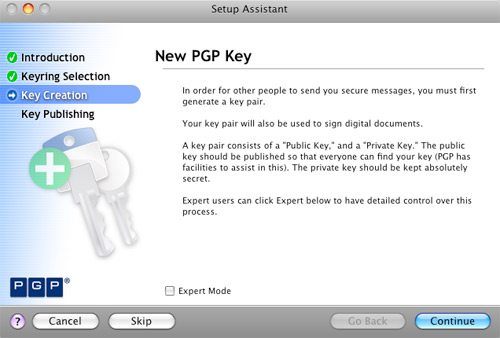
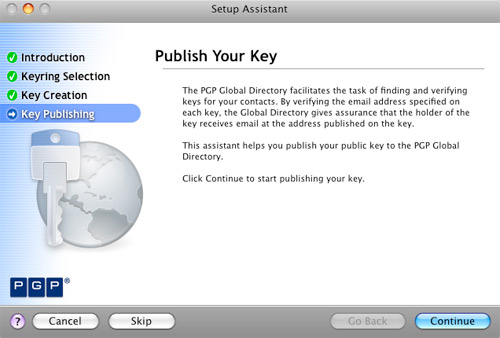
Setting up PGP WDE had quite a few steps but was a pretty smooth process overall. After installing the actual PGP Desktop application, I was led through creating and publishing a PGP key. When that was done, it was time to embark on the task of actually encrypting my hard drive.
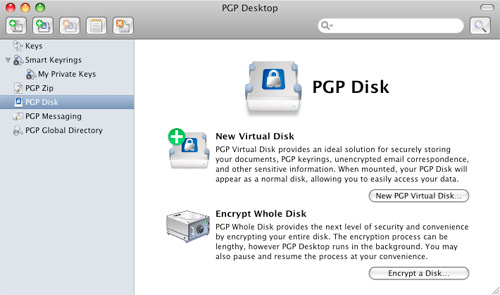
PGP Whole Disk provides the next level of security and convenience by encrypting your entire disk. The encryption process can be lengthy, however PGP desktop runs in the background. You may also pause and resume the process at your convenience.
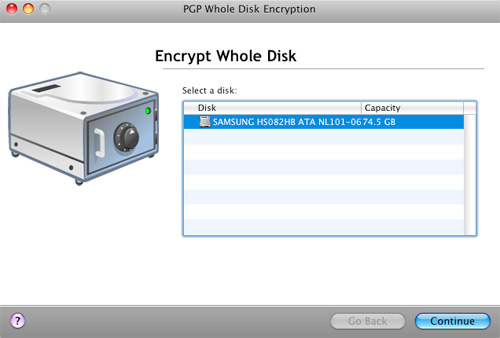
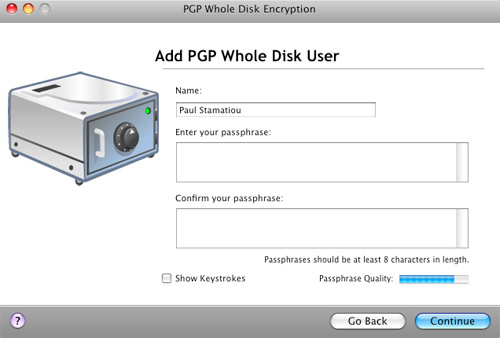
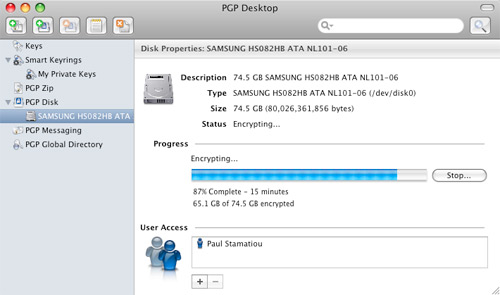
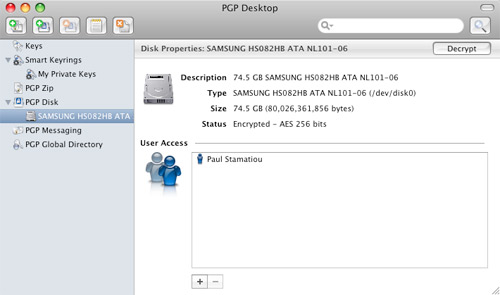
All I had to do was select my hard drive, provide a passphrase and it began encrypting my hard drive. As the snippet above explained, PGP WDE encrypts in the background, unlike Apple’s FileVault which locks you out for hours while it encrypts. The entire encryption process took about 2.5 hours on my 1.6GHz MacBook Air, which had 55GB of data in use.
In Pictures: PGP WDE Setup

Setup PGP Keyring

Create New PGP Key

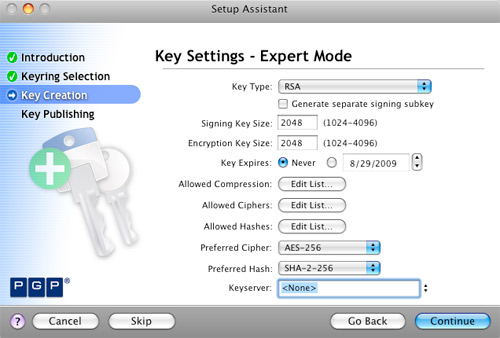
PGP Key Settings - Expert

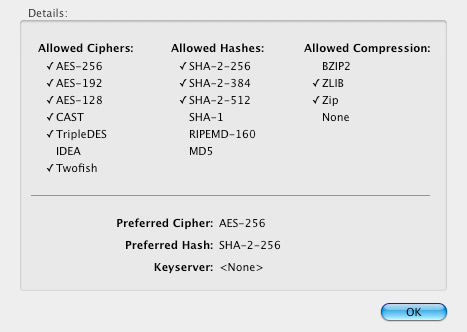
PGP Key Support Settings

PGP Key Passphrase

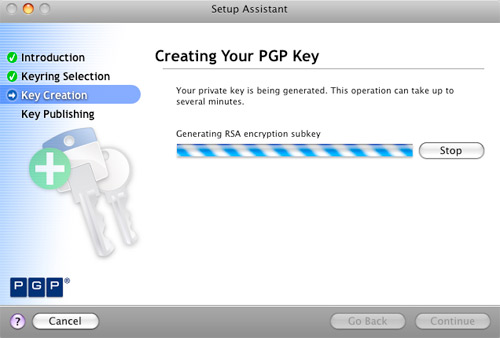
PGP Key Creation

PGP Key Creation Summary

Publish PGP Key

Disk Encryption Main Page

PGP Encrypt Whole Disk

PGP Whole Disk Encryption - Add User

PGP Whole Disk Encryption Process

PGP Whole Disk Encryption Complete
Performance
The first question I get asked when people find out that my hard drive is encrypted is how the performance of my computer is affected with the constant encryption/decryption process going on in the background. I’m pleased to report that I have not experienced any negative, discernible performance issues. It feels exactly the same as before I installed PGP WDE.
Likewise, PGP WDE has not affected my workflow at all. No PGP application needs to be open during normal use. From the in-OS standpoint, you would never know that the hard drive was encrypted. It’s when you turn on the computer that you’re faced with a pre-boot authentication screen.

Pre-boot Authentication
In addition to the PGP key created during setup, a passphrase protects the computer at login. That being said, it’s important to pick a lengthy password with lots of entropy. For example, to take full advantage of AES 256-bit encryption you must supply a 64-character passphrase. Otherwise, the passphrase will be the weak link in your hard drive’s security, not the PGP keypair. Unfortunately, two-factor authentication, such as having the passphrase and a smart card/USB token, is not supported in WDE for OS X.
Additional OS X Security
My only complaint with PGP WDE is that passphrase authentication is not activated when waking the computer from sleep. That means that my laptop is most vulnerable when waking from sleep. Granted, it is still protected by OS X’s own password system.

OS X Login Keychain Settings
That’s why I changed my login keychain settings to lock when sleeping. That means that even if someone gains access to the system, they will not be able to use any applications that rely on login and password info stored in the OS X login keychain. That includes applications like Adium and Transmit.
More Security Paranoia
A common attack to gain access to encrypted hard drives is the cold boot attack where an attacker exploits a hardware vulnerability in RAM to find encryption keys, and then use those keys to decrypt the hard drive. I contacted PGP about this possibility and they told me that “it is stored on the MBR encrypted with AES-256.”
With PGP WDE, your encrypted hard drive is safe from cold boot attacks but that doesn’t mean someone can’t find other data in your memory - if your memory is removable. PGP WDE’s pre-boot authentication will prevent someone from rebooting your machine and booting up a live, lightweight Linux distro (such as BackTrack, Auditor, PHLAK and Knoppix-STD) that won’t disrupt the memory footprint too much and make data recovery from your memory a reality. The MacBook Air has soldered-in RAM chips: horrible from an expansion standpoint, but great from a security standpoint.

Me with a 185 liter dewar of liquid nitrogen.
With soldered-in RAM, people won’t be able to cool your memory with liquid nitrogen (as above) to retain data longer, remove it from your pre-boot authentication-secured system, put it in their computer and copy the contents of the memory before it heats up and flips all the bits. That’s just a long way of me saying that the MacBook Air is fairly secure from the hardware perspective. Even more so if you have a Solid State Drive in it. I digress, but SSDs are notoriously bad when it comes to data recovery; that is, bad for you if you legitimately want to recover your data, but good for you when your computer is in the hands of attackers.
The algorithms which map addresses to physical media locations vary from manufacturer to manufacturer - and in many cases - like the formula for making Coke or Pepsi - the details are closely guarded commercial secrets.
Data Recovery from Flash SSDs?
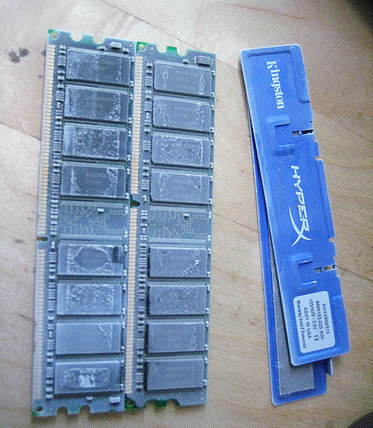
RAM chilled with any coolant, such as liquid nitrogen, retains data much longer and makes it easy for cold boot attackers to copy the contents of the RAM for snooping. Without cooling, RAM forgets data within 2 minutes.
For general protection from cold boot attacks, I recommend turning off your computer when you are in situations that it is possible for someone to gain physical access to your machine, in addition to setting your Mac to hibernate mode 0.
Other PGP Desktop Features
In addition to whole disk encryption, PGP Desktop provides a slew of security-oriented features. Notable features include encrypted zip files, secure email and AIM messaging and my favorite, PGP Shred. PGP Shred securely deletes anything you want and depending on your settings, can exceed the Department of Defense’s 5220.22-M media sanitization requirements, also known as NISPOM. It’s not as entertaining as popping CDs in the microwave when the Feds are knocking, but it gets the job done.
Speaking of the Feds, the Federal Trade Commission recently launched OnGuard Online, a site providing consumers tips on protecting themselves from online fraud and securing computers.
Thoughts
PGP Desktop’s support for Whole Disk Encryption for Mac OS X is a user-friendly security sidekick. It does not involve changing the way one works with their computer nor does it affect performance. (By the way, PGP WDE does not work with BootCamp). While WDE for OS X does not yet support enterprise-level security in the form of two-factor authentication, it is still highly effective in promoting data security. PGP WDE receives 10 out of 10 Stammys.
Disclaimer: My reference to the United States government as the “Feds” is entirely tongue-in-cheek and pop culture based, not intended to be derogatory or negative in any way, shape or form. Don’t sue me, I’m not Jon Lech Johansen (the guy who cracked DVD CSS and whose blog was once entitled “So Sue Me”).
Is PGP WDE right for you? How do you keep your data secure?


One thing I’ve noticed about PGP related products going back about 10 years is how notoriously difficult they are to manage for the end user. I noted your screenshots included Expert Mode.
Is there a Wizard happy mode for end users as well?
Also, does the PGP product allow you to store PGP protected files if you enable .Mac/MobileMe storage elsewhere or place files on a foreign system or a USB key or does it require a NetShare license?
@Jay - yeah it is definitely gear more towards the active, tech-savvy user but there is a fairly simple non-expert mode. The expert mode was just for creating the PGP key. Other than that it was pretty good at being easy to understand. They’ve made a change in product design and seem to be designing less for the IT guy at the enterprise company that will install the software and have moved more to the mainstream consumer.
As for PGP protected archives, you can store them anywhere. It’s just that you will need PGP Desktop and the copy of your PGP keypair, and know your passphrase associated with your keypair to access and unarchive it. NetShare is a Windows-only solution aimed at the enterprise and teams, I wouldn’t expect a consumer like myself to even consider it. As for your private PGP key, I think you might have to keep a copy of that on your USB stick if another computer that has PGP Desktop on it doesn’t have your full key credentials yet. Not 100% on that.. will let you know what happens if I ever run into that situation.
Great post but I have one question - what about the backing up of your data? Can you back up an encrypted drive and then restore at a later point? I use SuperDuper for backing up my laptop and desktop and I couldn’t use PGP WDE if it got in the way of backing up my data.
@Ian - I believe someone in the comments of this post said that a new version of SuperDuper that is PGP WDE friendly is being developed now.
@Paul - Thanks for the link. The developer of SuperDuper said WDE would be supported in the next version. I’ll wait until then before using PGP WDE.
@Paul - I forgot to mention it but your coverage is timely. Autoboot and copy thumb drives and tools of opportunity are very real.
It seems like only a short time ago that Clear® (Verified Identity Pass, Inc.) had one of their laptops enter a wormhole and emerge a short time later. I have no clue what they may or may not have on their laptops for protection or encryption but the handling of the laptop or any smart device seems to be a weak link these days.
One area of concern with the bloom of data sync across an array of devices in peoples’ pockets and bags is the lack of uniform data protection — standards isn’t the word but a near apathy on the part of device and operating systems creators for these devices. Things like CSI sticks and other Paraben tools making their way into the general kit of those that desire them is only a mater of time.
What do you do use to protect your pocket devices?
@Paul, I’d now like to see a post on using PGP for encrypting emails and how you fair with that and sending to people who don’t use PGP etc etc
@Jay - for mobile phone security, I am waiting to beta test an application made by a security co in California that encrypts data and if your phone is stolen, it can tell you where it is. :-)
@David - thanks for the suggestion!
That mobile security tool, I don’t suppose they’re going to have an iPhone version? :)
@Damien - last I checked it was already in the works. :-)
Stammy, good to hear. That has appeared to be a dark underbelly of the iPhone world, it seems that neither Apple nor AT&T are willing to do anything if your phone is stolen. This service could help stem this problem.
Thanks for the review Paul … I was really looking forward to it and wasn’t disappointed. I’m hoping they provide you with a free license or something for the review since I’ll for sure be purchasing a copy based on it.
Thanks!
Just encrypted my Macbook Pro after reading this review. 68gb of Data and so far I have to agree with you Paul there is no noticeable performance difference. Even in Aperture where I have thousands of photos I can’t see any difference. I guess I’ll see over time but so far so good!
The application is very easy to use and I love the simplistic interface.
Jack.
Very nice post, Paul. This has sparked my interest to look into personal encryption a bit more. Thanks!
How do you recover from an MBR corruption? Whether from an OS update or other factor. Since your Private PGP key is stored encrypted on the MBR, how would you recover from something like this and not lose access to your encrypted drive data?
@Nick - Well you can always backup your PGP keyring. I encrypted it with a different PGP key and put it on my S3 account.
As for MBR corruption - well that’s a big if. I’ve never dealt with any hard drive corruption in my 15+ years of computing. However, just like all the other big ifs, just keep backups and you’ll be fine. :-P
OK, so apart from the initial encryption time, why would I want to use this instead of FileVault?
@Ted - FileVault only encrypts the home dir. PGP WDE, as the name implies, encrypts the _entire_ hard drive. And its with your own PGP key, not whatever Apple wants.
From wikipedia:
so do you need to type in a 64 character length password every time you turn on your MacBook ? I assume you’d need to write this down somewhere, and need to have it with you all the time if you’re out and about with the computer?
@P - the absolute last thing you want to do is write down your password. While a 64-char password with lots of entropy provides the best protection, you don’t need to do that. You can get away with a shorter password and still attain somewhere around 80% of the strength of that larger password assuming you keep it lively with different punctuation, capitalization, symbols and the like.
Yes, it does ask for that password on every boot though. Just make it personally meaningful, perhaps a sentence transformed to increase entropy. If you really, really want to keep a written password around for emergencies, as in you totally forget your password, you might be okay putting it in a bank safe-deposit box. Just keep in mind that it is safe from everyone except the government, which can likely gain access to that safe-deposit box if need be. That’s why it’s good to keep it only in memory. The government won’t be able to make you divulge that information under the 5th amendment.. ideally.
Paul — thanks for the great review.
Do you know if PGP whole disk encryption (pre-boot) works on software RAID volumes in Mac OS X?
Paul, thanks for the review of PGP WDE for Mac!
I had nothing to do with the Mac version (I’m more on the business side), but I’m very glad you’re having a great experience with it. I’ve heard a number of long-time PGP Mac users say that this is the most solid version of PGP for Mac they’ve ever seen.
You may be interested in knowing that your review got circulated pretty widely in the company, so a lot of PGPers will be reading it. Thought I’d let you know.
On the question about MBR corruption, we do provide a variety of recovery mechanisms. They’re listed in a technote on our support site (https://pgp.custhelp.com/cgi-bin/pgp.cfg/php/enduser/std_adp.php?p_faqid=1018). I’m not a Mac user, but mounting the disk and repairing it remotely via target disk mode seems pretty cool. Oh, and backups are good too…
This product would be very cool if you could install your copy of pgp wde on a second computer at home. Because if you encrypt an external usb drive, you can only read it from the one and only computer who runs pgp wde. This is kind of impractical if you want to protect data from your laptop to your desktop. I once was robbed at home and they took my mac mini (server) with all its data. I had a backup but I still am worried about it’s data in the wild.
The best would be a solution not license as per seats but per users.
is pre-authentification comes after the dong, grey apple and spinning wheel, or before ?
thank you for review
PGP WDE is a must for any Mac user who travels internationally, I’ve had my old PC taken in the back room by customs several times in the past (NZ, FR, UK) but I used SecurDoc by Winmagic and they always came out of the back room with a bit of anger in their eyes.
SecureDoc says their WDE for mac will be in beta by Oct but I’m satisfied with the PGP product, I’m heading off Monday for a trip to Europe so now the French won’t be able read my hard drive.
@Int Traveller, won’t work in the UK. We will just throw you in jail if you won’t unlock it when requested :P
Just to let others know, I’ve found no performance hit on VMWare fusion using PGP WDE unlike Apple’s FileVault which seems to cripple booting a VM.
Thanks for the great review by the way.
I also tried this on my air and macbook pro when it was released. I will probably end up buying the WDE license but I haven’t as of yet.
Q. So on the air you’re saying that if you try to boot from a DVD/CD in the Air CD drive that you’ll need to pass the WDE pre-auth first? I like that idea a lot.
Also, I initially had some problems installing it on my Air. Errors during the drive encryption so I reinstalled OSX from scratch and then it was able to encrypt the drive. The support in the forums is very good and they were doing their very best to help me to avoid me having to reinstall OSX to encrypt my drive.
So under their source code program they make the source available?
How does this work with Time Machine for backing up data?
It does work with Time Machine. Here’s a good thread on the topic that includes info from one of the developers:
http://forum.pgp.com/pgp/board/message?board.id=WDEforMAC&thread.id=99
Hi,
What license do you have? I have PGP Desktop Home 9.9. I have the menu option for WDE but when I click on it I am asked for a License number. I enter my number but nothing happens. Do you know if WDE is not included in Desktop Home?
Unfortunately, PGP Desktop Home doesn’t include WDE.
You can find a feature comparison of the various products here:
http://na.store.pgp.com/NA_featurecomparison.html
Interesting review - thanks.
You mentioned WDE doesn’t allow two-factor encryption. Say I only used PGP for Mac to make a PGPZip or PGP section on my hard drive, would it then work with a token of some kind? (In other words, if my use is not whole-disk-encryption, is the two-factor component of PGP Professional usable on a Mac?)
Thanks and all the best!
Jay
I’m not a Mac user, but just took a quick look through the release notes and docs. It’s a bit unclear because the docs don’t say explicitly that hardware tokens are *not* supported, but it also doesn’t say they are.
I’ll check further, and maybe get this clarified a bit in the docs.
@Paul, some questions:
1. have you tried encrypting an external drive yet?
2. Is it only useable on the mac that created it? Would seem dodgy that if your mac was stolen the contents of that drive were unlock-able forever.
3. If its not, would i need to have a license and PGP installed on another machine to access it? ie crated on my home mac but i want it accessible on a work PC.
3. Have you tried email encryption yet? if so how do people who don’t use PGP finding receiving your email?
Don’t recommend flipping your MacBook into a ‘boot in safe mode’ using any utilities like Onyx. If you do, it spins and then the automatic timer in PGP WDE kicks in and reboots the machine. Better start using TimeMachine if you use PGP WDE!
I just bought a new iMac and a West Digital 500GB ext hd. I want to encrypt the ext hd using PGP WDE, which I’ve just installed and configured on the new Mac.
When I get to the point of choosing ‘Encrypt a Disk’ the only drive PGP sees is the Mac internal drive. The West Digital however is mounted and quite usable, and I’ve put a few folders in there so there is a little data on it.
Any tips here?
Thanks
@steve: You may want to head over to the support forum for WDE for Mac: http://forum.pgp.com/pgp/board?board.id=WDEforMAC
Duane, one of the lead engineers for the product, is very active there both answering questions and getting feedback.
Have any Mac users used this product with the PGP “Universal” Policy server? Supposedly it handles updates, policy and certificate distribution.
I work for a very small consulting firm (~10 employees) and we will likely be using PGP Professional on all our MacBook Pro’s — we are trying to figure out what advantages we get from the central policy appliance and if it even makes sense for a company our size.
Thanks for the informative review, I will opt for WDE as well. Any idea when the next release of WDE for Mac is around? I like this kind of software having at least one or more revisions under its belt. Any rough estimates?
Is a trial version available?
And why can’t a get the USD pricing for this application? I don’t see why I should pay about 50 percent more just because I live in Switzerland …