Review: Eye-Fi Explore (Geotagging SD Card)
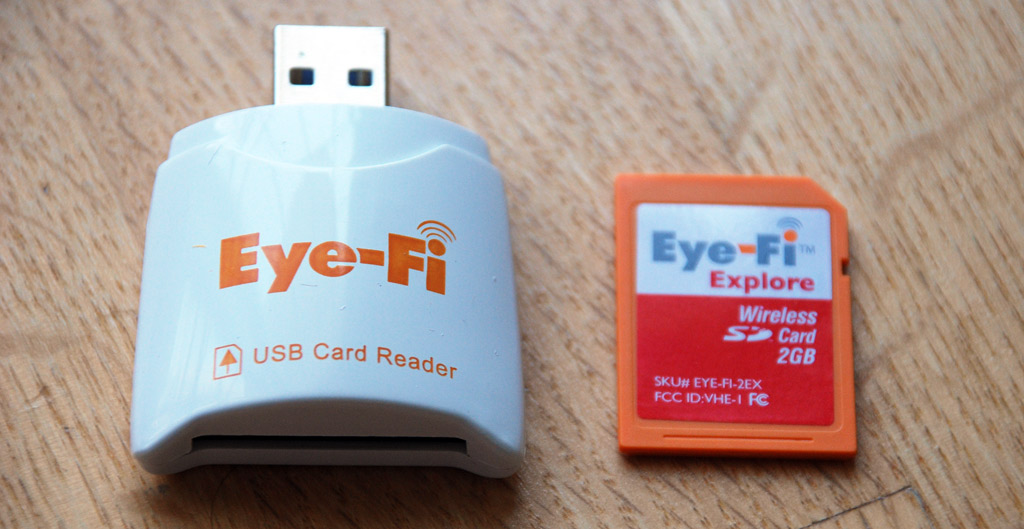
It wasn’t too long ago that I was taking a look at the first Eye-Fi card: a 2GB Wi-Fi-enabled SD card that uploads pictures to configured computers and photo-sharing websites. I concluded that the Eye-Fi was a 9 out of 10. Since then, Eye-Fi has differentiated their products and now there are three distinct offerings: the Eye-Fi Home, Share and Explore. I’ll be taking a look at the high-end Explore model ($129) which does everything the old Eye-Fi does as well as geotagging.
Just like the first Eye-Fi card, users will need to run a setup first that guides them through adding Wi-Fi access points to connect to as well as determining where to upload photos to - the computer and/or a slew of photo-sharing sites. The Eye-Fi Explore brings about two new options: geotagging as well as support for Wayport hotspots (free for a year).
Using the Eye-Fi Explore
Here’s a quick video I made showing the whole Eye-Fi Explore experience. I have my Eye-Fi Explore configured to upload photos to my Flickr account, with photos set as private. Harnessing the power of my Internet connection, photos are uploaded to Flickr within seconds and it has really become a huge convenience.
Eye-Fi Explore Geotagging 101
How does the Explore’s geotagging work? For one, it does not use any sort of GPS technology. Instead it utilizes the Wi-Fi Positioning System by Skyhook Wireless, the same technology used by Apple in the first generation iPhone to provide locational data. Skyhook has a massive database of US and Canadian access points and correlated that to GPS locations. Even without connecting to the access point, the mere presence of that access point and others helps provide locational information. Now for the million dollar question. Is it as accurate as the 20 meters number provided by Skyhook?
I decided to take a little drive with my Nikon D80 to put the Eye-Fi Explore to the test. After I got back home, the images were uploaded directly to Flickr with the Eye-Fi and I used Flickr’s map view to see where it had plotted the images. The Eye-Fi Explore embeds location information within the image’s EXIF data, which Flickr utilizes, as well as origin information, such as “Atlanta, Georgia, United States”, that are used as regular tags by Flickr.
Above is an example of how Photoshop displays that EXIF data, which the Explore declares as GPS info since there is no EXIF attribute for WPS metadata in the EXIF 2.2 specification (PDF). Below are three examples of the accuracy I was seeing with the Explore.
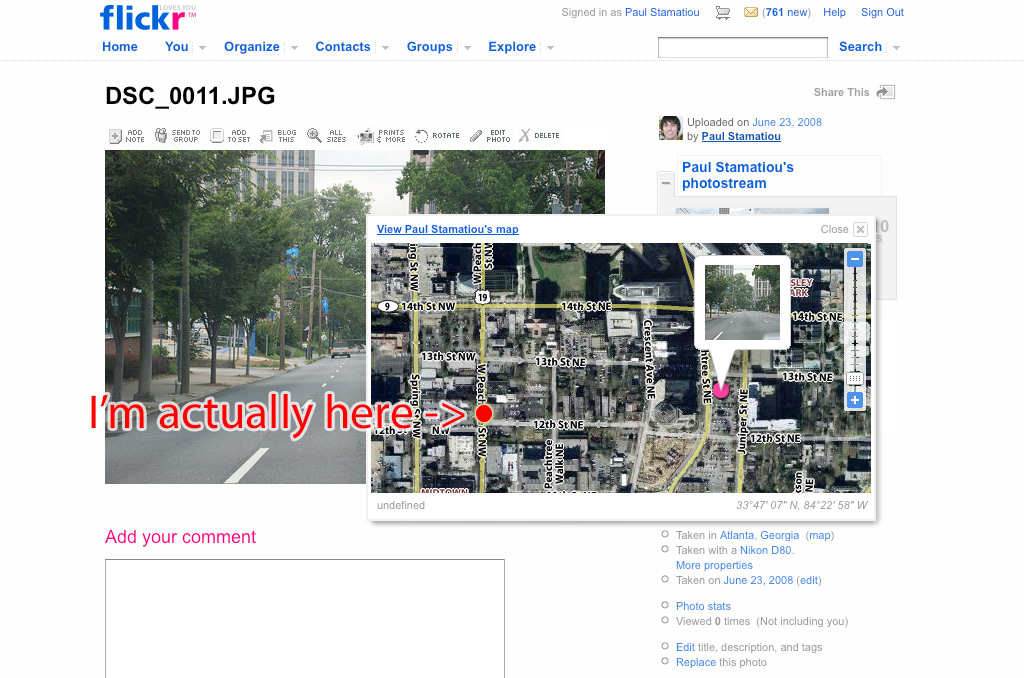
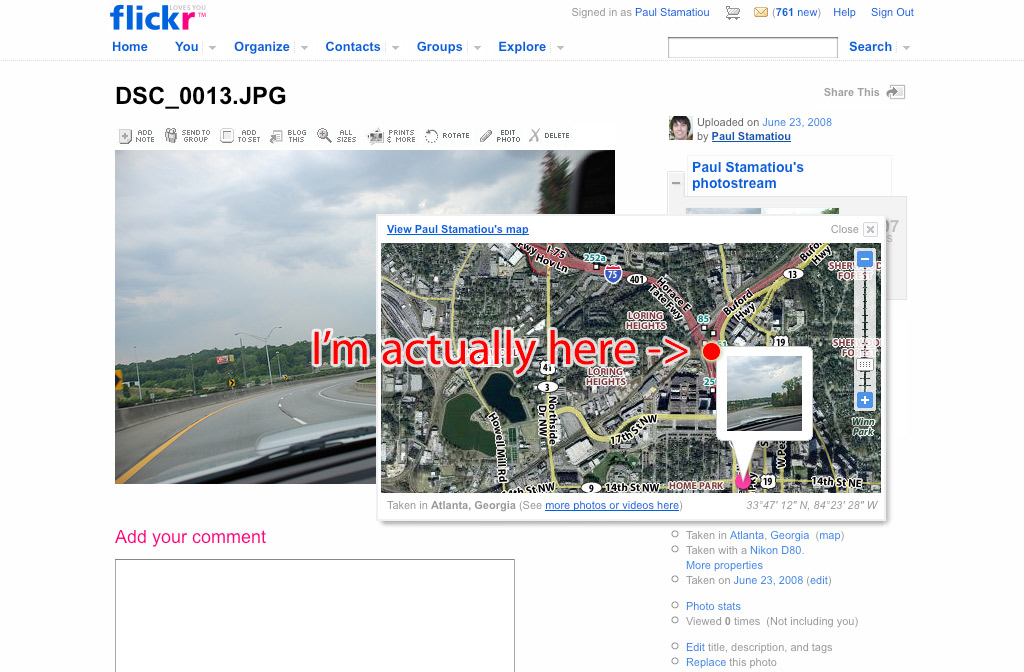
As you can see, the results are kind of all over the place. I have a few reasons why that might be the case: 1) I drive fast, not giving the Eye-Fi Explore enough time to scan for access points, 2) the camera was inside my car, limiting Wi-Fi reception by some factor. I have noticed that if the Explore cannot find any or enough access points to determine a position, it tends to use the last known position. That explains the first image as I had originated my journey from the location it reported. That also explains the second image on the highway, where there are naturally not many access points within range. As for the third image, that’s just about spot-on and less than a block away. I also happened to be stuck in traffic for that image.
The WPS location data from the images I took from my apartment (like in the video) were extremely accurate, down to the building. There are many access points within reach of the Explore from my apartment.
Verdict
While the three examples I gave had varying degrees of accuracy from 5 blocks to less than one, I truly believe the Eye-Fi Explore is a fantastic piece of equipment and will work better in more populated city areas where Wi-Fi access point density is high. Imagine taking a trip, coming back and uploading your photos to Flickr and seeing a map of all of your photos. That’s possible today and you don’t need a separate time-stamping GPS datalogger and sophisticated software to piece it all together. The Eye-Fi Explore receives 9.5 out of 10 Stammys. It will receive 10 when they somehow fit a GPS receiver inside of there.
You can take a look at the $129, 2GB Eye-Fi Explore at Superamit’s Photojojo.com. Is the Explore for you?
Disclosure: Evaluation unit provided by Photojojo.com.


The geotagging options are rather nice however it’d be nice to somehow cram actual GPS functionality into that SD-card format for true geotagging. Quite the powerful device though given it’s current format and the functionality delivered. Give it a few years and we’ll have SD cards that upload via cellphone network connections while providing GPS precession coordinates.
I could see your average Joe liking their photos geotagged automatically, but personally the accuracy would bother me.
A couple of things have always bugged me about geotagging. The first is the one you’ve hit here - accuracy. It seems to me that geotags ought to /always/ have an accuracy indicator: not “this photo was taken at these coordinates” but “this photo was taken somewhere within this circle”. A GPS device displays “accurate to xx feet”, that info should go into the tag.
The other thing is that there’s still useful data that nobody seems to store: as well as position, there’s orientation.
The geotagging is very cool, but I somehow doubt this is going to be all that accurate anyone other than big US cities- the iPod Touch struggles in the UK even in fairly big cities. Still, I would quite happily go out and buy one if they sold them here, just for the Flickr uploading capabilities.
Paul: Excellent review. Interestingly, I am less concerned than most on the accuracy front and 4 blocks is close enough for me. When I take a picture at a park, I want to know whether that park was in Mountain View or in San Francisco. Right now, I have to guess from the date of the picture and then consult the calendar to see where I was. If this could get me within 4 blocks of the park, I will know enough. Also, I hardly ever take pictures while driving. I usually take pictures while walking. I wonder if the accuracy would move down to the one-block range if you were out of the car. — Jerry
This is so cool Paul! A great post and also a cool new tool. I will send this to some of my tech blog buddies. I like the geo-tagging aspect as well. You do great work man.
Always,
Phil
Wonderful new toy! :) I didn’t know it existed :) I made my thesis last year about wifi positioning systems, but I didn’t know that such things were on the market Anyway, everything that will lead us to a more wireless world is accepted! :)
I’m pretty pleased with ANY kind of location tagging–just like the iPhone I’m tolerant of the degree of accuracy. With that said, I’ve had the purchase date on my calendar for the Explore for a few weeks now. Thanks for the write-up. ;)
That’s awesome. I don’t really mind that it’s not that accurate, unless of course, it tags the picture as if it was taken at Victoria Secret’s super store ;)
well, if we had more things that support sdio, we might be able to pull off a real gps.
When I first started reading, I thought, “this seems like a useless toy,” but now, I see how useful this could be.
It’s a bit too pricey for me, though.
What happens if you’re at someplace without any wi-fi at all? If the pics would just get tagged with the last known position, that would kinda suck.
I HAVE one of these beauty’s i figure the geo tag is a bonus sometimes its close i only used it a few times small town one was right on I was in Macdonald’s other close to burger king said i was in Denmark I think some place with names I cant read (its all Greek to me) any way it can lead you a astray but maybe could be used in court to prove you wern’t at seen of crime?
if you have no geo info then it does not record any thing it is great to get home and your photos are there but dont go to strip club take pictures and leave wife GF home she will be watching show on your compy it will be allover when u get home if you have wifi signal when you snap it only takes less than a minute to get to your computer
…there is an error mapping gps coordinates to the satellite map on Flickr. Use the graphical map to check the error, not the satellite map.
i ordered the explore. a few days later i lost my camera along with the eye-fi card. i still have the eye-fi usb reader. do i need to reorder the package, or can i order just the 2gb card?
i would think though they’d have a tracking device to track where my camera is?
what do you think?
I have a question about the Eye-Fi Explore data transfer rate and behavior. First of all, is the Explore faster at wireless and/or connected data transfer than the previously released card types? Secondly, if you capture RAW+jpg with your camera, will the Eye-Fi smoothly transfer the jpeg files while skipping over the RAW files? Do the RAW files trip up the system?
I plan on going to Europe in a few months, and would love to be able to track my pictures, so i know exactly where i was when i took them. This seems like a great helpful tool, and i don’t even mind if its off by 10 or 15 miles- in the grand sceme of Europe, just being identified in the correct country would be nice! Will it register in the EU, or is the location tagging restricted only to the US and Canada?
@globetrotter - I’m not sure if it works abroad, try contacting Eye-Fi support.
Useless without real gps. My iPod touch thinks I’m in Vancouver when I’m actually in Edmonton.
Can you set custom setting with online services? If instance, could I set it up so every that is auto uploaded to Flickr is set to private?
@chris - yeah you can do that.