Startup 101: Tools for the Job
After working on Skribit for the last 4 months, I have gotten a grip on my workflow and the tools I as well as the other co-founders use. The scope of this post is to give potential starter-uppers an idea of how to get work done collaboratively with others for a web app startup. I am by no means saying this is how everyone does it. In fact, I would love to know how your startup does things so leave a comment if you’re willing to share. This post is in response to a suggestion by an anonymous Skribit user.
Note: Many screenshots have been edited to hide private data for obvious reasons.
Project Management
When it comes time to find a solution to keep track of many constantly-changing files and gather thoughts in one place, there’s no need to look further than 37signals’ Basecamp. To date we have created dozens of writeboards in addition to messages added and commented upon daily. To get around receiving many emails from Basecamp, we use the authenticated RSS feed.
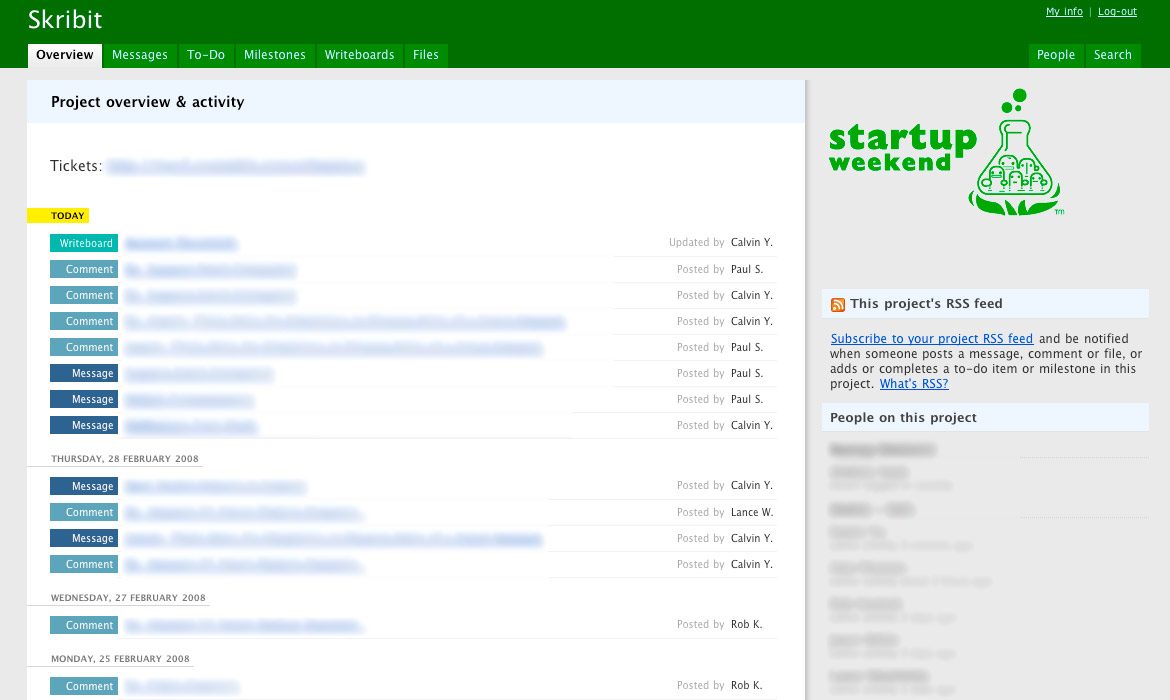
While Basecamp is stellar for sharing documents and managing revisions, there are times when firing up Excel or Word is a bit too much. For that, Google Docs is just the ticket.
I’m also in the process of seeing if Campfire, the chat app by 37signals, would make a good fit. I can see it coming in handy for informal online meetings with the dev team, marketing and so on. For more technical discussion Skribit has a private Google Group.
For those wondering, there are Basecamp alternatives such as activeCollab and Goplan.
I’ve always been a fan of the Google Apps suite of domain-based tools. It’s free and immensely useful. After changing some MX records in DNS I had setup email accounts for anyone on Skribit that wanted one. However, even more useful than regular email accounts was Google Apps’ support for email lists.
For example, we have a contact form on Skribit. There’s no easy way for everybody to get that email. We used to have a shared account but that got annoying for everyone to log into and check. Now we have an email list that the contact form is connected to. Everyone on the list gets the email and if someone wants to take care of it they reply to the email and BCC the email list so everyone else knows what has been taken care of and how.
Development
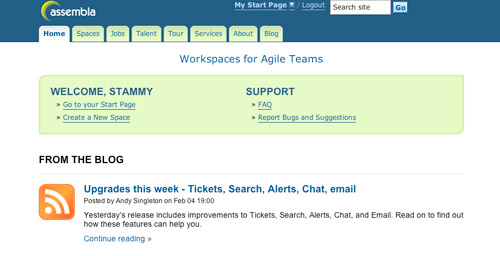
Skribit is a Ruby on Rails web application currently hosted on a custom Media Temple (dv) running Ubuntu. We use the very memory efficient nginx for serving HTTP alongside monit managing mongrels for staging and production environments. But those are just the application details, for development we make use of Assembla’s hosted Trac and SVN services. I think most people will lean towards their own hosted SVN and Trac. It’s a bit more time spent setting up and if you migrate to another server or experience downtime you’ll suffer from a lack of SVN and Trac.

Whoever needs to have access to SVN/Trac has their own account. It’s a powerful way to see who has been doing what with SVN commits, bug tracking and the development side of project management. Assembla accounts are free and come with a slew of other tools that I don’t really take advantage of yet, like Scrum reports. With a paid account you get more storage space, the ability to backup to your own Amazon S3 account and more. At the moment, we’re fine with the 500MB of provided disk space. Also, an alternative to the fully-featured Campfire for chats, Assembla has a basic chat system.
My development is done with the OS X terminal, TextMate and a Firefox with Joe Hewitt’s Firebug. Pretty much the same way I develop with most things. The project is all SVN-based so I make heavy use of basic SVN (up, diff, commit, status, delete, add). Most of my development is done locally. When we need to get some security testing done, the current revision gets pushed to our staging server via Capistrano and our resident security expert Josh Sweeney takes a look at it.
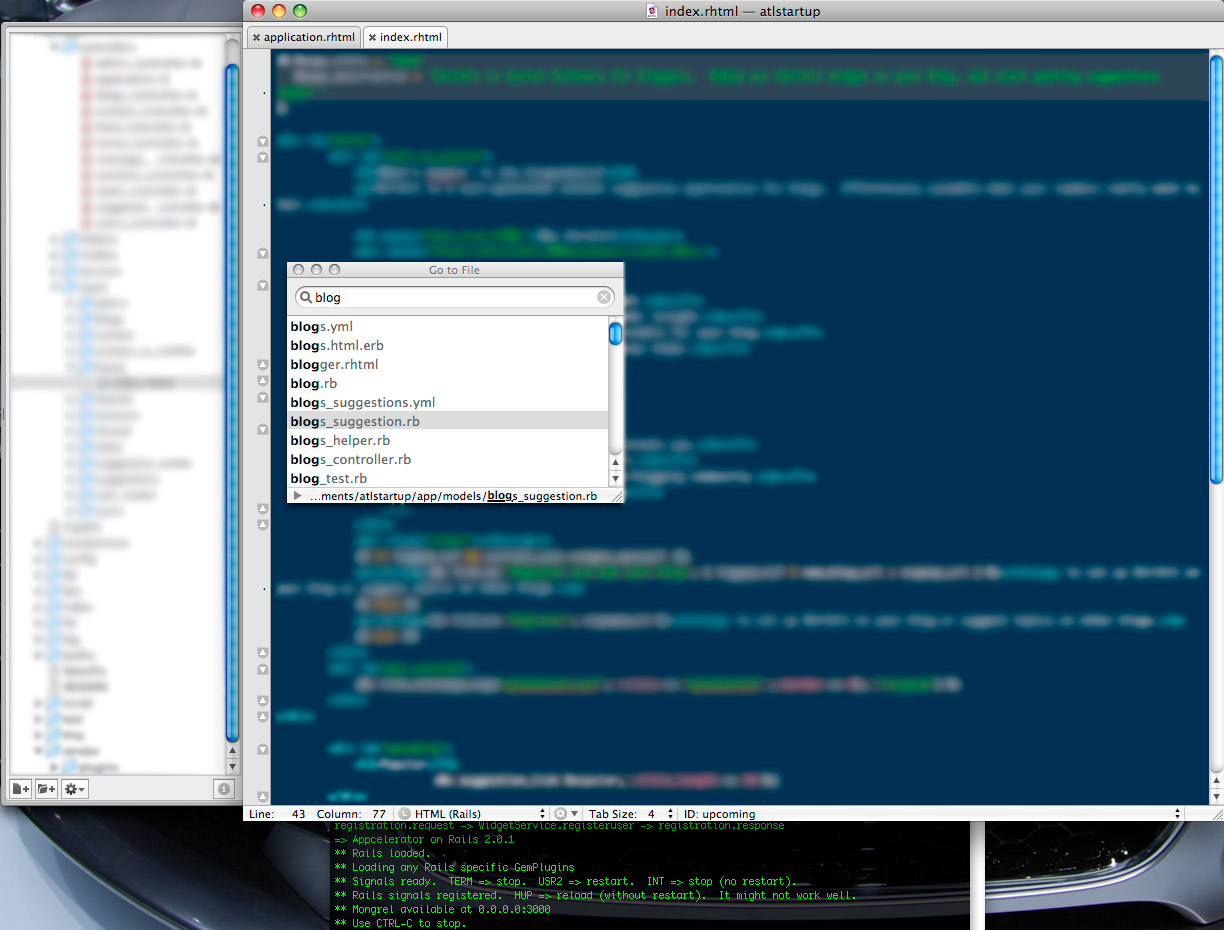
The single feature of TextMate I use than anything else is by far Cmd+T, Go to File. When working with an MVC project with many files in various directories it’s important to be able to open up the right file with quickly.
More Dev
Working on Skribit has been a bit different than my typical development workflow which involved solely editing files over FTP. Other than for migrating the Skribit blog, I haven’t used FTP. Everything is done over SVN and SSH (Capistrano uses SSH for deploys). When it comes to getting SSH access, we only allow key-based SSH authentication rather than just passwords for security. For server backups, I setup a version of my Amazon S3 backup script.
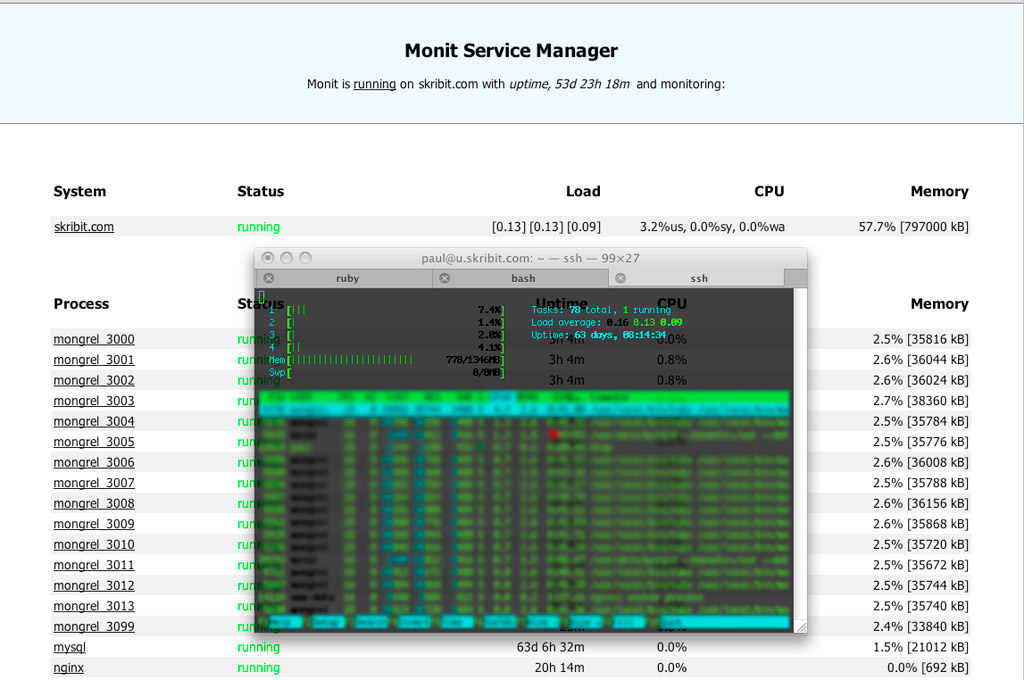
When I feel the need to monitor processes and mongrels I use a combination of htop and monit.
Hardware
Last but not least, the best tool of them all - a worthy laptop. Worthy depends on your definition. I’m not going to say that a MacBook Pro is the best thing for everyone, but I’m happy with mine. Others enjoy coding with RadRails on an Ubuntu box, E on a Windows computer, or just straight-up butterflies (<- read that!).
Naturally laptops don’t make sense as a primary computer if you’re going to be compiling all day but for web development they do just fine. Then again, I could be wrong. Wil Shipley, developer of the popular Mac app Delicious Library, is quite happy with his MacBook Air (NSFW) that just arrived (SFW).
It compiled Delicious Library 2 from scratch in 1′59″. The 2.33GHz MacBook Pro takes 2′04″. SSD’s LOVE compilations.
Your Turn
If you noticed any trend in this article, it’s probably that most things are done online. Is this the same case with your work? How do you run or plan to run your startup? What’s your workflow like? Let me know, I’m wondering how I can improve my own.
If you enjoyed this post, check out the discussion on Hacker News.


Haha, that second to last link is hilarious (and the xkcd one!)
The only problem with basecamp is - it charges. I use ProjectOffice.org, not only is it free (at least for now, I don’t know about when they come out of beta) but it is far far better in terms of functionality.
Before ProjectOffice I used GoogleDocs and HiveMinder for managing who’s doing what, and GoogleGroups for questions, ideas, and general collaborative talk outside of our once weekly Skype conference.
I still use GoogleGroups and Skype though. ProjectOffice replaced HiveMinder and GoogleDocs altogether and gave us an excellent collaborative platform. Outside of that, GoogleCalendar is just invaluable. The fact it shows me, in my time zone, when everyone is available is just awesome.
…and exceptionally handy when you’ve got 1 person 13 hours ahead of you, 1 three hours behind, 1 one hour behind, and 1 four hours forward. Imagine if I had to manage that manually!
Yes, a worthy Mac Book Pro and
* Eclipse or its variants and other essential plugins
* SVN with Trac (and Bugzilla)
* Mailing list for the Dev, Des and any separate team
* Test, and hack Server or a common computer where everybody published can be seen, test and hacked
* Whiteboard and lots of stickies, writing pen, markers
* Foods, drinks
Great writeup. I have been wondering and looking around for similar tools for some time now. Your insight into tools you use for a real project are helpful.
Trisha’s “ProjectOffice.org” is not a valid link. I would appreciate if Trisha could repost that link.
Thanks again.
Nice Article Paul. I’m starting to use Google Apps for all of my work, haha. It’s really convenient.
The biggest issue I’ve come across so far is SVN. It’s a pain to learn and set up, although I think I just need to sit down one day and not get up until I’ve learned how to use it better because I usually find myself wondering why in the heck I’ve done something or using an old revision of a file after I trashed the latest one. I’ve seen assembla before, and there’s also another few services floating around out there.
I personally use a combo of Coda/TextMate and MAMP Pro to do all my stuff. MAMP does it’s job really well, and it keeps everything from shitting all over my system (I would make a horrible sysadmin, haha. I kind of gave up after a few incidents where I deleted one too many files and had to reinstall OS X - don’t ask :P).
BaseCamp is hard for me to use with projects for some odd reason. I find myself never logging into the darned thing and while the UI is alright, I just don’t like using it. I prefer goplan. It might be a little less popular, but I personally like how everything is set up much more.
You might as well try the NetBeans IDE.
@Mahesh: The correct URL is ProjectOffice.net
Great post paul, may help many ppl, and help me! :)
Check out Google Sites, basically a company doc repository + a good wiki. It’s accessed as part of Google Apps.
Also, I used to be a big Emacs user, but now am completely sold on heavier weight IDEs. Refactoring an often used method in a 1500 class project is easy with IntelliJ for instance (3 key strokes + typing the new name), and not as easy in the terminal-bound editors I have used. The bigger IDEs don’t do a search/replace, they actually understand the context in which the text appears (a method call) and replace just what you want them to.
For Ruby specifically i’ve heard Netbeans actually has pretty solid intelligence and support.
That said, I use Smultron when I need to bang out shell/php/perl/sql scripty bits.
Wicked, exactly what i wanted to read, any chance inspiration from this came from a skribit post? i think most people get excited when a new post relates to their suggestions, how worthwhile would it be to have an “In response to: (skribit suggestion)” badge for a post?
i must not have read the last sentence in paragraph 1…
Great Post Paul, I think you covered everything.
Now for assembla: Where is the paid account options etc? [I didn't find anything about pricing & features, unless if you mean the "Manager package"]
assembla got me really excited… is there any *info* about being a paid service or their planning to keep it free?
It’s an amazing platform and… web based! I can’t really find an “offline” alternative with so many features nor flexibility. [for web development mostly... maybe i'm just wrong to my research :> ]
Nice post!
For my webapp, I’m using ForgEdit on OSX (poor man’s Textmate, but I’ve decided that it’s time to switch Thanks for the reminder; I’ve been wanting to for a while)
I’m also really liking FogBugz, It’s hard to find somebody in software who doesn’t like Joel Spolsky, and to me, his software is just as good as his talk. Although I’m doing the “trial period” on that one too (with full intent to purchase at this point)
For code, I’m using an in-house SVN server, although I need a good way to get my designer to use it too….
For project management I recommend projectpier which is a fork of activecollab.. Its free :)
@Dilip P: I’ve seen ProjectPier before and I must say it looks good.. due to your mention i searched for “svn intergration” and i saw there is an on-going conversation for SVN support!
That would make it a -kinda- *complete* tool.
“It’s a bit more time spent setting up and if you migrate to another server or experience downtime you’ll suffer from a lack of SVN and Trac.”
I guess that’s one way to look at it. SVN and Trac are really easy to set up (I did it in an afternoon, and I’m not a sysadmin and have never set up Trac before). Our own servers are pretty darn reliable, and when we want to move something (it happened once in our history) we can arrange the downtime to be when it’s convenient for us.
I suppose I like to minimize external web services we need to use. Every web service I’ve ever used seriously has gone down at some point (even GMail!), and there’s nothing worse than being at a startup and being unable to check in your code.
For systems monitoring, I’ve found atop to be highly useful — it’s like top/htop except that it also lets you see disk activity, per process, and network activity (per process also with a kernel mod, though I don’t use that). 99% of the time when my system’s borked it’s due to some process or processes thrashing the disks, not sucking all the CPU, which the linux scheduler tends to handle decently enough. Disk thrashing leads to a complete bogdown of even a super beefy box, to the point where ssh’ing in to see what’s wrong can take minutes. atop makes it easy to track these situations down.
Our development is all handled by servers running SVN, but you could cut a lot of sysadmin expenses by using hosted Trac and SVN. Our experience is unique in that we use our web-based app, Intervals, to manage itself.
This article should be mandatory for all people doing a startup in web 2.0: http://gettingreal.37signals.com/
Cmd+T in TextMate is amazing - I never used the command before, but I’ve been using it today after reading your post and it is makes editing different files so much faster.
@wesley: great link, enjoying reading “Getting Real.” Great insights and advice.
Paul
Great summary of tools and great overlap with what we use at ProofHQ. Google Apps, Basecamp, etc. We also use Trac for bug tracking.
If you are a startup doing anything “designy” (web design, graphic design, etc) then try our ProofHQ solution (text) to share designs with clients and get approval or sign-off.
Paul,
Google Docs is cool. But have you used Zoho writer?? I use both and I find zoho to be way better than google docs. But i always see people write about google docs and not about zoho.
What do you all think??
We are using a robust project management system for the marketing aspects of our enterprise. They lesser tools just can’t take us as far as we have to go. Vertabase (http://www.vertabase.com) has become one of our core competencies.
I’d not heard of Assembla before. This’ll be much better than dealing with setting all the pieces it offers up separately on my own. You can’t beat free, either. Thanks for the tip!
Well, another tools battle, huh? I think that each business should pick the tool, that will suit them. Therefore you have to try quite a few before you make your choice. I looked through about a dozen of web-apps, and I made my desicion. It’s <a href=http://www.wrike.com> Wrike</a> you are more than welcome to check it out.
Paul,
I’m learning from my old age that you don’t have to have the best idea in the world, just an idea.
k
Nice! It’s good to hear about the processes used by an active startup. Since I’m posting this comment kind of late, does this mean you’re using the MacBook Air for your development?
Hey,
Trisha’s right, I’ve been using ProjectOffice.NET myself for a while now, and can say that it has grown into a powerful project management solution. It still has some bugs (which sw doesn’t :) ) but I am impressed.
I am also wondering when it will leave Beta, but I am ready to pay for it. It is a perfect tool for me.
Regards,
Martina
Another alternative that provides a free plan, issue tracking, blogs, pie chart and timeline reporting of your projects is DeskAway.
Nice write-up. I’ll be using the MediaTemple (xv) Xserve Virtual in Advanced mode once it’s out of beta. With the (xv) all development, collaboration and hosting will be in one place running on Apple hardware. It doesn’t get any better than that for an Apple fanboy like me. :D