Alex Faaborg from Mozilla has written an insightful, usability-centric article on the Mozilla Labs blog. He talks about something you are probably already familiar with even if you don't use the GKUI acronym - Graphical Keyboard User Interfaces. The GKUI term envelops applications, such as QuickSilver, which afford the capabilities of rapid use as with consoles and keyboard shortcuts, along with a GUI for a rich user experience - high bandwidth input and output.
The highlight of the Mozilla Labs article is a set of conceptual mockups displaying how GKUIs might one day be implemented in the Firefox browser.
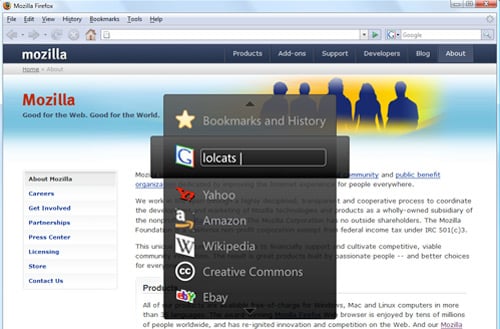
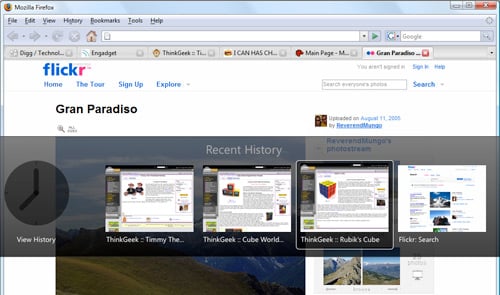
It's amazing how powerful a few usability enhancements are and how they can dramatically change one's daily workflow. For example, with QuickSilver, pressing ctrl+space has become second nature for me and I don't even think about it when using QuickSilver to progress iTunes tracks and the such. Imagine having the same natural control ability with your browser. As cheesy as it may sound, the web would literally be at your fingertips; even more so than it already is. While some of what the mockups show can already be done with QuickSilver (eg, web search), they are definitely not as streamlined as they would be with a native Firefox GKUI.
The following quote from Alex Faaborg nicely sums up the usability talk his article covered and what will undoubtedly become an area of focus for the future development of UI-heavy software.
Just because the command line predated the graphical user interface doesn't mean interfaces based on windows, icons, menus and pointers are always superior to interfaces based around using the keyboard for input.