Hack A Day featured a reader that was intuitive enough to think that the green LED that's on when you're not using your mouse is just wasting power. Yeah the power LED is a bit of a usability-inspired indicator to see if your mouse works, but who needs that little gem when you can reclaim up to 4% of your juice? Mr. Sripracha shows how to disassemble the wireless Mighty Mouse and remove the offending LED. Now, you won't find me doing this hack but I have been thinking about replacing the green LED with a blue one. Similarly, I had replaced the green surface mount (SMT) LED on the motherboard of my PC (Paul has a PC, amazing huh?) with a blue one, last year.
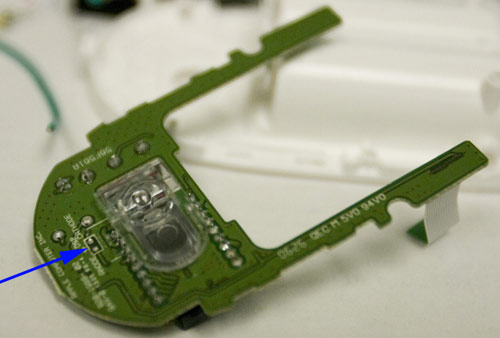 The SMT LED to remove being pointed to.
I decided to measure the power usage of the mouse, so I bust out with my multimeter and measure the current draw from the mouse. Funny thing is that after syncing, the mouse seems to using less power when the mouse is moving (!), i.e. when the LED is off (~.0285 Amps) versus when it is not moving and the LED is on (~.0450 Amps). Source