Twitter: oh man, this is amazing engineering for one man's garage: http://tinyurl.com/5wjfbc


Happy Holidays Contest

Dec 20, 2005 in

This is the one you’ve all been waiting for; a chance to win a domain name and a year of excellent hosting from my good friends at Media Temple. This year has been good to me and what better way to celebrate the success of this website than give back to the community that made it all happen?


Contest Rules

All that lies between you and a great prize is a great idea. To be eligible to win you need to leave a comment with a fantastic idea suggestion for an article for PaulStamatiou.com. It could be a how to of some software you can’t quite grasp yet, a review of some sort or anything really. It just has to be great and unique. Please mention why you admire this blog so much compared to most tech blogs, what you like and don’t like about it. Also, I’d like it if you could mention some suggestions to help me better this site. Regarding the article suggestion, a hint is that it should be broad enough to benefit a good amount of people, not just 3% of people running a certain Linux distro or web application. Take a look at the articles page to get an idea of the type of posts that made it big.

Entries may also include suggestions such as what other features you would like on this site, what you think of the design, the colors, ease of use, etc. THE CONTEST ENDS ON CHRISTMAS DAY, DECEMBER 25th. The winner will be contacted as soon as I wake up. Please use a valid email address.


The Sweet Prize

Now to explain the prize a bit. I have a hosting giftcard (worth $95) from Media Temple to hand over to the winner. The card is good for a year of hosting on an excellent (ss) Pro server, 2.0 GB of storage space, excellent (mt) support, a free domain name of your choice as well as the ability to host up to 6 websites. This is an awesome playground for your first or next blog. The winner can either be mailed (U.S. only) the hosting giftcard or quickly emailed all of the info necessary to activate their account. To make things even more enticing, if the winner wants to, I will post an entry about that person’s new site a week or two after they’ve been established to start them off with some readers.


Let Everyone Know Incentive

If there are over 30 entries (from different people), I will throw in a Flickr Pro account or a $20 iTunes gift certificate (your choice) to the runner-up. So let all of your friends know, post about it on your blog, submit it to your favorite social-bookmarking services and start thinking up some great ideas!

If this is your first time to my site, you can get in the know by grabbing my RSS feed on the way out.
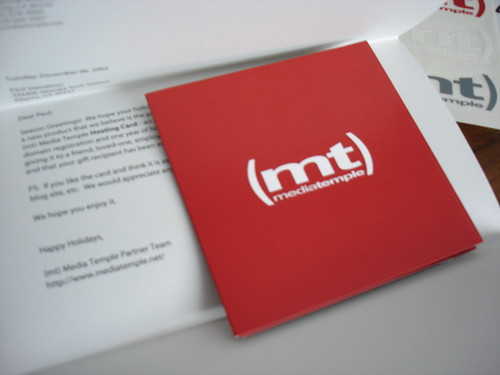
(mt) hosting card

A Complete Entry includes the following:

1) Article Suggestion
2) Why you like this site, why you don’t
3) Site Suggestions

Promote this article on various sites or email to your friends:     


51 Comments

  1. this is a great website, You could create a article about how to mod K2 theme, explaining every part of its content, what each file does, and how to modify it, step-by-step. Something like this :)

  2. In the festive mood of things I think you should write a scrooge style post (I’m not saying you are the internet version of scrooge btw)

    You could start with the “post of blogging past” where you first set up the blog and how young tiny paul only had a 486DXII computer to play with and there was no web2.0.

    Moving onto the “post of blogging present” where paul created paulstamatiou.com and the traffic started flow and the articles came thick and fast.
    Finally the “post of blogging future” where paulstamatiou.com took over the web, bought out Yahoo, google and even crumbled Microsoft’s domain, of course this is the heartless Paul who banned the use of AJAX and outlawed any other digg articles and every blog was running on Deviance;which is the default theme for WordPaul (yeah you bought that too).

    But in the end you wake to find that it was all a nasty draft post and as you open the window on that cold winter’s morn you see tiny Timmy, you throw down your free domain name and tell him to create the biggest blog in the land. All the people accross the land rejoice and the even woodland creature’s break into song and everyone has a wonderful Christmas and lived happily ever after!

    Or you could just do a item about installing Linux on a laptop ;)

  3. Article suggestion: “Learning Rails” as in Ruby on Rails. Its hard to install and get running if you don’t know what your doing. Plus add on a mini tutorial app to it like how to make a quick blog (Its not that hard).

  4. Great site Paul, as you already know, my idea is something along the lines of AJAX. Maybe an idiots guide to implementing simple AJAX things in your blogs. But also looking at how AJAX can be used as a design element rather than a simple gimmick.

    Or, you could do an idiots guide to setting up a WP blog. Covering the basics of which plugins are most suitable for a beginner and how to implment them.

    I dunno, I think Adam has stolen the show with his idea. Grrrrr.

  5. How about a post about how certain things have to change in 2006 in your opinion. It can be everything.
    eg:
    -A website (of a company or a government) that should be better organised and the way you would do that. This one could be interesting if you let the web masters of that site know about it :)
    -New features for flickr or del.icio.us or whatever you would like to see in 2006.
    -Programs or internet services that don’t exist yet and should in 2006
    -Games that don’t exist yet and should in 2006
    -It should rain less ;)

    Just the everyday complaints and ideas of Paul Stamatiou, how he would change the world (or at least the world of technology).

  6. So Paul I launch up mine: how about putting up a mini idea/project on your site that with the help of comments, this would become serious. Your site is really good (the interface, the accessibility and most importantly it’s easy to get the juice out quickly from your site) so how about putting something there (posting the idea) and let everyone come and comment to make that idea grow. People would not need to be technophile in order to know what’s in this: just using their brain and putting their precious comment out there would make the game. This could lead your site to some sort of community where something is being cooked.

    This idea could be something that could (I say could) be developed into a real functional one later. I thought of two things either an animator for our OS or a site where people would be found. Let me explain (because I know it’s not having much sense here). So here we go (hey this might be a bit long)

    Article/idea/post no 1: our animator
    I was thinking of something why all new versions of OS just bring us the same juice: some new graphics here, some new icons and a new fresh and colorful interface but nothing truly new. So why now not make our OS truly ours by making it interact with us, letting it know who we are and build itself according to our manners and things we like to see on our PC: so how about an animated character like the one we see in Microsoft Office you know “Clippit” or “Rocky” one but that one would be completely different: totally ours and built for us. Here are some of its features/characteristics that I have thought:

    Features/spec/character/characteristics

    • It should be built for the newbies to the PC world helping them out on how to do things with their PC like playing a CD so it should talk English not computer jargons.
    • It would also work with collaboration with other software so that it will tell the newbies on how to use these software
    • The moto is help
    • It should be friendly and this would be achieved by making it the person it should be according to our manners (the things we search for, information we search for, the sites we look for: that would provide much information of the person we are or more precisely of the person we are when are at our PC). The character would make the time with our PC an enthusiasm one by making us feel that when we will switch on the machine we would feel at ease with it because our little animator would be there getting us out when needed and giving us the moral and interest to use the machine.
    • It should be free.
    • It should be platform independent therefore be it Mac OS X, Microsoft Windows or any flavors of Linux: it runs on them all. So I thought it could be done using Java things. Java being well suited for graphics animators, platform interoperability and all the sorta things
    • It should not take into consideration the actual OS it is currently working on therefore it should not be built with tons of information concerning an OS particularly (making it easy the first time) : what I am saying is that it should be the OS that feeds our animator with information on itself so if the animator is seeing that we frequently search for information on how to play songs on our computer, it will ask the OS those information (the OS will have a knowledge base that the animator could feed on, so this base could be developed as new things incorporate into the OS therefore no need to update the animator, the animator gets its information for the user from the OS.
    • Application software could also come with a particular knowledge base that our animator could also feed on to help us. I think that software comes with great manual but I have myself never read one completely, I just look for the information I need and get the work I need so for the newbies I don’t think this is so obvious as searching through all this stuff would require much work for them and this is where our animator comes in. If we are looking on how to resize an image in an image editing software so our animator will go and search for that information into the manual from the software (the manual would be in a compatible knowledge base form) and give this to us: so you see we just have to switch on the software and when we want to know how to do something: our animator is there.
    • There should also be a knowledge base on the Internet, it is there that our animator will build on its character: from the thing we do – it will search on the base found on the net and get that information into itself. So if tomorrow we were to be somebody else (stop being a techy person and prefer to be a snowboarder) so no problem, the animator gets all information about our new character and built itself on this, it could even change appearance to become the one we like (a snowboarder dude)
    • Our animator could also work hand on hand with the net to bring us the things we like: the weather out there (depending on our location), the hot news we like (if we are snowboarder and there is a great tournament today so no problem we have the info: it’s from the animator), our RSS feeds from our juicy site, sweet words that it will pick from a base on the net and so on ……..
    • It could also be our mail notifier, comment notifier (if perhaps we own a blog and a comment need moderation our animator would let us know) and so on ……
    • It could also be used to store our favorite links and sites in a “pool” one that I have baptized “The Tingy Links” so now on we would never lose our favorite links and sites: our animator keeps them all but it also tries to categorise them if we haven’t.
    • All our precious information held by the animator like our “tingy links”, our mail, etc would be frequently backup onto the net automatically onto a personal account that we would set up previously (this account need no visiting, its our animator that takes care of it all: when to backup things to our account and when to recover itself (for example after reinstalling our OS or an OS crash, etc…)
    Article/idea/post no 2: people community/contact/pool

    People are there to be found, it’s here to find them!

    Contacts and people, I think these two words should be given more meaning on the web; we make searches for sites, books, music, software and for so much but have we done for people? Have someone ever place something there on the web where we could find people ; how about an architect we want to hire but don’t know anyone nearby, how about a web designer whom we want to built for us a site and how about so many people we want to find for something. There is also another how about! How about so many contacts that we have made but have lost their coordinates or lost their details (I have reformatted my PC so much that having an address book now is not rather a good idea)

    I think that there should be a site rather like a pool where people could sign up and start adding contacts. They could place a contact either as public or private depending whether they want others to see the details. The information collected for a contact should be rather minimal: name, telephone no, mobile no and email address. We would also place the contact in some sort of categories for example we would place our architect in the category work (the category would be available and adding a contact to it is made by just selecting the available categories to which we want to place it). The category things are important in order for others to have a look. Now we would be able to build a pool of contact and depending whether we make our contacts public or private ; others could search for people in certain fields and could fall on one of our contacts (if he is public).

    Cool if we have a friend or relative who works in a certain field, adding him to our pool of contact would allow others to get in contact with him if they are searching for someone in a particular field and that field comes to be the one of our friends/relatives. It’s like having his business/vcard card on the net

    So now that we have built a whole information base, we would be able to search for people, get into contact with them and so on …

    Hey I know it’s a bit long and I don’t know whether you have even reached here: so some final word. So you could post ideas/project like the ones above : this will allow many people to think and get involved, I know it’s not a techy article or some how to’s (they are needed but just to give some new fresh air). This could bring out some sweet juice at least from the minds of your readers. Thanks another final word: if I come up with other ideas can I post/comment it so participation can it be done more than once. Thanks and see ya !

  7. Hey Paul I also thought of something: a new idea for an article. How about one with the objective: “Getting your hands dirty with XHTML and CSS”. I know the web is full of things and articles on those two subjects but to really get practical with those two: I haven’t seen much site telling me how to dip my hands into the xhtml and css stuff. Many people are there coming out with some new sites and they also want to get in accessibility and get it to the standard. This could be a : 10 things to get into XHTML and CSS

    So you would tell people first to place a line of code (you know the DOCTYPE) in the head part, always use small letter for tags (the HTML codes like ….), close attributes with the quote “” (like closing src in img tag with the “”), give a description of their image in the img tag by using alt things and some more that you could think of.

    Then you would tell them briefly that’s it’s better to use CSS stuff for the layout because it gets us more control on our site allowing us to customize even the minute details. So you could start to tell them that they should put all their bunch of CSS codes into a text file and save it with an extension .css. Secondly you would launch up that XHTML page (that’s we have just talked about above) and put the line of code you know the link rel=”stylesheet” href=”the path of their css that they are wishing to stitch with that page” type=”..” and so on. Then there on the css text file we would be able to change out the fonts, the colour and other things and all our XHTML page changes also. I know for the layout it would become a bit longer so you could tell them to check out alistapart.com or some other sites giving them more details.

    This could be something great: don’t you think so. As for your site I think will post out something (a comment alone) just to tell you tingy things that could help to make this portal better. I will just have some fun and come again later so thanks and see ya.

  8. Hi Paul, I saw an article in the UK Stuff magazine a few months back where they built a gaming PC for under £1000 out of seperate parts instead of buying a complete package to show how cheap you could get a powerful PC for, i.e. they bought the motherboard, processor, graphics card, the case, the OS, all of the bits, for the best they could get for value. I reckon this kind of article would be a great sponsorship opportunity and be very popular across the web.
    Also, one of the things that I’d like to see on the web are some simple teplates for things like Konfabulator or Google Homepage widgets. I have little knowledge of HTML and XML, and would find it much easier to add to an existing template that to start one from scratch. As Hans said, the web is full of articles on programming languages, but not many simple examples to work on.
    Finally, you could have a weekly post that is solutions to common problems. You could set up a temporary email address where people could mail in the problems they have with websites, software, or things that they wish they could do but can’t, and you could post the solution to the one mailed in the most.

  9. If anyone from Apple is reading this and impressed by my generosity, you can send over an Apple Cinema display :-D - Haha, cheeky!

    Anyway, back to my comment.

    One hot topic which I just feel there isn’t a solid article on is: spyware, adware, viruses, worms, and the list goes on. Every day, I see more and more threads popping up on AntiOnline about Windows users who want to know which is “the best AntiVirus”, or “Help! How can I remove this virus!?”.

    This could be a great topic to write on, because first of all you could explain firewalls:

    - How do they work?

    - What are the different layers to them (ie. packet filters, application/circuit level gateways, SPI), and how do those function?

    - What is the benefit of being behind a router (or similar hardware device) which has its own SPI firewall?

    - Test a selection of the most popular firewalls (both free - like ZoneAlarm - and commercial - like Norton); how do they perform in tests? (Tests: nmap port scan, nessus, GRC, etc…)

    Then, go onto spyware, adware, viruses, worms, Trojan horses:

    - What are the differences between these in terms of how they affect your computer?

    - How are each of these concealed (in general), and via what method are they usually transferred?

    - What applications would you use for each of these? Which leads me onto my next point…

    Now, review the different AntiVirus products.

    - Free -vs- Commercial - what advantages does one offer over the other?

    - How long does each take to scan your computer?

    - and how effectively does it do so? (Grab a few zipped viruses off the internet - also test compressed scanning between AVs).

    - Final conclusion: which performed the best? (Which recognised the most/all of the viruses, and how did it perform speedwise?). Just because one AV has more viruses in its database does not mean it is better - some AV producers count different forms of the same virus as different ones (like MSBlasterE and MSBlasterC), while others categorise them as one single virus.

    Go onto anti-adware/-spyware products now:

    - Lavasoft’s Ad-Aware Personal SE? Good for removing adware and spyware…

    - Or Spyware Blaster, which aims to stop adware/spyware being installed in the first place?

    - Or even Microsoft’s new AntiSpyware Beta application?

    - How effective are each of the ones you’ve tried and tested?

    How about email antispam programs?

    - Compare some by forwarding some spam from a webmail account (like Hotmail) to a local one: how does each perform?

    - Some antispam apps: Mailwasher, ChoiceMail. Or what about an email address obfuscator like SafeMailto?

    Setting up a local proxy through which you route your browser - what are its advantages?

    - Helps block quite a few adverts and unwanted popups.

    - How does it add extra protection?

  10. Examples: Privoxy, Squid.

    And of course, the importance of updating both these applications and your computer regularly. Explain how running a PC in Safe Mode will allow all these apps more control and therefore they will work more efficiently (because fewer processes to interfere, etc…).

    I hope this list allows you to write a great tutorial (I’m not doing this for the prize, but because there should be an all-in-one tutorial like this available on the internet and there isn’t ;-)).

  • Hiya,

    What about an article profiling every single gadget you use in a typical day? Like, when they were first invented, what version/type you have, etc.

  • what about how the life is as a blogger?

  • Here’s an idea I would love to read about since the world of web developing is currently moving to a whole new level.

    A tutorial of how to integrate prototype, moo.fx, etc on wordpress and making a default template for wordpress taking the blog template scene to a whole new level.

    I believe that we shouldn’t miss out on this since, either we want to or not, javascript effects will become a part of web sites each day that goes by, and you can see an whole bunch of world known websites and good web sites like gmail, flickr and many others.

    What do you think? :)

  • I would recomend and article that details what you think it takes to run a sucessfull blog.
    I know many that run them and most have very few readers despite having interesting information. My personal blog does not have many readers only because I use it as a means of keeping relatives and family up to date on what I am doing at school but I have considered starting a Blog such as yours on the side to discuss technology and the web but have held back because I was not sure if it would be a success or not.

  • Hi Paul and the paulzians, I also thought of something new after having some fun: how about an article that will tell the newbies tool that they actually have on their blog. Many first time blogger just don’t make use of these precious tools because sometimes they don’t even know what they are like : what are trackbacks, backlinks, pings, pingback, what is a comment moderation, tags, what are plug-ins for the template, etc. You could just compile these into : 10 things/stuff/blog tools first time bloggers should know and put in your great knowledge into this so as to help all those newbies out there trying to setup up a blog and put up some spicy stuff but also how to get them the juice from it all. To make things easy I think that you could concentrate on the tools available for wordpress/ers blog. This would be an addup to your past article on “how to get more traffic to your blog” or something like that. OK then, I will think of some more and put it so thanks and see ya.

  • Hey Paul just another one : how about how to write your articles the Paul way. You know many first time bloggers have great ideas but putting it in a structure that would give sense and would make the readers feed on them is just something else. I think your blog is great because you know how to structure your articles : you put in the right juice in a good jug. So now you could explain in this article how about “Writing your blog post the paul way” how to write an article for a blog : first get a new idea/something that would help out your readers/something unique, then explain the structure itself : if it is a private post then how to write it, if it is a benchmark what things should be put in the benchmark test, if it is a software review then how to place out that review and so on. This would provide much information about your blog itself and the way others could apply that knowledge to their particular field. This would be something great and another kind way of yours in helping the blogosphere out there.

  • So now Paul that post of mine about the design, new features and the adds you could make to Paulstamatiou.com. I just had some fun and some fresh juice (I love fruit juice so much) make me more ideas. So now they come :

    You know as for you design, it’s great, It’s like what Mr Veloso said : seeing the inner design what we actually wanted to say through our design at that moment and I think that you were thinking something fresh when you were tweaking that Deviance of yours. So all the colour, style and layout is just perfect and all great because it’s your’s and your reflection and most importantly, It’s great and unique making it as unique as you are.

    Now some quickies ideas : you know you could make your site a real portal why not another Yahoo! (yaha), I know that you visit the web so much so how about putting a section like a pool where you would put some links for some sites and also tell their great side.

    You could also offer mail like cooluser@paulstamatiou.com or just send out invitation for those who want a mail at Google : yeah that great Gmail stuff that I also use.

    You could also set up a mailing list where people would subscribe and get their daily (or weekly if you like) of tricks directly from your station in their mailbox.

    There is also another great tingy thing you could do : you know put a service like Babel or Google Translate in that portal of yours to translate your juicy stuff in other languages so that people talking other techy language other than English would actually make sense of what’s on your site. You know that would really get you a wider audience because I myself speak French besides English and for all my Frenchy friends/relatives out there this would really help them discover one of the great sites on the net that of paulstamatiou.com. So you could place your site on other language/country category now.
    So I will be off now and thanks and see ya. I will just do playing and waiting for my cousin to bring out his box you know the Xbox stuff so we would really get some overdose with it.

  • I really should have said one entry per person. O_o

    You could also set up a mailing list where people would subscribe and get their daily (or weekly if you like) of tricks directly from your station in their mailbox.

    I already have one, check the archives page.

  • A “howto” or an overview of some of the currently popular JavaScript libraries (Prototype, script.aculo.us, mochikit, dojo, etc) would be interesting.

    Maybe what would be most interesting is a review of some of the comparable features of each, as some of the aforementioned tools do some of the same effects.

    By the way, this is brilliant; how better to know what your visitors want to read than by gasp asking them? Additionally, a lot of visitors don’t ever comment, so the contest is a great idea.

    As to the question of “why do you admire this blog, etc,” — I like it because not only do the topics usually fall into some area of interest to me, but your writing is well executed, and the site is well designed. I realize there are a host of well-designed blogs/sites out there, so I think that your writing and the topics you cover have to be among the main reasons I (and probably most others) keep reading.

  • I don’t really have a suggestion, I have an un-suggestion. I’d like to see something that isn’t a How-To and something that doesn’t come across as an attempt to get onto Digg. Sorry if that seems rude.

    I’d be interested in hearing what a “Digital Enterpreneur” is, though. It’s an interesting phrase that I’ve seen tossed around in a few different places, so I would find it genuinely informative to hear your take on what it means to you and how you go about fulfilling that description.

  • How about a detailed article on Rails implementation and basic usage.

  • Hi,

    One suggestion that rule em all. :)

    All the previous articles, entry, howto that you wrote should be not only in HTML format, my suggestion is to rewrite the articles into PDF format, cheat sheet or .doc.

    Cheers.

  • How to switch your website from Wordpress to Textpattern :P

    I admire this site because I read your post trought RSS feed, and I like what you say.

  • A web 2.0 / ajax / ruby on rails megaseries

    Basically a huge series on everything that was amazing about the web this year.

    -d

  • Hey Paul sorry for all that comments that I have been throwing out for the contest: I could see your face out there 0_o. You know I just have some techy ideas now and then when I am happy and that’s why I have actually setup a blog at http://neoideas.wordpress.com to put those ideas when they come but actually I just don’t have much time because I have already another site the Frenchy one that of http://www.groomy.foronlinegames.com so I have a bit abandoned the blog (I will again abandoned it next year because school resumes and I have so much to do). So that contest of yours really made me happy: asking me ideas : that I can give a lot. So please don’t be angry it’s my last. So here it comes and here also I go until see you for the end of the contest !

    10 techy things you could throw out as gifts for the festives

    The festives are approaching so how about throwing you some ideas of techy things you could offer to all you technophile friends and relatives. I have compiled here a gift list so how about giving it a look or giving those gifts to your people.

    #1 Some more photos : a Flickr Pro account

    You must probably know about Flickr that great web site that offers you great stuff to share your photos. So how about getting your friends up to the next level with a Flickr Pro account, that’s surely will make them rejoice knowing that they now will have unlimited storage for their photos, unlimited photosets and unlimited bandwidth. It’s just $24.95 and the site is here. You could give a look and get you also it’s free account and start putting all your festives photos out there and tell the world to check them out.

    #2 some gaming console

    The Playstation2, the Xbox and their new gears the Playstation 3 and the Xbox 360 : they all here to give you more fun at your game console. So you could also offer one of those great consoles out there to for the festives. That would make me happy if someone were to give those gears to me !

    #3 an IPod or mp3’s players : getting wireless/portable

    Know someone who like to listen to their music : so how about getting the music with them anywhere they go. This could be a great gift : an Ipod or some mp3 players that allow you to put all your music in them and carry them everywhere you like and they all coming with new features so make sure to check for them before buying any. If you also like to be wireless and portable you could check out software out there which allow you to carry them everywhere you like : so check out http://portableapps.com/ and the great soft like Portable Firefox and Portable Thunderbird. Surf and check your mail everywhere you like : just put those soft on your USB Drive and get portable.

    #4 some hosting for my new site/blog

    That one would be a great gift for someone you know is trying to be on the net with his site/blog. But this is different no buying only use your brain at PaulStamatiou.com and get him a great idea for some new articles and that hosting could be yours: a media temple host giftcard allowing you to host up to 6 sites for a year. That’s great so check out Paulstamatiou.com and get that great gift.

    And so on this is just a sampling/demo. Now people could post their comments and also say want they want for the festives. This could really make out a good gift list (and would be more than just 10 things). So bye and see you at the finals. You know what I really want to see how Paulstamatiou.com will look after this contest because people have been throwing you so much great ideas and I think that will get your site onto the next level.

  • My idea is to create a series of articles called “The complete guide to customizing your Desktop”
    - cool programs that extend desktop features
    - the best wallpapers and wallpaper sites around
    - the coolest icons out there
    - articles about a good use of space on your desktop
    - articles about improving desktop usability
    -a benchmark test of the effect of heavy desktop graphics on your system
    And so on…

    I first entered your site because of the Azureus articles, and It’s been in my favorites bar ever since. I enjoy your unique writing style, as well as the interesting articles (though I liked the old site design better  ).

  • I would really like to see a post that guides you through the basic steps of either editing your own Wordpress theme, or even how to create one completely from scratch. Personally I would like to learn how to create a Content Management System, such as wordpress, from scratch as well, but that is a little indepth.

    Paul has an awesome blog with great tips and articles which have been a great help in the setting up of my own blog. He has also made an awesome style for the K2 Wordpress theme. I think I liked his blog better though when it had the two columns, just because there was some more functionality. But he has made the one column style work very well.

    P.S. I keep seeing all these people wanting to learn Ruby On Rails. What about Django?

  • Hehe Hans you’re also here. An idea/something/article that I would like to read on :

    1) What is Podcasting
    2) Using MyYahoo!
    3) How to use Flickr

    why i like this site? It’s all blue and I like blue :-)
    what I don’t like? It’s too blue :-)
    site suggestion: I think some white design should be put in, check mine that I have done for Hans for his site groomy. It’s a whity one so you could take some stuff from that design and incorporate it in your all bluish one

  • To clarify things a bit, the contest ends midnight tonight and an entry is counted as one person regardless of number of comment posts.

  • Hello an article that I would like to see on Paulstamatiou is : choosing the right ads and how to place them for your site. I like this site for its article and I just don’t like just to see articles on mac because I’m a Windows user and I would like to see some more articles on them.

  • Just to be the one last to post an article before the contest closes : how about telling us some tips for modifying and tweaking our blog like some you put the plug-ins, how you to tweaked the design, how you make your template different (this is just why I like your site because it’s not like the same as what other wordpress users have) but the downside to it is that it takes some time to figure out where you are (because actually it’s not like the other wordpress users). I would recommend to review some of your colors for your site !

  • Hey I came up with Sandy and I also wanted to participate

    an article : how to modify your photos for putting it on a site : like the leaf stuff of 9Rules you did or like the MT badge you did

    like : that post on how to create your blog header graphics and lots of your articles

    don’t like : like Sandy also said the colour.

  • And here also I come you know we came as a group of friend and we are actually hosting a party and are at our laptops seeing the great news on the net and so that’s mine :

    how to place tags in your blog and create a tag cloud page like the one you have it the archive and the like is the articles and the dislike is that there is only stuff for wordpress and not for bloggers so you could send us also some for bloggers when you have some time

  • Hope my entry isn’t too late for your contest:

    1. The burning question/article which I think would be useful is probably a layman’s HOWTO in setting up a cross platform network between Macs and Wintel machines, using Bonjour or any the likes of other networking protocols (IP etc.). What would also be fantastic if you have a step-by-step (like how you do it) explanation of installing and getting Synergy to work seamlessly between Wintel and Mac machines. I think these cross platform articles would be pretty much sought after, given the number of Mac switchers on the rise (i.e. like me ;))

    2. The part that grabs me about this site are your HOWTO articles which pretty much is a step-by-step approach to doing things (kinda like an idiot’s guide) which I think really helps users understand what is to be done. Supplementing your HOWTO with pictures also improves the understanding of how to get things done.

    3. How can you improve on the site (which is also the dislikes) are site usability issues:

    (i) The main page should have critical stats information (by saying that, I meant Latest comments) rather than just the posts. For returning readers like myself, I would like to see who has commented on the posts if you were chasing an article (the Your Comments plugin may be a good idea), and having to click on a post or the archives takes one more click of the mouse (yes, it may be just one but it’s still one. Think portal sites). Popularentries would be another stat for any reader to pick up on to see what posts are hawt on the site.

    (ii) This is more of a formatting comment than anything else but I think you should increase the paragraph spacing as they really look like page breaks. The content and comments looks cluttered as if it’s one big chunk of content, and makes it harder for a reader to scan through the posts/comments to pick up the stuff that interests them.

    Okay, that would be it - no long comments, just KISS. I would have more if not for waking up on X’mas morning and freaking out when I remembered I haven’t contributed my 2 cents.

    I’ve been a good boy this whole year, Santa ;).

    Have a fantastic Christmas Paul. Cheers.

  • Hrmn, I should’ve proof-read my comment before posting it. Noticed some grammatical errors and redundant sentences. Doh!

    But at least I got it in on time, heh. Boy, I love time zone differences ;)

  • I really hope Michael adds comment editing to the next version of K2.

  • Paul, how bout filing a feature request on K2’s bugreport site (if it hasn’t been added yet - haven’t looked up the site in a while), it’s a plugin anyway which Micheal can easily add support for it to K2.

    On another note, found a bug when I post comments in case you’re not already aware of it. Check it out here.

  • Ka-Meng, I just noticed that when I replied to you earlier. I have disabled Live Commenting until I can find out what’s going on.

  • The contest has just ended. I would personally like to thank everyone that entered this contest. I have enjoyed reading all of your entries and have filled my journal with lots of your great ideas. You will definitely see some improvements around here in the near future.

    I hope everyone has a safe and happy holiday. There were 26 entries so you guys just lucked out on the second prize, I have already contacted the winner.

  • Hi Paul
    Here is my contribution to the Happy Holidays Contest, if it’s in time yet.

    1. Since my first computer, in 97, I always have pcs with Windows. However feed up of common pcs, last month I decide that my next computer will be a Powerbook from Apple. Being you a fan and a daily user of Apple computers (I think), with several articles written about this topic, I would like to suggest something peculiar, but unique:
    - An article about the 10 things more important that a newbie on Mac, coming from Windows should know like Moving mouse cursor top left makes this, Moving mouse cursor bottom left makes that, etc
    2. The main reason I like your blog is the fact that you speak about technology for common people. In my perspective, in all your articles you try to talk about technical stuff in a way that everyone, and not, only geek guys, can really understand your message. I also like the clean design of your blog.
    3. Globally I think your blog is pretty good, so I don’t have any great suggestion. My only suggestion could be add a list of related posts after the entire post, and before the comments form.

  • I think MS has gone crazy making Defender part of One Care - and requiring money for it. Indeed, there are FREE
    solutions for antivirus/antispyware protection out there, which successfully compete with big players on the PC security market, - Microsoft could deploy a similar software built-in as Notepad or Paint. Simple and working,
    that’s all many users would be happy with.

    1. [...] If you are currently looking for somewhere to stick up your tent, and maybe even need a name to stake your claim, you may be interested in Paul’s contest. He’s giving away a minimum of a free year on MediaTemple with domain included. How do you qualify? Just leave an idea for an article that he can tackle. Pretty simple, huh? And if there are a minimum of 30 entries, the runner-up gets a star as well. Contest closes on December 25th. // Used for showing and hiding user information in the comment form function ShowUtils() { document.getElementById(”authorinfo”).style.display = “”; document.getElementById(”showinfo”).style.display = “none”; document.getElementById(”hideinfo”).style.display = “”; } function HideUtils() { document.getElementById(”authorinfo”).style.display = “none”; document.getElementById(”showinfo”).style.display = “”; document.getElementById(”hideinfo”).style.display = “none”; } [...]

    2. [...] If you are looking for a webhost, you may consider taking a look at Paul’s contest. He is giving away a free year of Pro server, 2.0 GB of storage space, a free domain name and other stuff. To get the prize, you just need to leave an idea for an article that he can make on the future about tech stuff. But you better hurry, this contest closes on December 25th. // Used for showing and hiding user information in the comment form function ShowUtils() { document.getElementById(”authorinfo”).style.display = “”; document.getElementById(”showinfo”).style.display = “none”; document.getElementById(”hideinfo”).style.display = “”; } function HideUtils() { document.getElementById(”authorinfo”).style.display = “none”; document.getElementById(”showinfo”).style.display = “”; document.getElementById(”hideinfo”).style.display = “none”; } [...]

    3. [...] Paul Stamatiou’s Holiday Contest has been announced. If the idea of a years web-hosting + domain name, a Flickr Pro account, or a $20 iTunes gift certificate make you say things like groovy! or excellent!, you should pay Paul a visit. // Used for showing and hiding user information in the comment form function ShowUtils() { document.getElementById(”authorinfo”).style.display = “”; document.getElementById(”showinfo”).style.display = “none”; document.getElementById(”hideinfo”).style.display = “”; } function HideUtils() { document.getElementById(”authorinfo”).style.display = “none”; document.getElementById(”showinfo”).style.display = “”; document.getElementById(”hideinfo”).style.display = “none”; } [...]

    4. [...] The first contest is for an entire year of (mt) hosting, along with a possible Flickr Pro account or a $20 iTunes card. You can read up on the contest at PaulStamatiou.com. [...]

    5. [...] Dear Santa, I’m 26 years old now and never wrote this kind of letter to you. Not even once. I hope what have passed don’t accumulated into the present time. Right now, I have a sudden urge to write this on a blog, assuming that today you already have internet access and a blog too (and I’m just too lazy to write an actual letter). I can’t really make up my mind for what I really want the most this year, so instead I make a list. Just see through it and pick one (or more, I won’t refuse more gift). Let’s see. A Sony PS2 would be great. I love games. But then I won’t be able to do anything else but sitting in front of TV. Oh, an XBox 360 will do just fine. Or perhaps a Dual Core PowerMac G5 with 30″ Cinema Display 17″ Powerbook 20″ iMac G5 could be more useful for me. But I will completely understand if you want to wait first until next year to see the latest products of Apple. Ah, I know. How about a Canon EOS 1D Mark II Canon EOS 20D Canon EOS 350D? Uhm, with macro, tele and wide angle lens too? Yes? Perhaps something else? iPod video? A year of Flickr Pro account? A year hosting in Media Temple? I know if I push myself I can put more things to the list but I think these are already a lot to ask for. But it wouldn’t hurt to try, right? Just make sure you read this or you can also subscribe to my feed to find out whether I’m a good boy. [...]

    6. [...] But you know what would really top it off nicely while waiting for the Powerbook? This. But that’s all in the hands of good ‘ol Santa Paul to decide ;) [...]

    7. [...] 2006 Going Forward I’m pretty pumped about some of the things I like to achieve this year. Most of it are site-related, and to mark the beginning of a new year, I’m pleased to annouce that the site will be moving over to the fantastic guys at Media Temple. Not only that, my blog will be brandishing a new identity and domain name, which I’ve kept under wraps for a while.I’ll be unveiling the new name once I’ve migrated my database over and get Wordpress up and running. Now that this is out, I can also extend my gratitude to Paul for the wonderful Christmas present. [...]

    8. [...] During a holiday contest held at PaulStamatiou.com, I once stumbled upon an emoticon like that : O_o. I just wondered what it meant because actually it was a bit directly sent to me. I annoyed the guy there by sending out comments like post themselves(hey you can’t blame me, when ideas pop in, I just scribbled them down on that comment form and when I just flip upward then I saw what the big stuff it was)…So that O_o was actually sent because I admit it I wrote a ton a blabla(I wrote but I don’t know whether I read what I wrote before hitting that Submit Comment button)…Just head there and you will see what a mess it was : just scroll among the comments and see how many was posted by Hans and how cute big they looked.. [...]

    9. [...] I filled Paul’s contest with the longest comment I’ve ever done(infact I copied and pasted). Many of them there were mine. A whole lotta mess, just look for the longest ones! [...]

    10. Happy Holidays Contest #2…

      Keeping in-line with last year’s successful Happy Holidays Contest, I introduce to you the second annual Happy Holidays Contest. I got a lot of great suggestions and comments with the last contest. Last year I gave away a year of free Media Templ…

    11. [...] Paul Stamatiou is holding another competition. This time last year he held his first Happy Holidays contest and because of it’s success he is running another one. This years prize is a years hosting on Media Temple specifically their Grid-Server. So if you like a good read about tech related products head over to his site, grab his feed and join the contest. [...]

    Post a comment, receive Stammy points.


    Send a trackback.


    • If you plan on posting code, run it through Postable first.

    Recently Popular


    Skribit: Social Suggestions

    Resources


    Media Temple
    PaulStamatiou.com is hosted exclusively on Media Temple (dv) servers.


    Copyright © 2005 - 2008 PaulStamatiou.com  Privacy Policy - Terms of Service Can't spell my name? Use PSTAM.com. Go back up ↑.